To Deny Full Disk Permissions Or Not?

That is the question

If you think Hamlet twisted and turned too much trying to make a decision, the Apple technorati are tying themselves into knots over the latest AI brouhaha visited upon us by Meta’s Muse and OpenAI’s Dots like the ghost of the young Dane’s father.

Muse ai meta.jpg.

The issue at hand initially came to light via a post by Jason Aten that I linked to last week. Aten claimed he caught Meta’s Muse agent apparently delving into his Messages even though he says he did not permit such access. Apple, presumably in response to Aten’s post, issued a statement saying it was going to put in additional controls for permission to grant Full Disk Access. Apple calls that access “extraordinary” and claims this is a forward looking move given what most assume will be more agents with more capabilities proliferating.  Here’s a quote:

Some developers are using Full Disk Access in ways that could put users at risk, exposing everything on their systems—including files, mail, messages, and even browsing history—without users’ full knowledge and understanding. For communication apps, this can also compromise the privacy of the people users are communicating with.

Going forward, we will introduce additional controls to ensure that users who genuinely wish to grant an app this extraordinary level of access can only do so with very explicit user action. Addressing this is critical. As AI agents become increasingly capable and autonomous, the risks associated with this level of access will grow substantially. We are committed to ensuring users clearly understand these risks before granting such access, so they can make informed decisions about their own data and privacy.

On the one hand it’s easy to see that some sort of additional controls would be a good thing for the vast majority of users who probably still don’t know what an agent that might be requesting Full Disk Access is. On the other, there are some well trusted developers with apps that actually require that access to function. If there was a third hand, it would be the largely more tech-literate tech press who are seeing the challenge before Apple and concerned developers. The apprehension is that this might further lock down Mac computing and make it look more like iOS/iPadOS computing. Nick Heer has a good piece on the matter here.

Whether Aten’s claims are true or not, I think the writing is on the wall in bold strokes that most who pay attention to these matters have trouble trusting any and all of the participants in the race now running in what often feels like the beginning of a wild west stampede. Remember Apple has a dog in this hunt also, even though it may be bringing up the rear.

As someone who supports a number of Mac users, many of them blissfully unaware of potential threats, the thought of talking to them about what Full Disk Access might or might not mean is a bit daunting. At this point no one knows what Apple’s plans entail or to what degree. I would safely bet that Apple has the less tech-savvy category of users firmly in mind however those plans turn out. My guess is the thinking is that If they’re smart enough to see and understand the problem, one would assume they’re smart enough to work through and beyond it.

In a way, we’ve been here before with aggressive popups requesting permissions on both Macs and Windows. Reactions and overreactions begat more reactions and overreactions. In my mind, as serious as those past episodes seemed, what we’re now facing feels more fraught with potential peril. Especially for those who don’t have the time or inclination to pay attention in a fast moving tech era that has leaders stating that “the world should accept some bad things happening for the benefits of this technology.”

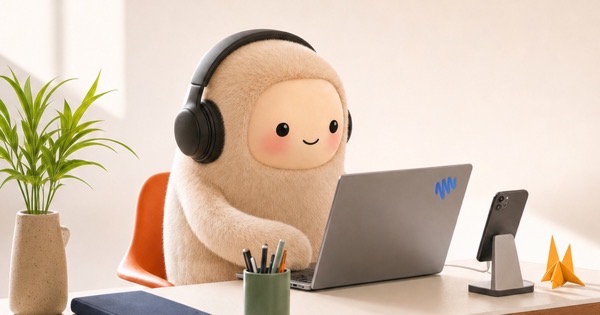
And keep in mind, those of us old enough to remember those past reactions and overreactions aren’t the targets the Metas and OpenAIs are aiming at. All you have to do is see the cute little Muse’s and Dots to understand a long game that might not take that much longer to unveil itself further.

Thanks for reading. You can subscribe to this blog if you care to. You can also find more of my writings on a variety of topics on Medium at this link, including in the publications Ellemeno and Rome. I can also be found on social media under my name as above. This site does not use affilate links.
 

Quell The Outrage Over Apple Intelligence Taking Up Storage

Why the surprise?

I apologize in advance for being derisive in this post. But Lordy, do folks deserve a shake now and again.

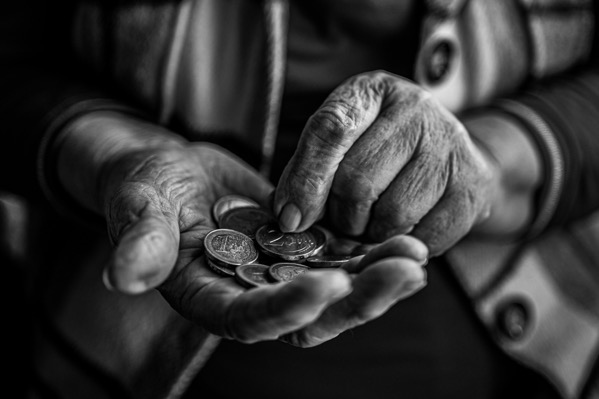
Hands of an older person counting out coins. Landsmann zxKlxvN5ZSg unsplash.

Not a day goes by that I don’t see complaints about Apple Intelligence taking up storage space on iPhones, Macs, or iPads. Some of it from so-called leading Apple blogs and websites. It begs the question, were people just not paying attention?

Apple’s entire pitch for Apple Intelligence is that most of it happens on your device, and is thus supposedly more secure than relying on other AI chatbots and the like that send every request to some data-slurping cloud or the other. At what point in that pitch did you not assume the index of your data wasn’t going to end up on your device and consume storage?

Granted one might be surprised by the amount of storage Apple Intelligence is taking up, but if you use your devices constantly, don’t purge older data like Messages and emails occasionally, the size of the index Apple is going to create, apparently every time the folks in Cupertino update the OS, is going to only grow.

I get the problem. I don’t get the outrage over it. Especially from websites that should know better and should have prepared their readers better. The reason I get it is that many users, especially in this age of spiraling costs, go for the least expensively configured device. Settling for 256GB of storage might have been a solid purchase decision two years ago. That’s no longer the case. I also get the surprise and the outrage from those who weren’t preparing to upgrade hardware in this or any immediate future cycles. That said, this writing has been on the wall for some time now.

The same is true with memory. Everyone was pleased when memory configs jumped to 16GB for the base of most of Apple’s computers. 16GB these days is what 8GB was just a short while ago. It’s the bare minimum you need to run Apple Intelligence effectively, especially if it’s only paired 256gb of storage that’s crammed with other data.

When Apple first started promoting its on-device Apple Intelligence approach quite a few were excited, thinking they might be able to reduce some of those $20 a month subscriptions they paid for other AI services. That may prove true for many, but in the end, it’s really just a transfer of costs.

Artificial Intelligence, regardless of flavor, is changing all aspects relating to purchasing decisions as rapidly as the technology itself is changing. If you think it’s hard for consumers to keep up, here’s a hint: the companies can’t keep up with it either. We would all be well served to think ahead given the unpredictability.

I hope I’m wrong, but I don’t buy into what I consider to be way too optimistic predictions that memory and storage costs are going to settle back in the next couple of years. And if we’ve learned anything at all about any kind of digital services, it’s that prices inevitably go up on that front. The money to pay for all the debt service on that financing for data centers has to come from somewhere.

In this day and age, 256GB of storage and 16gb of memory may be the minimum with a price point that makes it easier to get you in the door. But it’s as cramped and curmudgeonly as the free 5GB of iCloud storage that still comes with new iPhones.

Update: A number of folks reached out to comment that their issue was that they didn’t want to use Apple Intelligence features and thus their frustration with the loss of disk space for a feature they weren’t interested in. I can understand that point of view.

That said, at the moment the reality is that Apple’s path is to inject Apple Intelligence deeply into the operating systems, offering on-device access to some of those features along with its Private Cloud Compute and access to other Internet based options. That’s a part of Apple’s security and privacy approach to just about everything it does. I don’t see that direction changing in the near future, which turns this into a broader discussion than just reclaiming storage space.

Even so, those looking to reclaim that storage space are exploring ways to do so and there’s even an open source tool that apparently lets you do just that.

(Image from  – Landsman on Unsplash.)

Thanks for reading. You can subscribe to this blog if you care to. You can also find more of my writings on a variety of topics on Medium at this link, including in the publications Ellemeno and Rome. I can also be found on social media under my name as above. This site does not use affilate links.


Optimizing Search and Siri Is Going To Become Old Really Quick

Sign of the Apple Intelligence times?

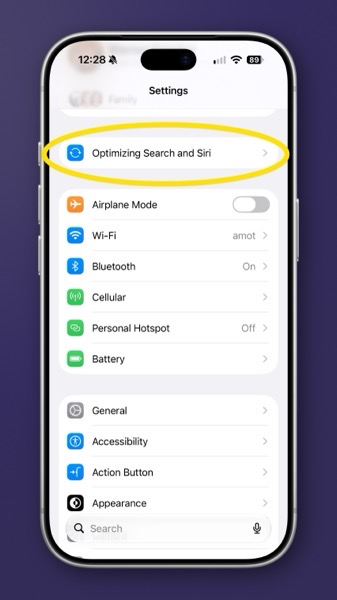
I guess we all knew this was coming. Apple released operating system updates ending in 27.0.1 (as well as for OS 26 and macOS 15) today for iPhones, iPads, and Macs, bringing something it looks like most will have to get used to, spending more time while devices reindex Siri AI.

There’s no telling if this will happen every time there’s an OS update, but Apple last year said that it will be speeding up the pace of security updates going forward in response to the risks now visited upon us from AI-powered hacking. Certainly the pace of AI development  continues to rapidly increase, which can only mean the same for AI hacking.

Defending against hacks, fixing bugs, and updating operating systems are facts of life these days. Always have been. Even so, when something new, or a needed bug fix is eagerly anticipated it’s largely viewed as an inconvenient chore by most. Adding time to the process for reindexing the info on a device certainly makes it more of a chore.

There’s already a sour taste in many users’ mouths about AI in general. If this is an ongoing and every OS update type of thing, I’m betting this might just increase the pucker over time as the price users pay for using Apple’s on  device brand of AI.

For what it’s worth, and for what it means, I’m seeing the Optimizing for Search and Siri notification on an iPhone and iPad, but not on a Mac after updating. It will be interesting to see how long the process takes after the updates compared to the initial process when the OS’s 27 were first released.

Thanks for reading. You can subscribe to this blog if you care to. You can also find more of my writings on a variety of topics on Medium at this link, including in the publications Ellemeno and Rome. I can also be found on social media under my name as above. This site does not use affilate links.


Pity The Developers Of Mac Menu Bar Managers. Blame Apple

A key piece of the Mac experience is broken for now.

Whenever Apple or any of the other major platforms release their annual operating system updates there’s always a period of adjustment for users and developers. Developers have to contend with the changes and sometimes that leaves users fumbling around trying to get back to what they were used to prior to the OS update.

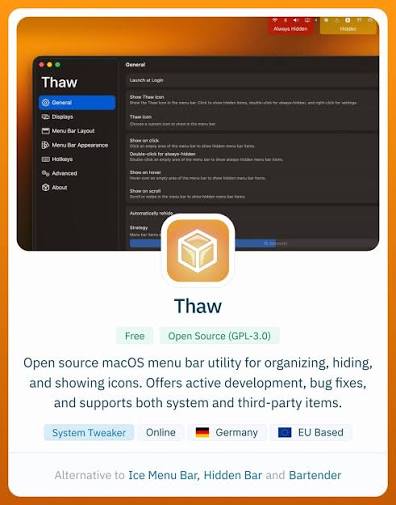
Thaw splash screen

That’s certainly the case with Menu Bar Managers on the Mac.

For some time Apple has been trying to steer developers away from placing apps in the Menu Bar. That hasn’t worked. In large part that has to do with just how problematic a large number of Menu Bar apps can appear (or disappear) on Macs with a notch. Most recently Apple tried to encourage app developers to use the Control Panel to provide users with quick access, but that seems to have been mostly another vain plea.

Menu Bar Managers have allowed users to fill up their Menu Bar with apps and choose to hide apps they mostly access once in a while or don’t want to see.

As an example I don’t need to see the Time Machine menu bar app all of the time, but want it handy to check on the progress of a backup if needed. Having it hidden, one click on the Menu Bar reveals it for me to check that progress.

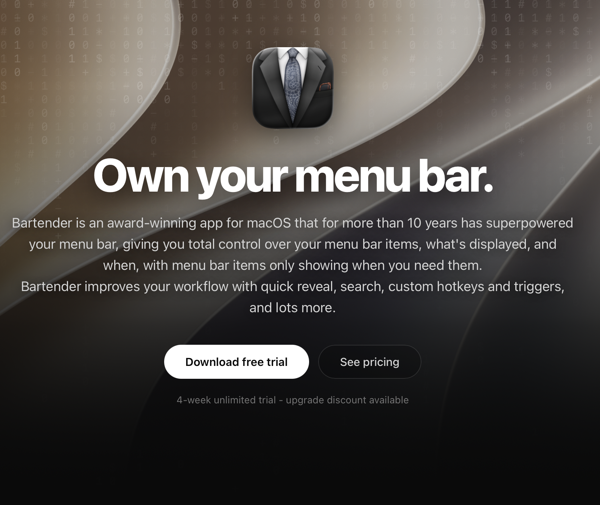
Bartender web page banner

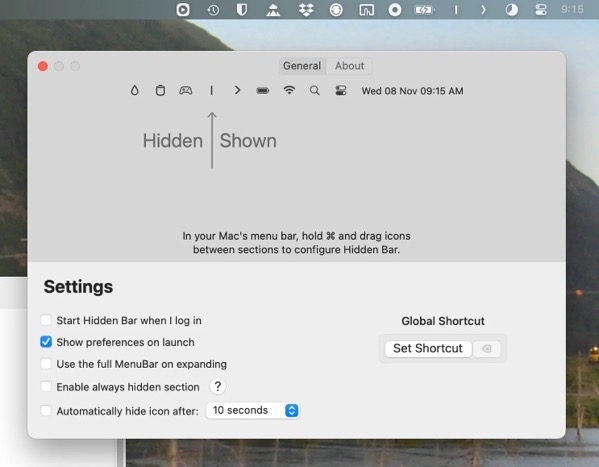
Prior to macOS 26 there were a few Menu Bar management apps that worked well, Bartender and Hidden Bar being seen as  favorites among many. After Bartender was sold, creating some ill will among users, a few others popped up including Ice. That developer stopped work on the utility, but it was taken up by Jordan Baird who built on it and created Thaw, which when it debuted looked like a good alternative. I’m still rooting for the Jordan to get things worked out.

In my experimentation none of the Menu Bar Managers currently work or work well enough with macOS 27 Golden Gate, and most are still in various states of disrepair on macOS 26.

You can blame the developers of these apps. To an extent that’s warranted. But they are trying. In my opinion it feels like they are swimming upstream because the fault lies with Apple. The frameworks, if that’s what they’re called, are obviously out of whack in whatever state of change Apple is trying to introduce. Apple tried what amounted to tweaks in macOS 26 that largely didn’t work, and has tried again in macOS 27. What’s there in the latest tweak is indeed cleaner, but it is still woefully insufficient, pointing to a serious lack of attention to what, for some, is a key part of the Mac experience.

Hidden bar app for macos.png.
Hidden Bar Settings screen

Like other aspects of Apple computing you can see and feel the tension and the conflict. You could argue Apple has created an environment of too much of a good thing, that eventually tips over to problematic. On iPhones and iPads, app discovery became such a pain that Apple eventually created the App Library and many users simply resorted to searching for their apps in Spotlight. Settings on Macs and mobile devices have proliferated and become so unwieldy that I doubt anyone or any AI attempt will ever be able to create something coherent. Likewise, Notifications still and probably always will be a mess.

I do have some smidgen of sympathy for Apple. These are systems with APIs that Apple created, opening the door for developers to rush in, starting a party that quickly became overcrowded and out of control. It’s like a small town police force trying to arrest all of the out-of-control and overflowing partygoers, but having insufficient cell space to put them. It’s been out of control for so long that any major change to try and correct the issues would result in significant problems in and of themselves.

Apple is no small town, though. A lot of things were cleaned up in Golden Gate. That’s good. Going further, cleaning up the Menu Bar app mess, even if that leads to unpopular decisions, needs to happen. Otherwise it’s a messy smear on the look, feel, and functionality of the Mac.

Thanks for reading. You can subscribe to this blog if you care to. You can also find more of my writings on a variety of topics on Medium at this link, including in the publications Ellemeno and Rome. I can also be found on social media under my name as above. This site does not use affilate links.


If You’re Moving From 1Password to Apple Passwords Check Out These Resources

Making tech choices shouldn’t be this hard

This is a wacky era for many when it comes to computing, regardless of platform. The rapid pace of change is letting up, propelled by Artificial Intelligence and a cascading series of factors. Another is users’ distaste with some companies and/or their leaders’ decisions in the political and social climate meltdown we are all living through. Too often it feels like we’re choosing the least worst of bad options in the same way it often does in politics.

Sasun bughdaryan WUJmdr8pNwk unsplash. A computer keyboard with a combination lock resting on it

I’ve been reevaluating my use of 1Password for some time. The app has served me well across multiple devices and multiple platforms. When Apple first released its Apple Passwords app in 2022 I thought of switching, but held off to see how the app would evolve, and because the cross platform and other features were still of use. But I’ve felt the tug several times since 2022, and at the moment, now feels like the time.

I say at the moment for several reasons. In a couple of months it will be time to renew my 1Password subscription. Apple Passwords keeps improving, even though it still doesn’t match 1Password’s feature set. Lastly, the ownership of 1Password has made one of those political decisions that doesn’t sit right with me and many others.

I won’t get into the political parts of that in this post. The Verge has a good summary of the issue at this link.

What I will do though is link to two excellent articles for those who might be interested in switching from 1Password to Apple Passwords.

The first is from Ricky Mondello who actually works at Apple in the password management and app/website authentication spaces.

The second is from Glenn Fleishman on Six Colors, also on how to migrate from 1Password to Apple Passwords.

Ricky’s piece is more of a broad overview. Glenn’s piece is quite thorough and covers a number of do’s and don’ts.

For whatever reason you might be thinking of migrating from 1Password to Apple Passwords both are excellent resources that you might want to keep handy.

The good news is it is possible to make such a switch, even though changing horses in midstream might lead to some new challenges and habit changing.

The bad news that keeps accumulating more than I think most want is that too often it feels like we’re in a situation when we might be choosing between lesser evils.

I hate that.

(Image by Sasun Bughdaryan on Unsplash)

Thanks for reading. You can subscribe to this blog if you care to. You can also find more of my writings on a variety of topics on Medium at this link, including in the publications Ellemeno and Rome. I can also be found on social media under my name as above. This site does not use affilate links.


BetterTouchTool Adds New Feature That Should Have Been In macOS From The Start

Follow your mouse for better focus

BetterTouchTool is an excellent Mac utility that I’ve been using almost as long as I’ve been using Macs. It lets you customize your Mac’s keyboards, trackpads, or mouse by adding actions to keyboard combinations, gestures, and mouse moves. And so much more. Believe me when I say the combinations of what you can do with this utility seem endless. 

The developer, Andreas Hegenberg, is constantly taking feedback from the BTT community and cranking out updates with something new. The most recent addition is something that I’ve always thought should have been a part of macOS from the get go. 

The control, which you can turn on in BTT settings, is called Focus Follows Mouse. It also works with trackpads. Simply put, as you move your pointer over a window, that window pops into focus under your pointer. You can configure the setting a number of ways including the timing of when the action occurs. If you use multiple displays it also helps shift focus between those displays as you move your mouse over a windows on each of the displays. 

CleanShot 2026-09-11 at 13.55.57@2x.

It’s just another in a long list of automation capabilities that BetterTouchTool offers. Given that there’s a very generous 45 day free trial, if you’re a Mac user you owe it to yourself to check it out.

Thanks for reading. You can subscribe to this blog if you care to. You can also find more of my writings on a variety of topics on Medium at this link, including in the publications Ellemeno and Rome. I can also be found on social media under my name as above. This site does not use affilate links. 


Observations And Questions After Apple’s Latest iPhone Duo and Apple Watch Event

Waiting to see how things unfold

I’ve got questions, some observations, and a few thoughts after Apple’s latest product announcements. In my opinion this was the best product introduction, canned or live, that Apple has done in quite some time. It makes a difference that they actually had something new to show off.

And there is newness. There’s also quite a bit of new work for developers ahead.

gettyimages-2294367938.jpg

iPhone Pro

There’s nothing really to say about the iPhone 18 Pro and Pro Max models beyond steady as she goes. Apple changed some colors, added some camera updates, a few other new features internally along with the latest generation chip, and incrementally advanced the very successful iPhone 17 Pro. The 17 Pro is one of the best iPhones I’ve owned and probably Apple’s peak for that design. Nothing about the 18 Pro versions seem likely to change that. Only reinforce it.

But in all the hype about the shiny new iPhone Duo much of that will be largely ignored.

iPhone Duo

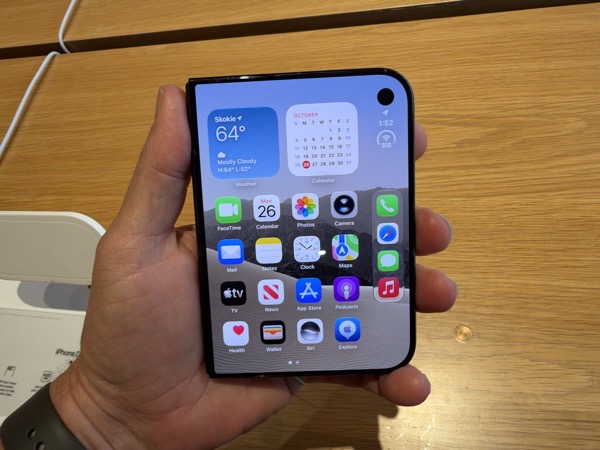
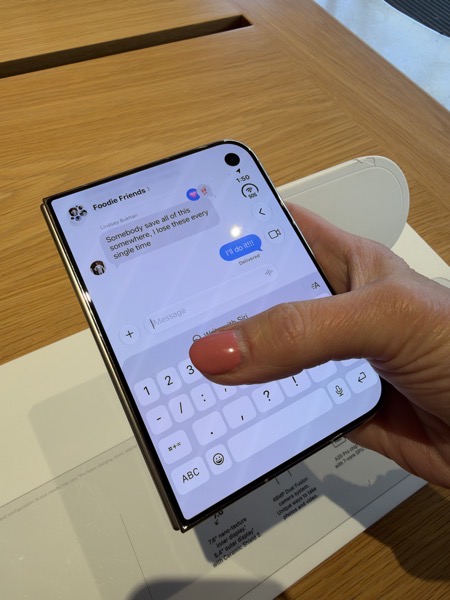
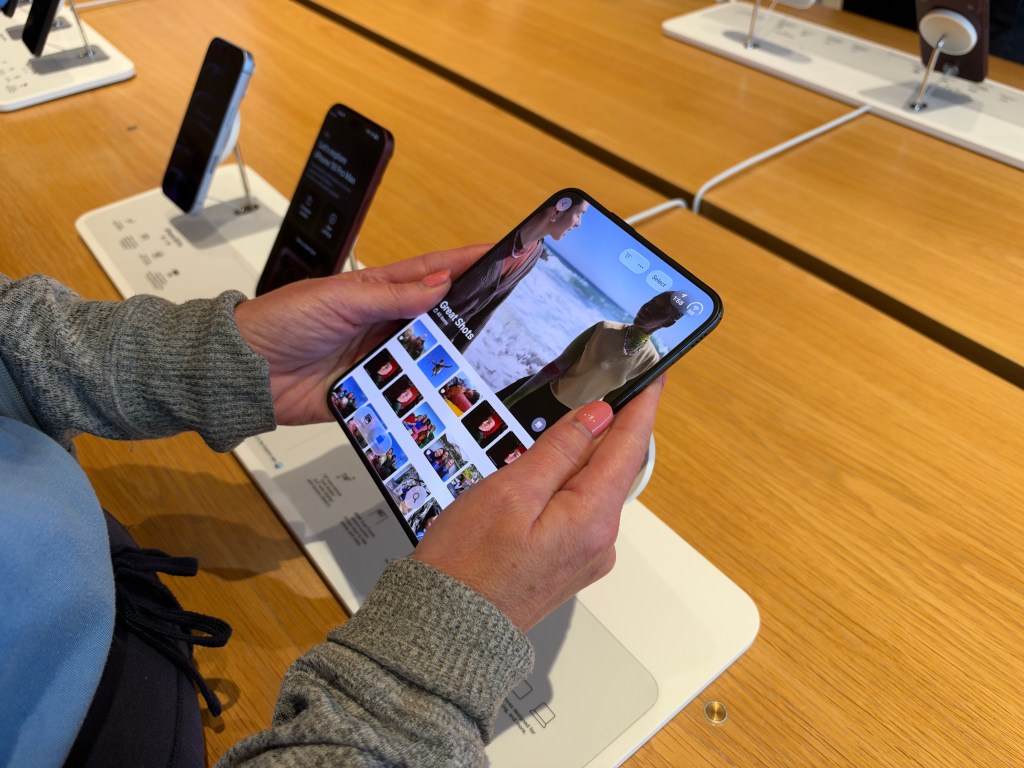
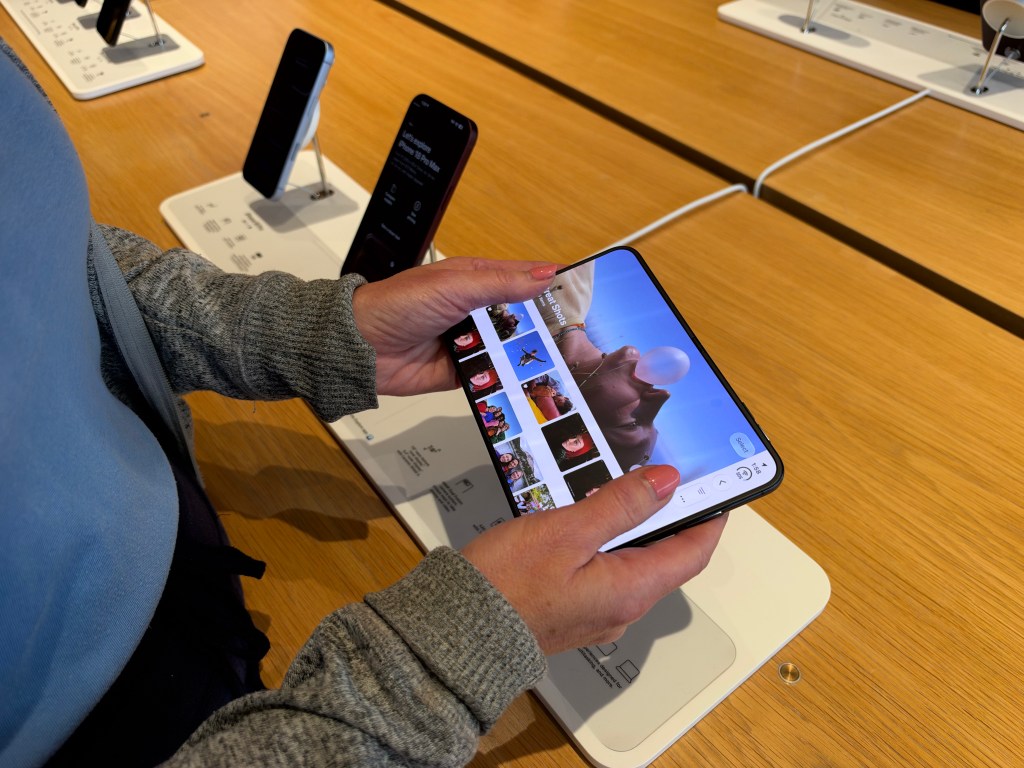
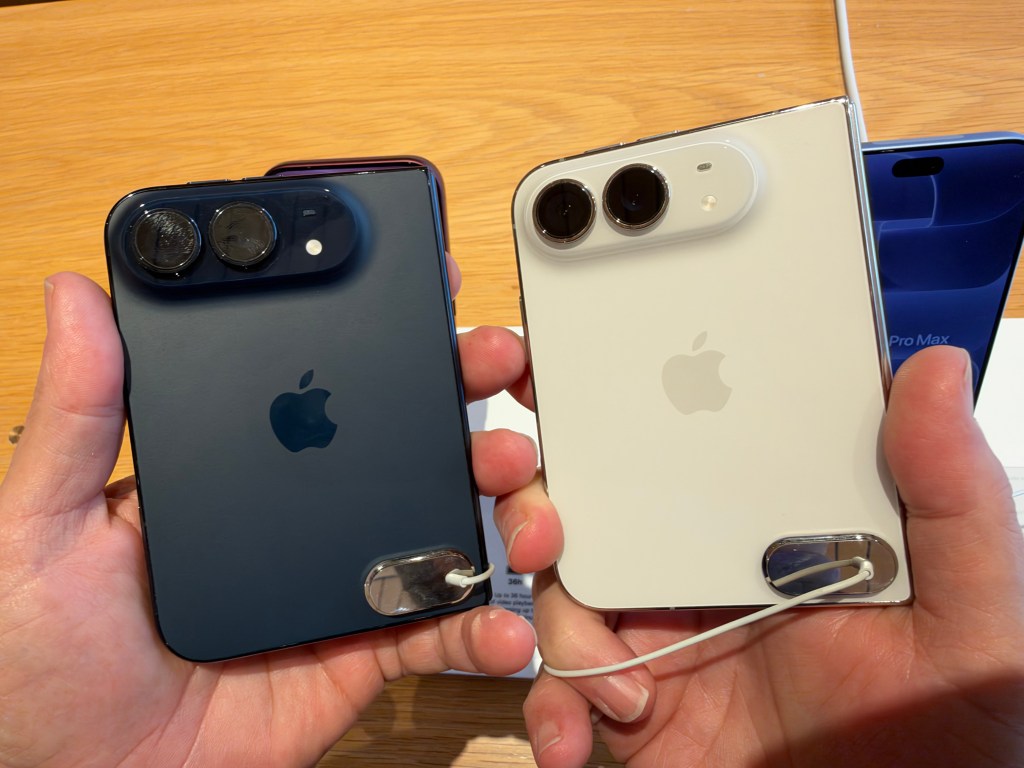
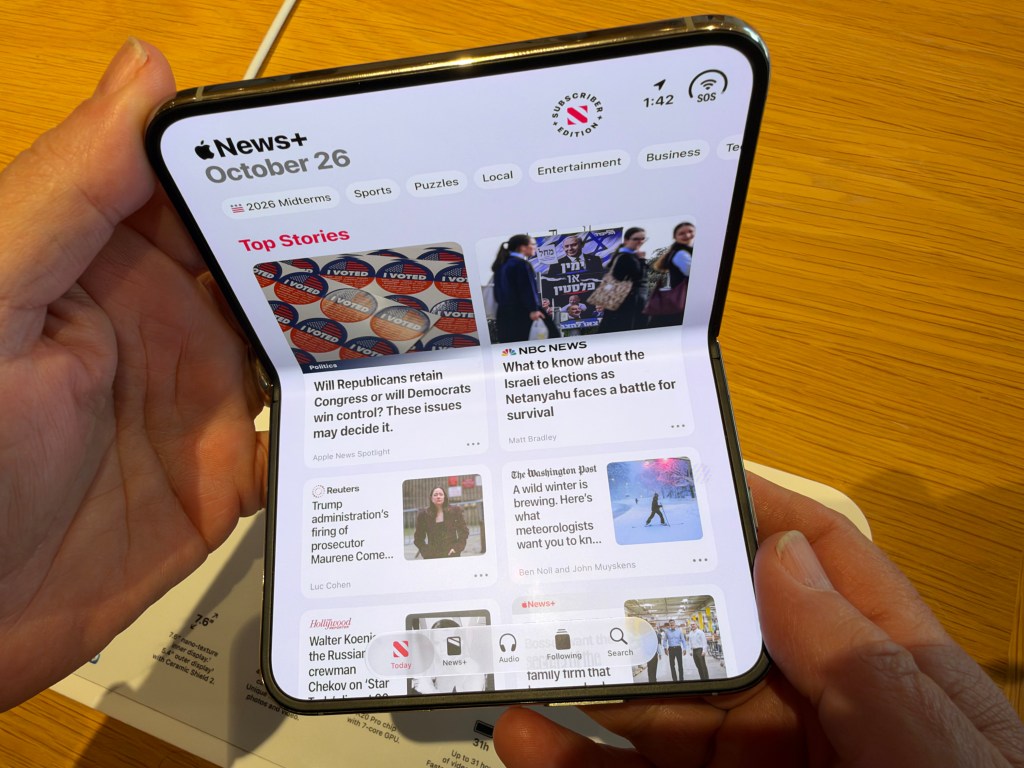
It’s both tiresome and accurate to say Apple is playing follow the leader as a late entry into the minuscule market (<2%) that is the folding smartphone game. Samsung and others have been trying to make creases disappear for some time now. Crease or no, I believe the jury is still out on whether or not folding smartphones will ever be more than a niche market. If that proves to be the case there’s nothing wrong with that, though I think Apple has more hopeful thoughts.

However this new chapter turns out, it begins with Apple replaying the same game of catchup they played after Samsung introduced large smartphones. Remember when they were called phablets? Quite frankly, I imagine Samsung and the rest are glad Apple is entering this segment because it might spark new life for the concept of folding smartphones, which hasn’t caught fire like larger smartphones did.

To lay out my bias up front, I’ve never been attracted to the folding phone concept. I’m an iPad guy and if I need a larger screen that’s my weapon of choice. And when I’m wielding an iPad I don’t want my iPhone near me, or any of the distractions like notifications I use my iPhone or Apple Watch for. Apple isn’t hyping the Duo as an iPad and that’s a good thing. That hasn’t and won’t stop the comparisons from others, although it may herald the end of the iPad mini down the road.

So, that’s my preference and my choice. And I’m both sure and glad that others have different preferences and make different choices. With that in mind, I’m glad that Apple is offering a new category of smartphone for those who do see their technology worlds unfolding differently than I do. I’m glad Apple’s competitors do as well.

I took a look at some of the earlier foldables when they started hitting the market years ago and largely wrote them off. This summer I took a look at Samsung’s most recent foldables and was actually quite surprised with the quality of the tech. I imagine once I get a chance to fondle the iPhone Duo in a store that my response will be much the same. Impressive tech, but not something I have a need for, no matter how cool it may be.

The iPhone Duo does indeed look cool. If nothing else, Apple knows how to market a product. As I’ve said many times before, the verdict on the Duo’s success or failure will be determined at a later date once we see how Apple’s claims about durability and the display hold up. Early reviews will be just that. Early. I’m also guessing there will be some attacking that screen and hinge to check out Apple’s durability claims. October is going to be an interesting month for those who follow these things.

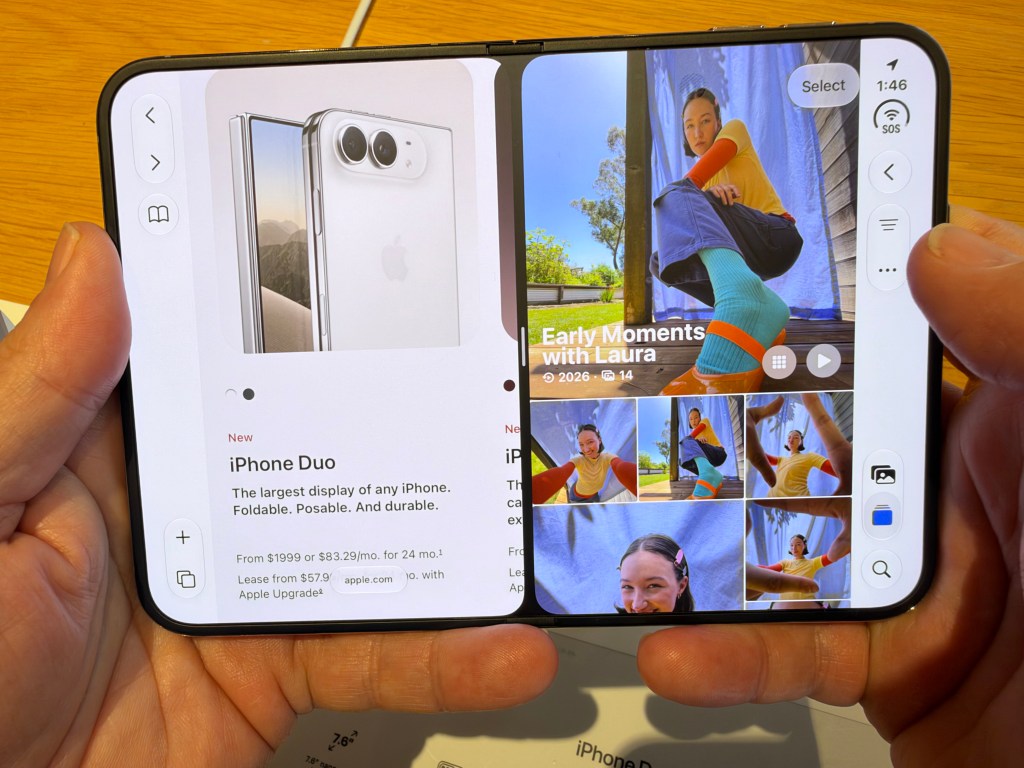
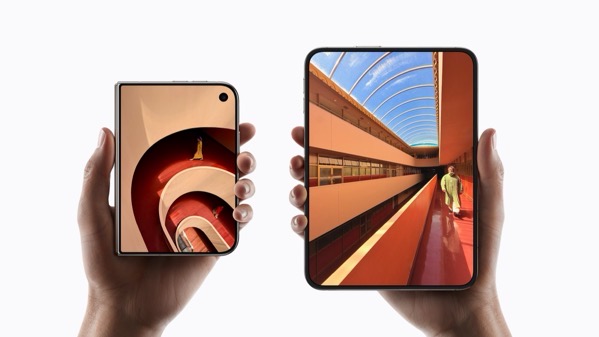
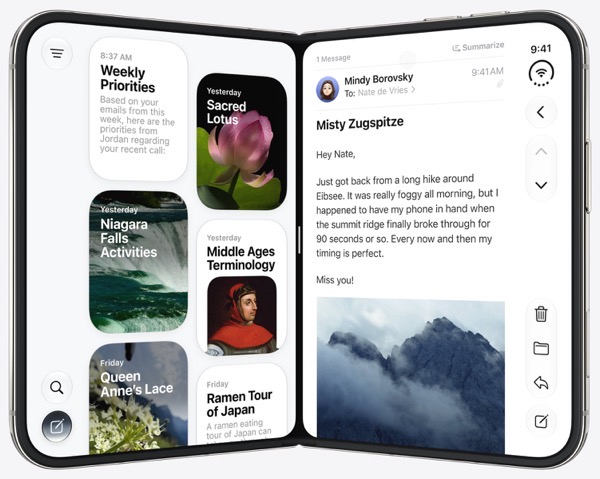
What stood out most was Apple’s “own the whole widget” reimagining of the iPhone UX/UI to take advantage of the new device. It looks both new and familiar. Doing some reading post event I can see how much work developers have ahead of them to fully take advantage of the new device. Here’s hoping most do, because some of what I’ve seen about apps that aren’t tuned to the new device leave a lot to be desired, reminding me of how insufficient and wrong iPhone apps looked on iPads in the early days. Remember when Apple sold using iPhone apps on the iPad as a feature?

Apple’s developer website promises workshops and labs, but the Xcode 27.1 beta for developing apps for the Duo is listed as coming later this month. I’m guessing it’s going to be a challenging transition. For some, a long one.

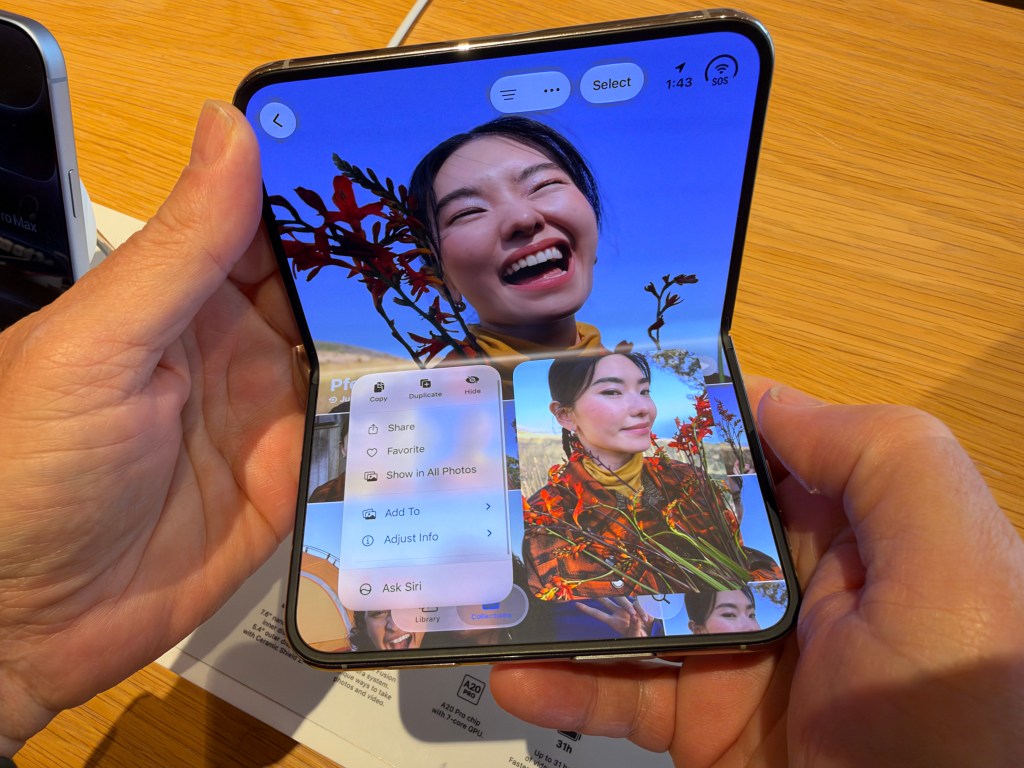
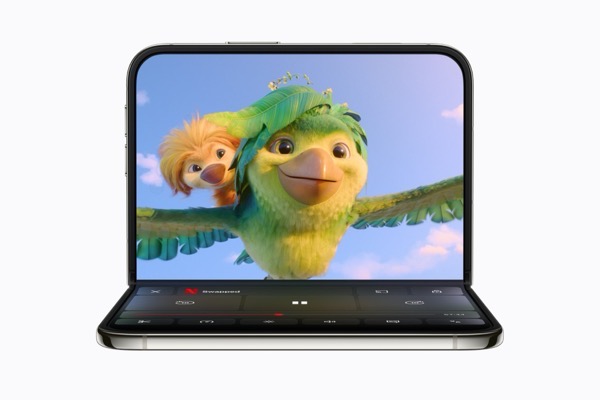
Speaking of transitions, the fancy fading transition between the closed and open screen is not only impressively eye-catching, and speaks to the aspiration of Apple’s designers and is certainly not something we’ve seen from any competitors. Time will tell where that takes us beyond the wow factor of that first introduction.

To Crease Or Not To Crease

Apple’s engineers seem to have done a good job of hiding the crease. It’s still there, but hidden under a “perpetually flat matte surface” under a nano-texture finish. Perhaps we now know why Apple recently and surprisingly reduced by half the price of the Apple Polishing Cloth that was first introduced alongside the first nano-texture screens on the Pro Display XDR.

Left and Right Handedness

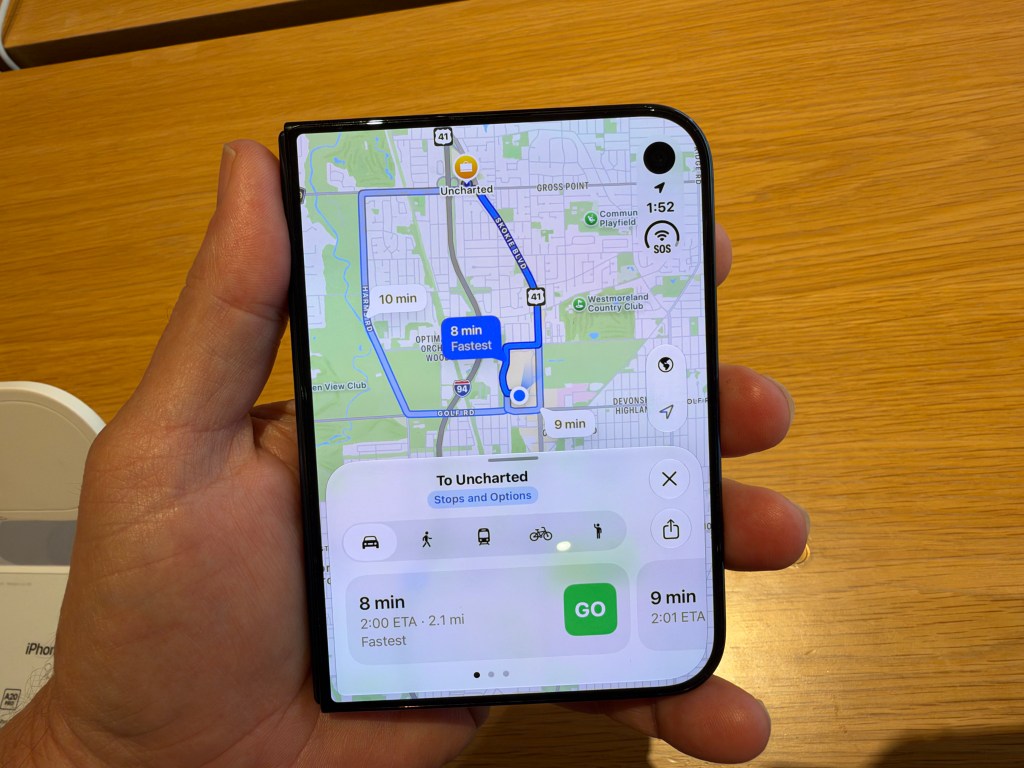
One of the questions I have that I’ve yet to see an answer for has to do with that new UI/UX. Apple claims that like the iPad, the iPhone Duo can be used in any orientation. Part of the UI/UX reimagining places the dock and controls in most images on the right of the display(s) away from the hinge. I’ve seen one image from Apple that places a menu on the left in landscape mode when two apps are in split view.

Landscape  f7x2oe1oxemy large 2x.

I haven’t seen any that might do so when the device is closed and the indications from what I’ve seen is that the controls and dock mostly stay situated on the curved edge, whether the display is open or closed. This raises a question about right and left handed usage. This question came to me last night as I was using my iPhone to scroll through some reading about the Duo and realized that though I’m right-handed, I more often than not hold the iPhone in my left hand when reading or scrolling. I do the same with my iPad mini. I’m reasonably certain that if I ever purchased an iPhone Duo I would adjust. I’m not sure if the same is true for left-handers or how much it matters, even with what appears to be a very “hold it in your right hand” approach for the Duo when it is closed. I’m sure we’ll hear about it from left-handers if it does.

FaceID is one of the features iPhone and iPad users have become accustomed to. The iPhone Duo does not have FaceID, instead reverting back to TouchID for identification purposes. I’m not sure how many this might be a deal breaker for, if any. Quite a few folks are saying that if you’re wearing an Apple Watch you can use the unlock feature similarly to how you can use an Apple Watch to unlock a Mac. That might work. Although in my usage the feature worked so sporadically in unlocking my Mac that I turned it off. Maybe it’s been improved. We’ll have to wait and see.

iPhone Handoff

It’s often easy to forget that The iPhone Duo, like the iPhone Pro and other models that will be released next spring are phones. But they are. I remember when we called them cell phones rather than smartphones. Intriguing that I don’t recall seeing any imagery during the presentation of someone using the Duo to make a phone call.

Apple introduced an interesting feature that might appeal to some and might see some turbulence among carriers.

In these days of eSIMs, iPhone Handoff allows the use of one phone number between two devices so a user can switch back and forth whenever they want. I’m not sure what the demand for this will be, but some will certainly enjoy the feature. Depending on if the carriers can get their acts together.

At launch only T-Mobile and Germany’s Telekom support the feature, with Verizon saying they will later this year. AT&T apparently has some work to do on its infrastructure to make the feature possible.

Given how carriers love their ridiculous fees when you activate a new phone I wonder how this will get priced out. As I got ready to publish this, I noticed T-Mobile has announced that it will charge $5 a month for the feature.

Apple Watch Health and Privacy

Both the Apple Watch and the Apple Watch Ultra got updates to Series 12 and Ultra 4 respectively. Both also increased RAM to 4GB from 2GB. Apple continues its push into Health and Fitness in these next editions. Both got improved, but not new, health sensors to go along with a slew of new health features in the Health app, including something Apple calls Readiness that will let you know if you’re ready to take on whatever task or adventure awaits you or take it easy for the day.

There’s also a new Longevity tab that includes a feature called Health Age that lets you compare your statistics relative to others. Apple has entered into a partnership with Quest Diagnostics so that you can order a comprehensive lab test for $119 directly through the app to use as a baseline. This is sure to trigger a raft of social media posts bragging or complaining about how people’s Health Age scores compare in the way we have with sleep scores since that feature was introduced.

All of these features continue Apple’s forays into health guidance with wearables and are now promoted as being made possible by Apple Intelligence.

Speaking of Apple Intelligence, there’s also a controversial couple of new audio features for the Apple Watch that can record conversations. The privacy conscious, legal beagles, and pervert glasses foes have already begun stirring the pot and sounding alarms in this age when any kind of always on surveillance draws increasingly extreme negative pushback. Throw AI in the mix and the brew boils a lot faster.

Live Rewind lets you transcribe the last 15 seconds of a conversation you might have missed. The transcription can be saved to the new Siri app for viewing later. Siri Recap is an always listening feature that that uses ambient listening to take notes of conversations, summaries of which again can also be reviewed in the Siri App.

With Apple’s traditional bent towards privacy protection, they swear up and down that users are in control and that any of the summaries can only be viewed by you, are not accessible by Apple, and that audio is not recorded or stored. All of these features are opt-in and can be turned off. Apple also suggests “Be mindful of those around you. While audio is not recorded and stored, and no speakers are attributed, consider those around you where conversations might be private or sensitive.”

Seriously.

Siri recap with iphone.

My bottom line observation here is that this move into wearable AI by Apple is seeding the ground before Apple does or does not roll out any of the products we’ve heard rumored such as AirPods with cameras and its own smart glasses. Apple’s moves here, while cloaked in its usual privacy protection mantra comes at a time when there’s a growing distaste for anything AI related, a real backlash against smart glasses and any other surveillance tech no matter how cool or how beneficial it may be to those with accessibility challenges, and a blatant lack of trust for anyone on any level these days, especially big tech. That’s a broad brush to tar with, but it’s one that’s fully loaded and dripping these days.

It’s an old story now that Apple is behind when it comes to Artificial Intelligence. It’s not just the technology that’s lagging. It’s also that Apple has let others with much less social awareness define use cases in ways that turn off potential customers.

Even if this tech is only audio related, and all of Apple’s privacy claims prove out, I certainly don’t think Apple wants people to associate its popular Apple Watch brand with the toxicity of pervert glasses. And that’s before we get to the legal issues given how different states have different laws about the recording of conversations. Glenn Fleishman has an excellent article about this that you should read.

Timing is everything and I just don’t think this is the time, nor will there ever be a time when this kind of thing is accepted by a majority of users. Just because you can, doesn’t mean you should.

A few other topics that caught my eye were announced during the day.

AppleCare One Family Plan

Apple has been offering AppleCare One allowing users to insure and get support for up to three devices for $19.99 and add other eligible devices for a cost. Apple’s new family plan will allow users who are or start a shared family group to ensure all eligible devices for each family member for $50 a month. This is a potential for real savings for some.

Apple Reference Image

This is a good thing that I wish wasn’t necessary. But these are the times we live in. Apple Reference Image is a way of providing proof that a photo was captured on an iPhone, and not an AI generated image. From Apple’s website:

Users can now prove the authenticity of a photo taken on iPhone 18 Pro models with Apple Reference Image, powered by the new sensor in the Main camera that can sign every pixel it sees. When a photo is taken in the new Reference mode, the camera captures signed sensor data that Private Cloud Compute develops into an unalterable reference image. Reference images can be viewed in the Photos app alongside the main image, like a digital negative, to visually compare the two assets and determine if any edits were made. APIs are available in iOS, iPadOS, and macOS 27 for third-party apps to enable viewing of these reference images.

Image metadata and upcoming support for the SynthID standard can also help users identify images generated or edited with AI. Together with Apple Reference Image, this set of features represents a multifaceted approach to image authenticity — vital for photojournalists, photographers, and everyday viewers.

The Debut of John Ternus as CEO

Ternus did an admirable job in the canned presentation, though at times he looked a little gun shy. The opening film featuring a clever hand off from Tim Cook to Ternus was well done. Although it felt like it was two beats too long and would have been better served by getting to the punch line sooner. What’s apparent from how the event was structured is that Apple is loudly saying that they have a product guy at the top again. Ternus is “the guy” and there’s no doubt the pressure is now on for him to deliver.

As I said earlier. I felt Apple’s event was well done and the best it has done in some time. Picking a nit though, I was not a fan of all of the extras walking through the various locations while information was being presented. Each time someone walked through in the background it pulled my focus. The idea certainly established a nice mise-en-scène, but I largely found the extraneous traffic distracting.

It’s going to be interesting to follow how all of this continues to roll out. We won’t begin to hear real substance about the Duo from reviewers and users until October. That gives developers time to try and catch up, and it also will put the focus on Apple Intelligence and Siri AI as the operating systems that end in OS27 roll out next week for those with devices that support it. Note that most older Apple Watches do not support a lot of the new features. New Apple Watches and iPhone Pros will be getting in users’ hands late next week as well.

My hunch is there will be a lot of news unfolding this fall.

Thanks for reading. You can subscribe to this blog if you care to. You can also find more of my writings on a variety of topics on Medium at this link, including in the publications Ellemeno and Rome. I can also be found on social media under my name as above. This site does not use affilate links.


Apple To Announce Stuff

The Annual Apple iPhone Show

Apple is going to announce stuff today. There will be iPhones. Folding and not. There will be other stuff. Prices will be higher. John Ternus, the new CEO will take the stage for the first time in that role.

Thomas H Ince - Megaphone 1922-600.

Lots will be said. Immediately after the announcements most of it will be repeating what Apple says. There will be over the top excitement. There will be below the belt criticism. Markets will move. Apple will be both celebrated and doomed.

The real story will start to be revealed once real users have the stuff in their hands. That will be the time to pay attention to whatever Apple says today.

Oh, and don’t forget the rumors about whatever Apple will announce next September that are already circulating.

That’s the post.

Thanks for reading. You can subscribe to this blog if you care to. You can also find more of my writings on a variety of topics on Medium at this link, including in the publications Ellemeno and Rome. I can also be found on social media under my name as above. This site does not use affilate links.

Recommended for Apple Geeks: Lex On Tech

Add Lex on Tech to your RSS feed

Here’s a recommendation for those who use Apple products. Lex Friedman has recently launched Lex On Tech, a website to feature news about mostly Apple tech. More to the point of my recommendation he’s spotlighting info on developers and apps.

New Screenshot.

Friedman has been writing about Apple tech for quite some time while involved in a variety of tech related exploits himself, which you can read more about on his site. He’s developed a few apps himself and he’s also a pretty funny guy based on my listening to him on The Rebound Podcast.

The Apple community is in need of new voices, though given his storied career I wouldn’t call Lex a new voice strictly speaking. That said, given the lack of coverage about new apps and developers these days, something that used to be a staple of Apple coverage, it’s good to see a new, yet knowledgeable voice highlighting apps and developers as a big part of his coverage.

Things are certainly transitioning with Apple. In my opinion within the coverage about Apple as well. In the early going,  Lex On Tech feels like a breath of fresh air. Here’s hoping Lex On Tech continues providing that breath of fresh air at a time when Apple coverage feels like it needs one.

Thanks for reading. You can subscribe to this blog if you care to. You can also find more of my writings on a variety of topics on Medium at this link, including in the publications Ellemeno and Rome. I can also be found on social media under my name as above. This site does not use affilate links.


Ternus Steps Up. Cook Steps Down.

Changing of the guard

Just a quick post to mark the changing of the guard at Apple today. Tim Cook is stepping down as Apple CEO, moving to Executive Chairman of the Board. John Ternus is stepping up to take the CEO mantle and responsibilities.

18928273_cook ternus split 2.

There’s excitement around the change, but who knows how things will go. Cook deserves all the accolades and brickbats that have come his way. He deserves both.

Ternus won’t get much of a honeymoon. I doubt we see much change right away given how Apple operates. But he’s got the target on his back now and every move is now his.

The only constant is change and change happens.

Thanks for reading. You can subscribe to this blog if you care to. You can also find more of my writings on a variety of topics on Medium at this link, including in the publications Ellemeno and Rome. I can also be found on social media under my name as above. This site does not use affilate links.