The MacBook Neo is a nice piece of kit. If you’re in the market the price is right, the build is very good, and in my first impressions the laptop is a delight. Any of the complaints and concerns you’ve probably read or heard from those who own more kitted out Macs can be easily dismissed. At the moment. I’d venture to say that for the vast majority of everyday computer users the MacBook Neo will be a nice fit.
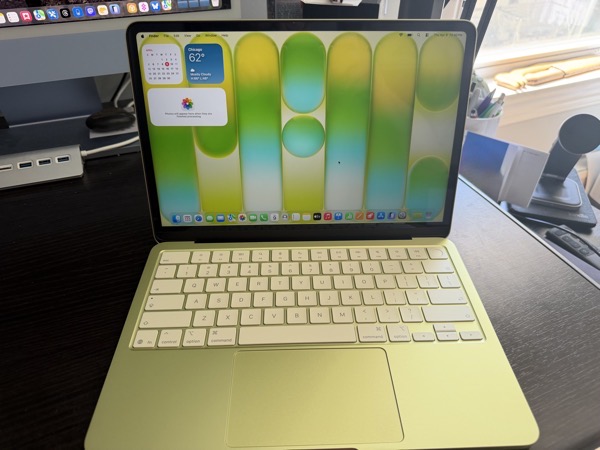
One of the folks I support reached out and said they wanted to obtain one, so I picked one up and did the drudge work of installing the OS update and some of the initial setup last week. We later spent some time together getting it set up the way they like. Moving from an M1 MacBook Air bought in 2022, they opted for a Citrus colored 512GB model with TouchID. The good news is there’s no real learning curve for this client when it comes to features and using the device. There is no bad news.
When I say “in the market,” my client is what I consider one of the perfect customers for the MacBook Neo. A retired senior that began using a computer later in life, later jumping on the iPhone train with the iPhone 5.
They do most of their computing on an iPhone and use a laptop for email, messaging, shopping, FaceTime, and some occasional writing. Occasionally they use Photos on a MacBook Air to manage photos, but still do most of that on an iPhone.
Of the fancy new features Apple has released over the last few years the only one they really rely on is seeing notifications from their iPhone on their laptop screen when they are using the laptop. There’s a currently a problem with that, which I’ll address later.
Given their computing needs and desires, they could probably get by without a laptop, but due to decreased finger flexibility, they feel more comfortable using a laptop for apps like Messages and Apple Mail when they are home. The only thing they connect to a port is power.
Hardware
As to the device itself, it feels great and a bit whimsical. As a MacBook Air user (13-inch, M4) I have to say that I’d love to see the guts of the Air in this form factor. They weigh the same, and the Neo is slightly smaller, but it feels tinier and more totable. You give up a bit of screen real estate with the slightly smaller display, but there is no notch. Apple may have cut features now considered defaults on the MacBook Air, but it didn’t skimp on the look and feel quality. In my opinion that and the price point are what sells the device.
We’ve long since reached a point where computing devices, whether in traditional form, or smartphones and tablets, all come with so many features that even power users don’t need or use some of what’s possible. Innovation has always curved towards adding more possibilities, as it should. In my opinion, it’s a good thing to flatten the curve a bit, offering products that don’t need all the bells and whistles.
Color
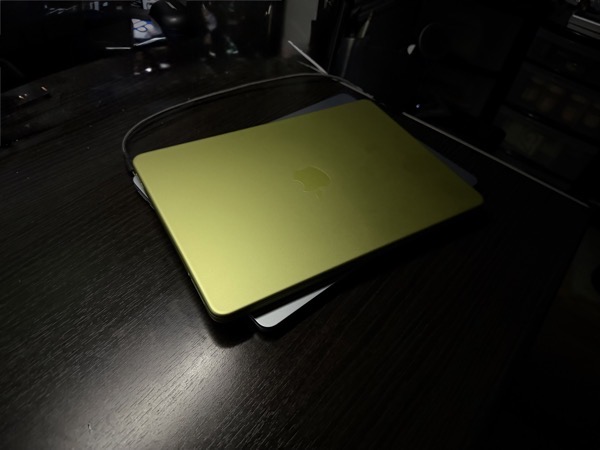
Apple is taking larger steps towards bolder color choices these days, and the Citrus color scheme for the Neo certainly is another big stride into that orchard. I personally wasn’t that attracted to it when it was unveiled, but after having the Neo around for a bit, I have to say that it not only adds to the novelty, but makes the tool feel a bit more fun. At night under a desk lamp the damn thing gives off an almost otherworldly glow.
One of Apple’s trends of the last few years is to match up UI color schemes and themes with the color chosen for the hardware. Highlights, buttons, and some text reflect and complement the color of the shell. The tinted keyboard of the Neo takes that a further step forward on the fun factor scale. That said, the citrus Neo’s color scheme, bold as it is, often leaves some text harder to read, certainly for older eyes.
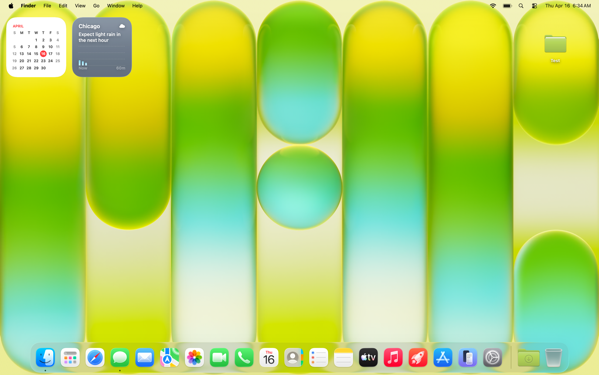
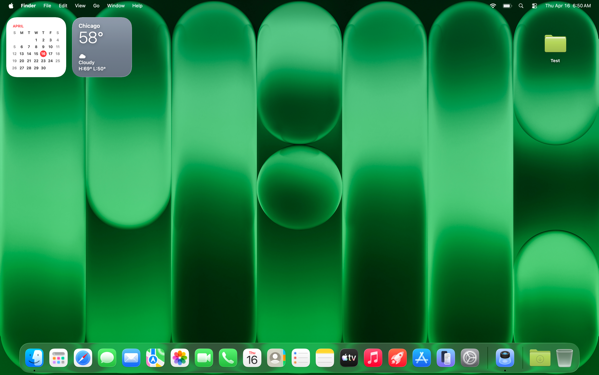
We settled on choosing the dark version of the Citrus wallpaper for my client to solve this.
Another example of hard to read text with this theme.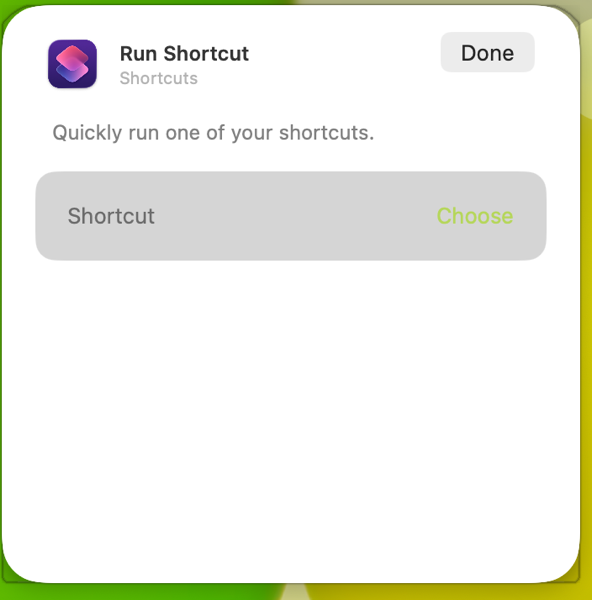
The A18 Pro Chip
Apple raised eyebrows announcing and releasing this new laptop powered by an iPhone chip. An older and binned A18 Pro chip. In my limited time with the Neo I haven’t noticed anything but good performance.
I’ve heard and read others state that the setup process was slower than they have experienced on M-series Apple laptops. That wasn’t my experience. Things moved along readily enough If you count the number of times you have to accept and click on permission popups as something that’s desirable in an out-of-the-box experience. But that’s unfortunately true of any of Apple’s computers.
Again, I’m experiencing this only through setting up and doing a few tutorials for my client, but the performance I’m seeing feels more than adequate to met their needs.
One thing I did notice throughout my hands on time is that the Neo takes longer to connect to a WiFi network than either my MacBook Air or iMac (both M4 devices.) In fact, it feels very much like how long an iPhone sometimes does connecting to WiFi when rebooting. That makes sense on a smartphone when a device immediately connects to a cell signal, but in an age when everything is expecting an Internet connection one way or another, (on setting up a new device one of the first things required is to establish a WiFi connection) it seems like there should be a way to not start reaching out on a previously set up, non-cellular device until after a connection is made.
Battery Life
Setting up any new computer or smartphone puts a load on battery life. That continues during the first day or so after initial setup as things sync up. After performing the first OS update I didn’t use the Neo much until after my client was with me, but even after continuing setup and tweaking a few things there was 68% battery life left. Time will tell how that goes, but given my client’s usage I don’t anticipate them having battery life issues.
Memory Management
Much was also made about the one size fits all 8GB memory cap, regardless of the storage model one chooses. My client doesn’t run a heavy load of applications or keep many tabs open, so I’m not the best judge of how good the swapping out of memory to the SSD works. Apple’s Unified Memory Architecture seems to be working as designed in my limited view. I do wonder how well it does with devices that only have a 256GB SSD if they contain a lot of data.
Screen Size
I prefer the More Space option on displays I use. My client prefers the default view. Even with More Space selected, the Neo feels very much like a one app at a time computer to me, which generally lines up with my client’s needs. I always set up a Hot Corner Shortcut with Mission Control to make window navigation easier, and that feels more necessary on the Neo in the default display mode.
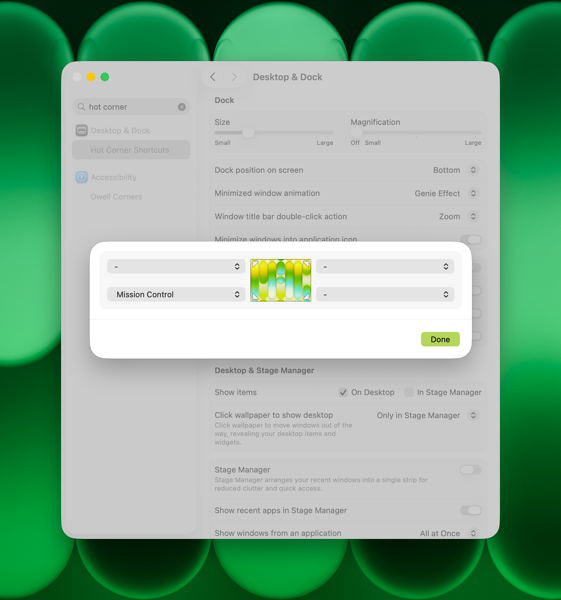
Apple has a feature that allows you to click the wallpaper and move all open apps off of the screen. You can choose to do this all of the time, or only in Stage Manager. I don’t recommend Stage Manager to my clients, and I typically recommend turning off the click wallpaper to show desktop feature. In this case my client likes this fly away feature, and sees it as a bit of whimsy. Even though they prefer to keep the Dock and Menu Bar always visible. So we’ll leave it on.
Trackpad
The Neo has a different trackpad than other current MacBooks. From what I’d read previously I expected to feel more of a difference between it and the trackpad on the MacBook Air. There’s a difference certainly, but it doesn’t feel like that big of one to me. I moved back and forth between the two devices without even really thinking about it.
Notifications from iPhone
I mentioned an issue earlier with iPhone notifications flowing through to the MacBook Neo. This is a feature I use myself. It’s set up through iPhone Mirroring, which you have to open at least once in order to set up.
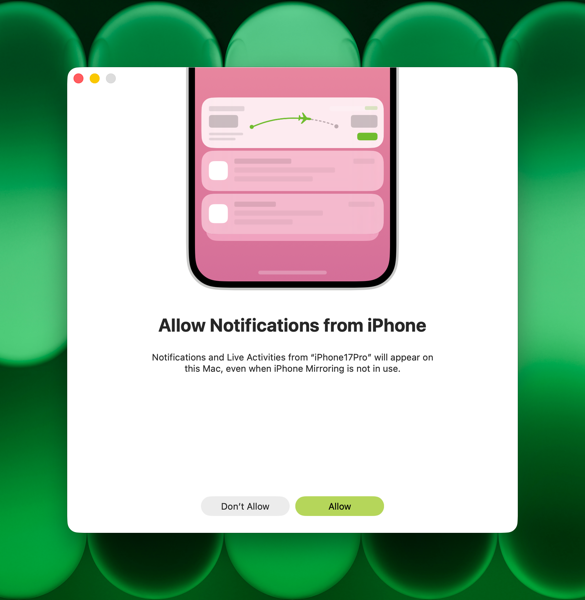
One of the nifty things about this feature is that you’re allowed to pick and choose which notifications flow through and those you block either on your iPhone, or on your Mac. If you choose to use this feature and set it up, you’ll see an option in your Mac’s settings to allow these notifications.
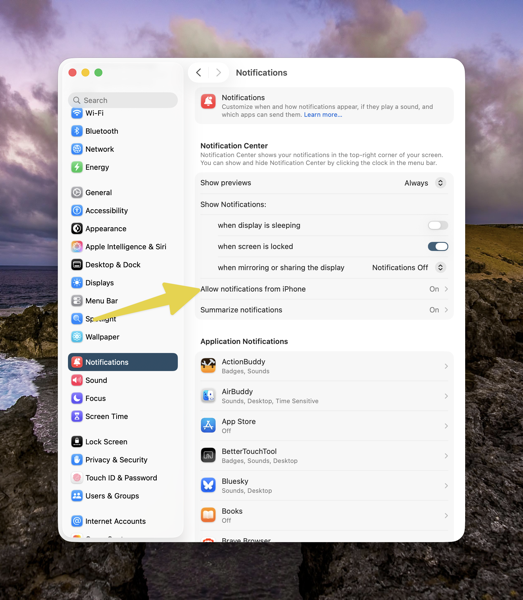
If you click on Allow Notifications from iPhone, you’ll be taken to another screen. Below the three Allow options here, you’ll see a list of any notifications you’re allowing to flow through or not from your iPhone, and whether you’ve turned them off on your iPhone, or they are coming through from an app installed on your Mac. As a reference, the screenshot below is from my iMac.
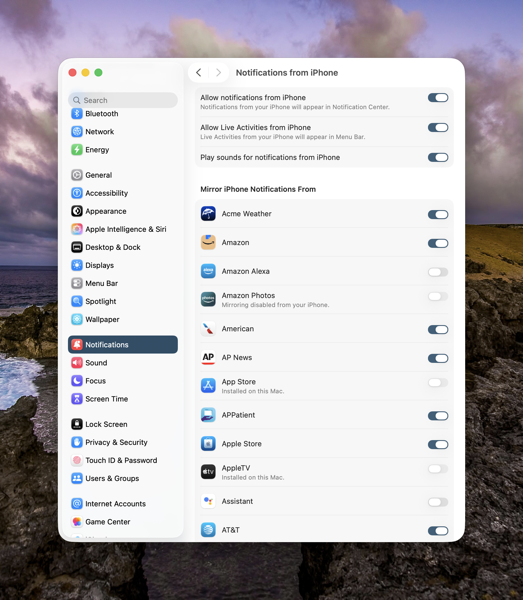
On my client’s Neo, no apps appeared initially. The section above that begins with Acme Weather is blank on their Neo. There shouldn’t have been many. Regardless none were there. We called Apple Support and opened a ticket. Luckily on the first call we got a senior advisor who understood the issue. After doing some checking the situation turned into something Apple is really interested in tracking down. These are a new line of devices after all. So we were off into the land of running sysdiagnoses. We’re expecting a call back on Friday with any discoveries or solutions Apple may have come up with. Fortunately we have time still left in the return window.
At the Moment
In the opening paragraph of this post I also used the phrase “At the moment.” Two thoughts there.
First, as I’ve described my client, they are not a heavy laptop user. Those who might be looking into the MacBook Neo who are, might have a different experience in both the short or long term. I’ve never yet met a computer that doesn’t slow down over time. I doubt the MacBook Neo will be any different. The difference in any performance degradation between the Neo and other Mac laptops is yet to be seen. My hunch is this first MacBook Neo will still be a winner for at least a few years, certainly if you’re a not a heavy user.
Second, the rumors are that the Neo is such a success that Apple might be running out of the binned A18Pro chips it’s using to power the MacBook Neo. Speculation on what happens if that’s true is rampant, and who really knows. Current demand has already caused a delay in shipping times, and I know that secondary retailers Walmart, Target, and Best Buy have plenty of signs, but very limited or no stock. My hunch here is that Apple will be selling MacBook Neos for quite some time, even though it might take you a while to get your hands on one.
Summing Up
To conclude, let me say that I’ve thought since Apple’s announcement of the MacBook Neo that it would prove to be a hit and a palpable one to the laptop market in general. In my brief experience setting up this one for my client and seeing their delight at the form factor, coupled with the high demand, I’ll more than double down on that thinking.
Personally, as I anticipate my computing needs becoming less in the more quickly than I’d like years to come, I could easily see myself relying on a MacBook Neo in the future.
You can also find more of my writings on a variety of topics on Medium at this link, including in the publications Ellemeno and Rome. I can also be found on social media under my name as above.

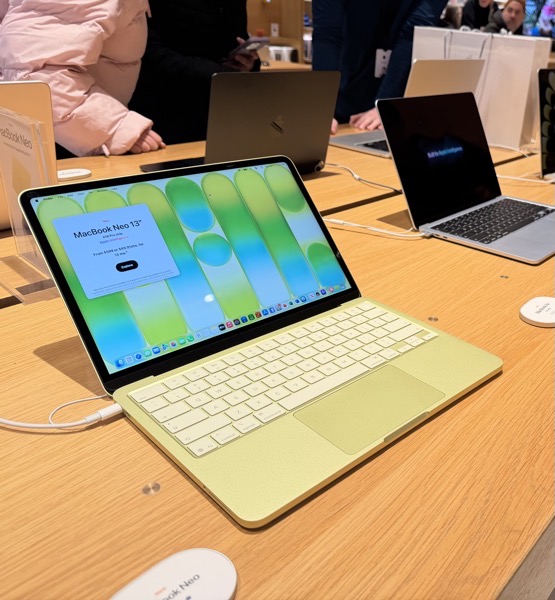
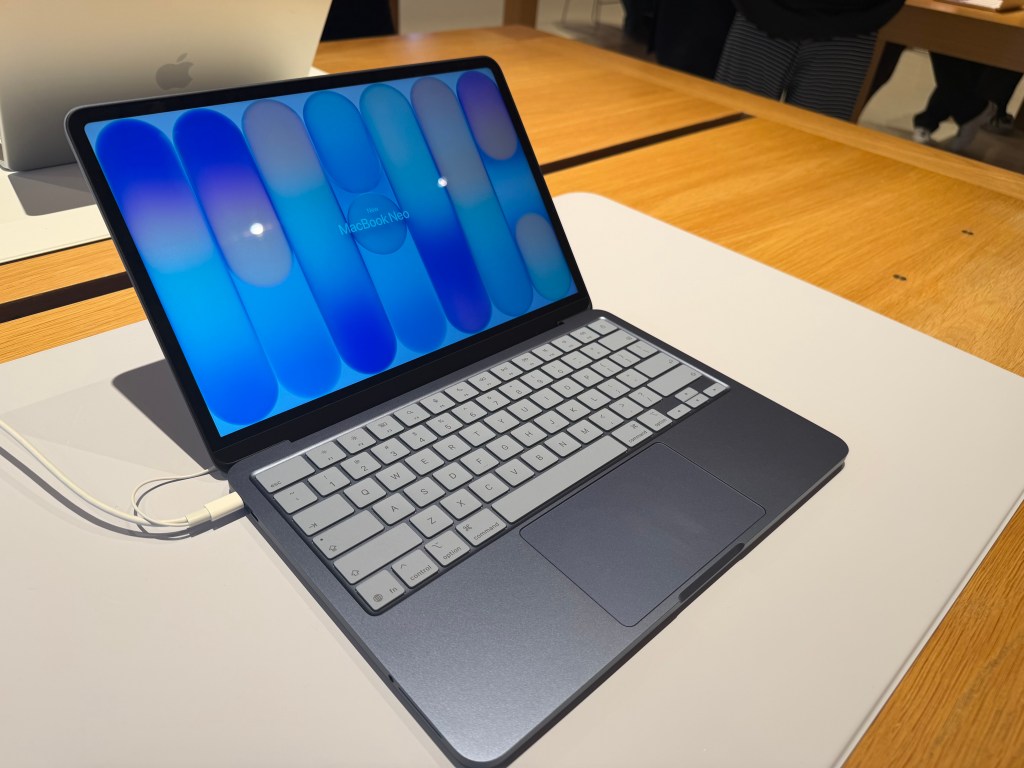
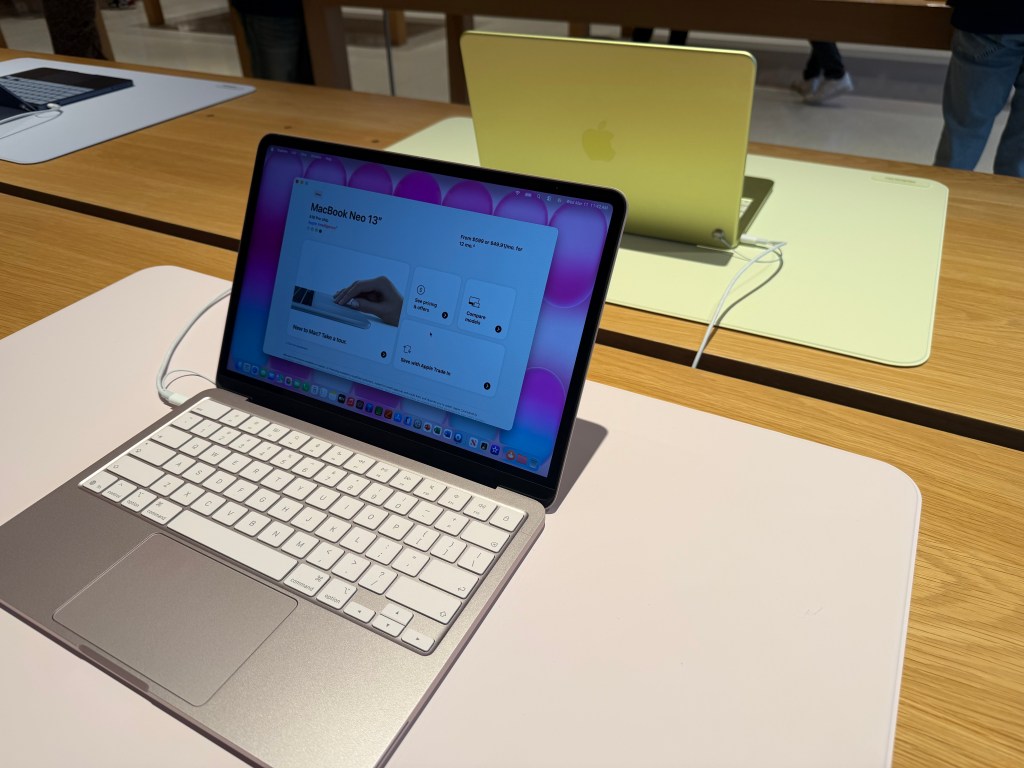
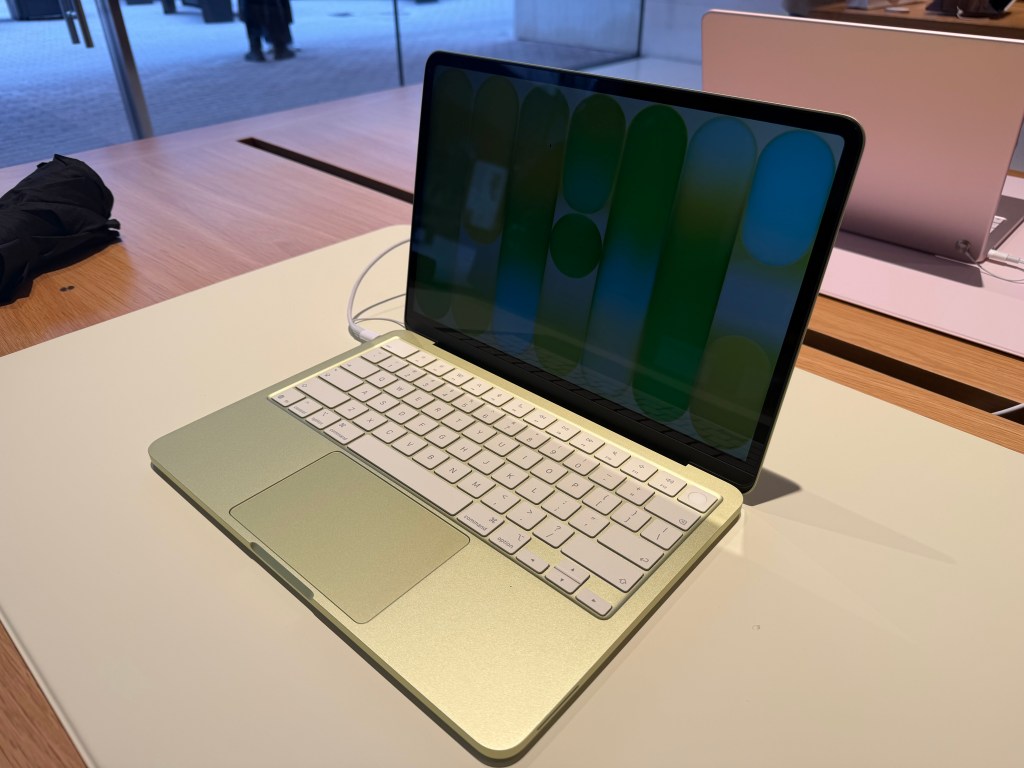
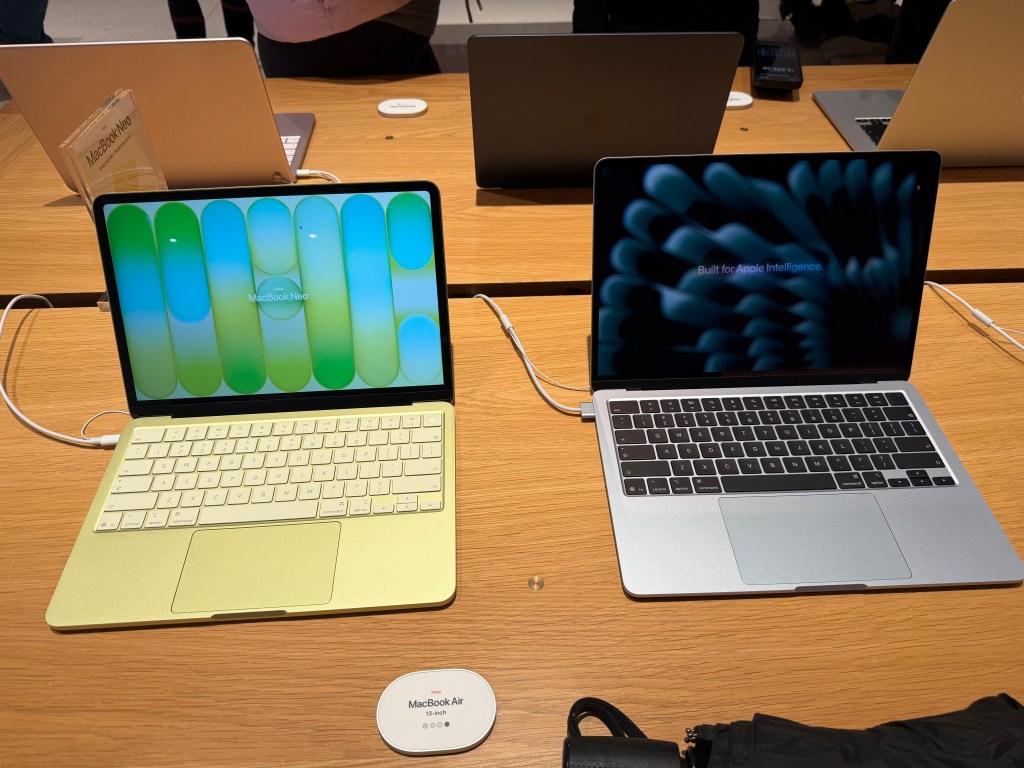

 When a rep popped by I asked him if they had any of the SkyBlue models on display, he said the one I was looking at was the Sky Blue version.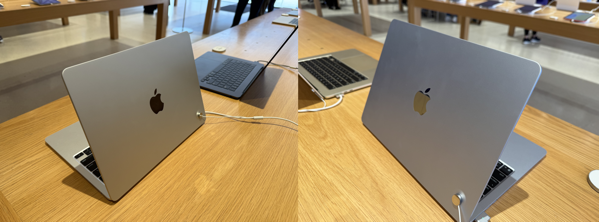

 Life on the Wicked Stage: Act 3