Stop Snoozing and Wake Up: Apple Changes Alarm Shutoff Screen

If you snooze, you lose

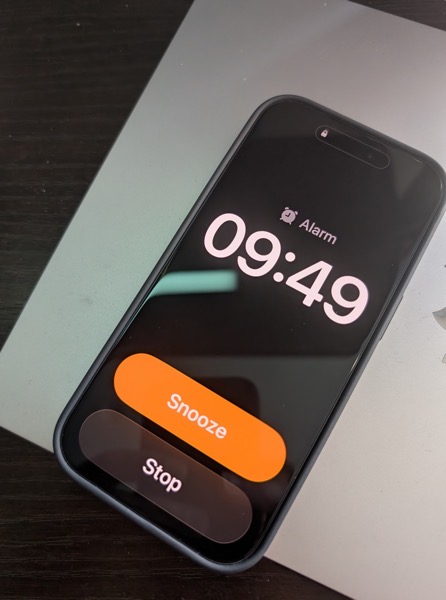
It was a real wake up call for me when news broke recently that in the next major update to iOS 26 Apple will be changing the wake up screen for alarms. The change means that instead of having two buttons, one above the other to either Snooze the alarm or Stop the alarm, users will now have to Slide a button to turn off the alarm.

PXL 20251013 144935012.

This shouldn’t have been that much of a surprise for me as prior to iOS 26, the snooze button was a big orange one and the “button” to turn off the alarm was below it and much smaller. I can’t tell you the number of times I, and my wife, accidentally hit the snooze button instead of turning off the alarm.

To my tastes, Apple fixed that in the initial release of iOS 26 by making the buttons of similar size, even if the Snooze button still grabbed all the glory and color.

Here’s the thing. Of course how you wake it up is a very personal preference. Personally, I’m not a snoozer. When it’s time to wake I want to wake up and get moving. But apparently the majority of the world prefers snoozing, as do the folks making decisions in Cupertino. When you think about it explains quite a bit about so much when it comes to meeting the challenges of each day, whether in the real world or in tech.

What’s that old saying, if you snooze, you lose? I think that’s it.

I can only imagine how many iPhones are going to be knocked off of bedside tables as semi-awake users attempt to slide the button to silence an alarm. If I was responsible for the design, I’d have made it more challenging to hit a snooze button than to hit the wake up button.

But that’s just me.

You can also find more of my writings on a variety of topics on Medium at this link, including in the publications Ellemeno and Rome. I can also be found on social media under my name as above.

Apple’s Freezing Out Another ICE Related App: DeICER

Apple continues working for ICE

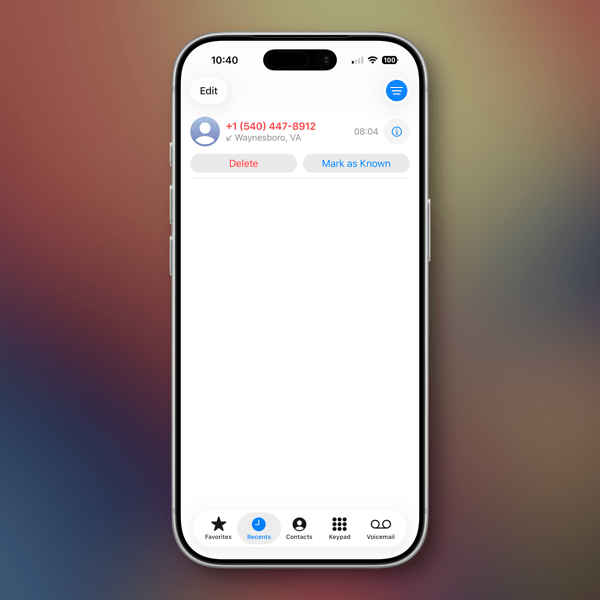
I’ve linked to coverage about Apple purging apps that are designed to help those looking to protect themselves from the Trump regime’s ICE actions including ICEBlock and Eyes Up. Add another one to the list, this time the app is called DeICER.

According to Pablo Manríquez of Migrant Insider, DeICER is a “civic-reporting app used to log immigration enforcement activity.”

Manríquez goes on to suggest that Apple effectively is treating federal immigration agents as a protected class of individuals. HIs article also includes an account of an interview with the app’s developer Rafel Concepcion over Apple pulling the app and the app’s intended purpose. It is worth a read.

In Chicago, these are dangerous and confusing times, even more so depending on who you are, what you look like and where you live. With a largely unhelpful media, it is challenging for anyone concerned to find accurate info or, as in the case of Eyes Up, preserve what they may have seen or recorded. Do note that recording info with smartphones is one of the methods of resistance Illinois and Chicago officials are encouraging citizens to perform in the face of these actions.

Even so, there are areas of Chicago wherein you would never know this kind of thing is happening. Local independent media is stepping up its game, but unfortunately doesn’t have the reach that large outlets do.

Apple isn’t alone in their cowardly actions. Google is also pulling apps of similar ilk. Both companies are referring to their respective App Store guidelines in their defense of their actions with Apple telling Concepcion,

Information provided to Apple by law enforcement shows that your app violates Guideline 1.1.1 … because its purpose is to provide location information about law enforcement officers that can be used to harm such officers individually or as a group.

These ICE enforcement actions want to project toughness in their aim to intimidate and harass, but by and large each of these maneuvers to hide what they are doing only serves to show how afraid those responsible for these actions actually are of the chaos, fear, and harm they are causing, regardless of the chest-thumping content they are creating on their raids.

The only ones who appear more afraid are Apple and the other big tech and media companies that keep going along to get along.

You can also find more of my writings on a variety of topics on Medium at this link, including in the publications Ellemeno and Rome. I can also be found on social media under my name as above.
OS 26 First Impressions

Early thoughts on OS 26 versions

Bubbles. My grandkids love bubbles. It’s a kid’s delight. Apparently bubbles also delight some Apple designers. My first impression of the look of iOS 26 on the iPhone was bubbles.

PXL 20250916 124836790.

I watched the OS 26 round of operating system betas over the summer as things evolved and have now installed the first release on all my devices. I’ve seen and heard the reactions so I was reasonably prepared for what would happen once the updates occurred. These are some first impressions after taking a look.

Liquid Glass

I’m not putting down bubbles. Bubbles are fun, whimsical, and joyful. But my overwhelming impression on the iPhone 16 Pro with iOS 26 installed was that the Liquid Glass design language, (that supposedly isn’t a design language,) felt very bubbly and child-like. To my eye I associate it more with bubbles than I do glass, liquid or not.

I also thinks Liquid Glass looks and feels better on the iPad Pro than it does on the iPhone. There’s more space for the chunkier, bubblier UI elements to float around. By and large things look cleaner on the iPad.

On the Mac, Apple didn’t go quite as far with Liquid Glass as they did with the iPhone and iPad regarding transparency and bubbly things, but there is still a more cartoonish feel to macOS 26 than the previous version. I think most of that is due to the rounded corners, rounded buttons and tab bars. I will say in this early going, I miss what I felt was a cleaner design in Sequoia on the Mac than what I see in this early going with Tahoe.

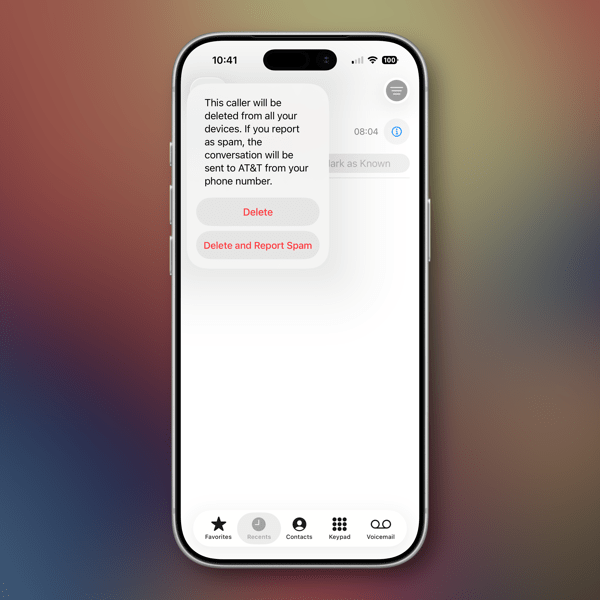
Bubbles are also messy things. Messier than glass in solid form certainly. Perhaps applying liquid properties to this glass like interface provides a license to keep things messier. That’s certainly true in some cases on the iPhone. For example, in the Phone app the reflective (or is it refractive) qualities around the buttons make it feel like light is leaking through a misapplied sticker than I think was the intent.

New Shareshot.

On both the iPad and the iPhone you’ll have to be careful what you choose for a wallpaper, because that same light leaking through means photos that have many colors or light contrasts within them appear more distracting than pleasing. (I like to use my own photography for wallpapers).

New Shareshot.

The issues of legibility have been discussed quite a bit over the summer, and I don’t think Apple has a complete solution for that yet when it comes to complex backgrounds, other than seemingly to force users to make simpler choices with wallpaper backgrounds. In early use, I think what we see on iPhone and iPad completely renders useless the statement of letting your content shine through. It might bleed through, but if it shines it does so in a distracting manner.

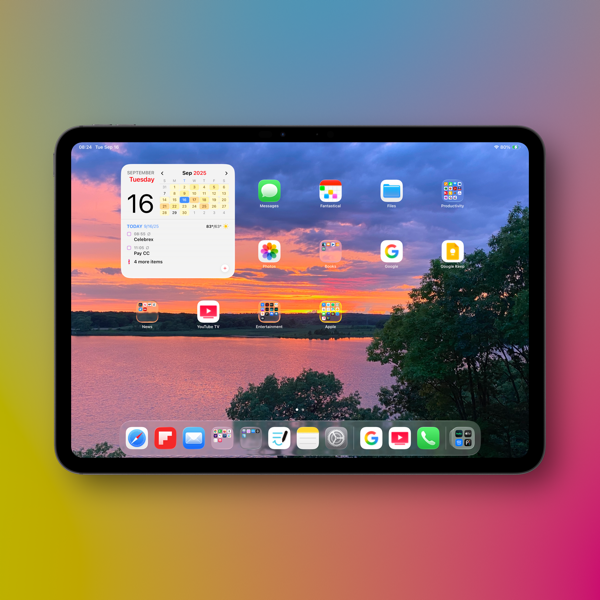
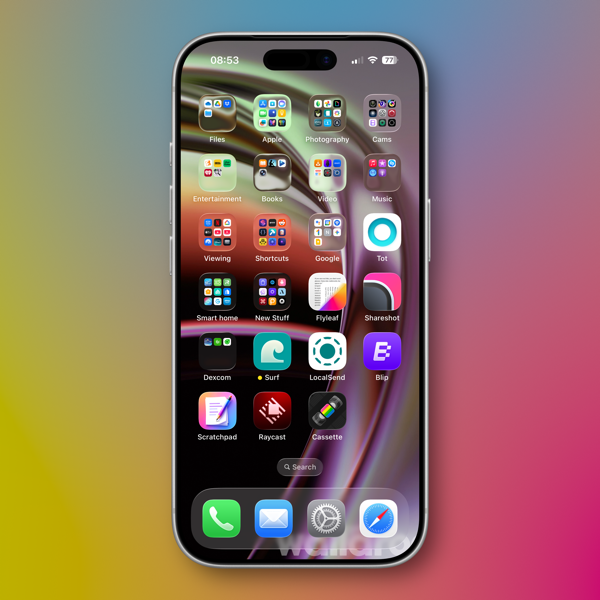
Here’s an example of one of my Home Screens that I think makes things look more bubbly than Liquid Glassy, especially in the upper two rows of folder icons.

New Shareshot.

Alan Dye, the VP of Human Interface Design, the Apple guy who spearheaded this UI change, is quoted as saying that Liquid Glass is “the foundation for new experiences in the future.” All well and good when you have a fuller view of the future as one assumes he would. But for those looking at their devices today, that means as much or as little as any tech promise or vision that have been dropped on us these last few years.

Liquid Design, in my very early looks is not to my taste. It may be to yours. the good news is that everything still appears to be functional. But to me, it’s a child-like appliqué on sophisticated devices that seem to beg for something more mature. I’m sure Liquid Glass will evolve, but until it does, I don’t think these bubbles will be popping soon.

Other Changes

I haven’t explored many of the new features of any of these new operating systems, only attempting to get things up and running. Most things appear to be running well.

A few changes I like include:

I prefer this iteration of the Photos app in iOS

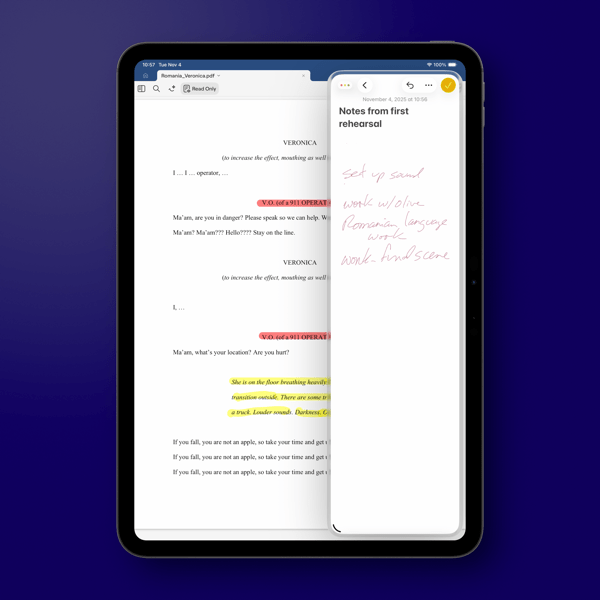
I like the big multi-tasking changes for iPad and look forward to working with them more, although count me as one who will miss Slide Over. It was handy in my work in rehearsals.

I like the new Trash Can icon on the Mac. That’s the kind of whimsy I can support.

CleanShot 2025-09-16 at 07.18.24@2x.

I love the wrist flick gesture on the Apple Watch.

Things I’m not a fan of:

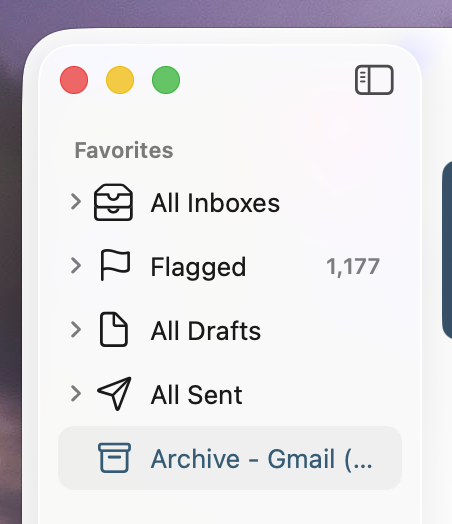
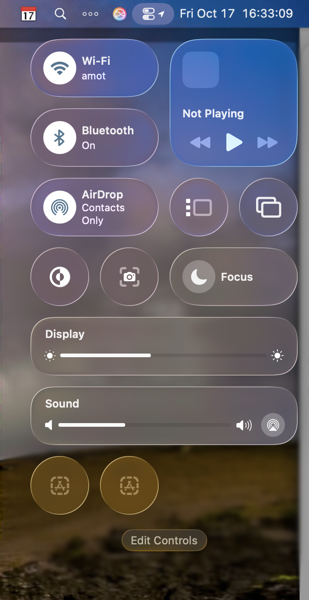
On the Mac I miss the Shortcuts item in the menu bar. Yes, you can add one, but instead of getting a straight drop down of clickable Shortcuts, it now opens a new window that requires not only the selection of the Shortcut you want to execute, but another separate action to run the Shortcut. Adding clicks isn’t much of a shortcut to me.  I see where Apple is going with this, trying to move things out of the Menu Bar into the Control Center. That’s going to require developers to make that move successful.

CleanShot 2025-09-16 at 10.04.19@2x.

I’m not a fan of some of Apple’s redesigned icons.

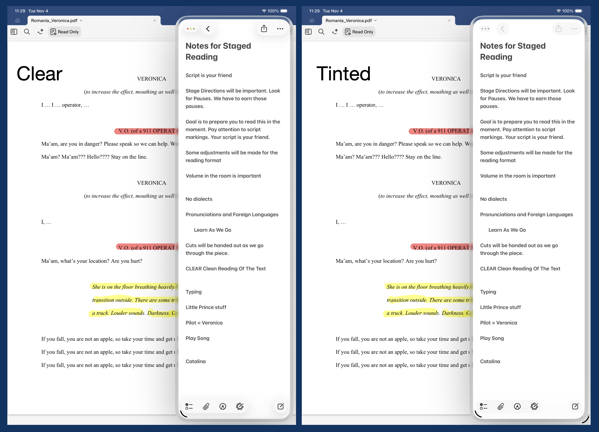
I tried out the Tinting feature for icons. I could see myself using this, if the feature didn’t tint widgets. What’s the point of a tinted Photos widget?

New Shareshot.

Some things I’m on the fence about:

I’ve previously used independent apps Bartender and Ice to control the large number of Menu Bar icons I like to have available. Both are currently in beta so I’m testing out Apple’s  feature to hide the Menu Bar until things change on those fronts. Simply put, that means the Menu Bar disappears until I hover over or click on it, revealing the icons. In using this feature when windows are at the top of the screen, Menu Commands sometimes disappear requiring some window rearrangement. This doesn’t happen consistently, so I’m guessing it’s a bug. I’m not sold on this in the early going but I’m giving it a try.

I’ve been using Raycast as an application and Shortcut launcher, along with some of its other features. I’m giving Apple’s new Spotlight features a try including the long overdue Clipboard Manager. This will require some muscle memory retraining, and it might mean leaving Raycast behind. It would be easier to do so if that Clipboard Manager copied across devices.

It’s early going. For me, as well as these new operating systems. I’ll discover more as I go along. I’m hoping the evolutionary pace for this software from Apple and most certainly developers will come close to matching mine in the days to come. I’m guessing it’s going to be sometime in 2026 before we can really evaluate what’s what in these OS 25 releases.

You can also find more of my writings on a variety of topics on Medium at this link, including in the publications Ellemeno and Rome. I can also be found on social media under my name as above.
Things Apple Won’t Fix In The Next Round of OS 26 Updates

I’d bet money these issues persist after new OS releases

Apple is announcing new iPhones, Apple Watches and possibly other things today. They’ll also announce the release date for the operating systems for all of those new devices and previous generations already in use. All of the focus is going to be on everything new, improved, changed and Liquid Glassed.

55b31eb4ba867b00263c62f538280311 XL.

I’m sure I’ll write about some of that down the road. For today I’m writing about the things I’m thinking Apple won’t address in any of the new operating systems. These are lingering issues that in some cases have not been corrected over the life of multiple operating systems. As much as I get excited about a new software release I remain frustrated year after year when Apple steps forward while dragging its feet on correcting existing problems.

Believe me, I get that Apple has created such a large ecosystem that it is impossible to pay attention to every detail and correct every mistake. I get it, but I don’t sympathize with it. Introducing new operating systems pumped out on what seems like an impossible to meet annual cycle creates other issues that need to be addressed and it is apparently too easy to just let the older ones go unattended. And from what I’ve seen from developers I follow, there are going to be a host of new issues that are going to need to be resolved over the next year. Or longer. The longer you let an existing issue hang around without attention, the more the “control the whole widget” promises seem not quite in control.

Certainly it’s a question of priorities. How the priorities are set makes me question the priorities of those that set them.

Some of these issues I’ve highlighted before, others I have not. Here are a few that continue my questioning of Apple’s priorities. I’m sure there are some that others experience that fall into the same category of hoping Apple pays attention to them someday.

Syncing

I’ve seen a decrease in syncing issues with iCloud in general. That’s a good thing. But Apple still insists on syncing Photos on its own schedule. Whether it’s battery life optimization or system optimization the delay is never optimized for the user experience.

Shared Reminder Notifications

I’ve written about this before. The fact that this one hasn’t been corrected since Shared Reminders became a thing undercuts all of the very good work Apple has done with the Reminders app in general.

Bluetooth Weirdness

I don’t know how else to describe this other than it’s just weird. There are times when Bluetooth connectivity works as designed with my AirPods and other peripherals. There are times when things just go bonkers especially with AirPods. Things will work as designed for days on end, then they won’t. AirPods switch between devices as designed, but then stop doing so. Adaptive Listening will work well sometimes and sometimes not. Connectivity with my car works well and then it doesn’t. My car isn’t smart by any stretch of the imagination and gets no software updates so it makes sense to me that it’s a Bluetooth issue on the iPhone. Note that it happens at random times unrelated to iOS updates or those mysterious AirPod firmware updates. The Magic Trackpad works 98% of the time. Then not. It’s weird.

Shortcuts

It’s become either a legend or a joke that every time Apple releases a new update (full release or point release) something goes wrong with Shortcuts. Either way it’s a problem for “the future of automation.” I particularly love it when a Shortcut just hangs with no indication that there’s a problem after working well for days on end. This inconsistent problem is consistent.

The App Store

Apple’s biggest retail outlet is the slowest loading and buggiest piece of software it has ever designed. It’s also designed abysmally.

Focus Modes

I use very few Focus Modes. I do not share them between devices. Sometimes they work. Sometimes they don’t. I’ve never set a Sleep Focus on my iMac. Yet one mysteriously appears at random during the day about twice a month. The Focus I’ve set for listening to Podcasts inconsistently fails to kick in.

Mail Rules

I think Apple has just given up on Mail Rules because the ones I’ve built just don’t work anymore.

Apple News

I enjoy that on my Mac I can choose to open an article in Safari or that I can open a webpage in Apple News. I don’t understand why that can’t happen on the iPhone.

Notification Summaries

I long ago turned Notification Summaries off because they were just confusing and caused more work than just dealing with the Notification. I recently turned them back on to check and see if there had been any improvement. There has not.

As I said, I don’t anticipate Apple fixing any of the above with all of the new ’26 releases. I’ve learned to work around them the same way I work around the passenger side backdoor on my car won’t open from the inside and I have to open it from the outside whenever I’ve got a back seat passenger. It’s a walk around workaround. It’s not ideal. And each time I have to do it I’m reminded just how imperfect things are and can be. I’m sure it will diminish the value of the car when I do decide to trade it in, but it’s already reduced the value of it in my mind.

I feel the same way when Apple doesn’t address longstanding issues that I and others have brought to their attention. Here’s hoping Apple addresses some of these issues. Here’s hunching they won’t.

You can also find more of my writings on a variety of topics on Medium at this link, including in the publications Ellemeno and Rome. I can also be found on social media under my name as above. 
Blood Glucose Monitoring on the Apple Watch Is Probably A Long Way Off

The annual hope and hype cycle

Every year as we near Apple’s iPhone and Apple Watch announcements rumors circulate and recirculate about Apple including a blood glucose monitor for the Apple Watch. It would be great if that happens someday. In my view it’s probably a lot further off than most of those hoping it happens want it to be. Here’s why I think that.

I’m a Type 2 diabetic. Checking my blood sugars has been a part of my life for 14 years or so. I’m painfully familiar with the prick your finger method and relied on it until a new endocrinologist prescribed a Dexcom G6 sensor. I’m now using a Dexcom G7 sensor. I don’t use an automatic insulin pump, just the sensors for monitoring via my iPhone and Apple Watch. I treat my condition with injected medication, both insulin and GLP-1.

The Dexcom sensors (both generations) were indeed a plus in my life as they provided a better way of monitoring, allowing me to better gauge diet and exercise, which will always be the biggest part of any diabetic’s regime.

But neither Dexcom model was a fire and forget it solution. There are times when I have to check my blood sugar with a finger prick because there are so many variables that can affect your glucose levels. The Dexcom system does provide a method to calibrate and recalibrate based on actual readings from a finger prick. I experience periods when I don’t need to recalibrate often and periods when I do.

If I’m traveling for a more than a day or so I have to pack my kit for finger pricks, because travel can be one of those variables. An inadvertent bump of the sensor on my arm can throw readings off for the remaining life of that sensor. (You have to change to a new sensor every 10 days.) AND to be frank, the tech is still far from perfect. Sensors fail occasionally and, as is the case with all tech that fails, it happens at the most inappropriate time.

Dexcom’s sensors are classified as a minimally invasive medical device. The device inserts a small filament under the skin, and yes it feels like a small needle insertion. That filament takes its reading from the interstitial fluid between cells. It does not read directly from the bloodstream. The device is held on by an adhesive patch.

When Dexcom introduced its Apple Watch app it was a decided monitoring improvement over the iPhone App which I viewed via a widget on my iPhone Home Screen. The iPhone widget far too frequently needed a touch of the screen which opened the app to update the reading.

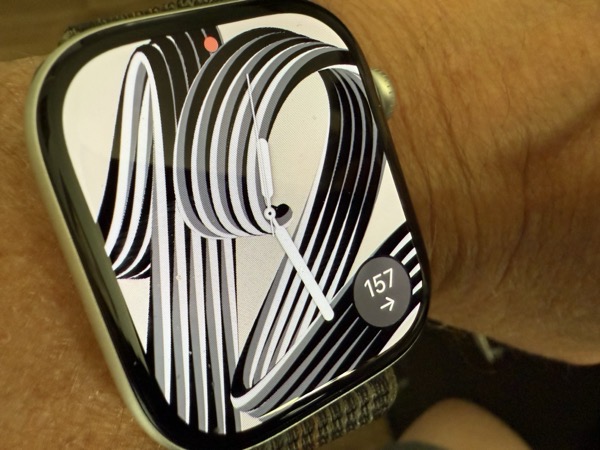
The Apple Watch app offers a complication that displays data more consistently, needing less frequent touches to refresh the readings. (The complication is visible in the photo above showing a reading of 157.) That said, the Apple Watch tends to disconnect too easily from the sensor, defaulting back to displaying readings from the iPhone when that occurs.

I also find that the Apple Watch app reading is more current than what the iPhone is showing, but you do still need the iPhone app to communicate readings with your endocrinologist.

In some instances I’ll need to reboot both devices to reconnect things up on both my iPhone and Apple Watch. Dexcom technicians have told me these disconnections have to do with Bluetooth connection issues and are subject to the same vagaries and variables that exist with many other Bluetooth connections. I also need to be aware of which arm I have the sensor attached. I wear my Apple Watch on my left arm and if the sensor is on my right arm there will be more frequent disconnections. I don’t sleep with my Apple Watch on, so waking in the morning requires a waiting period for the watch app to reconnect.

The goal behind the push to include blood glucose monitoring on an Apple Watch (or any other smart device) is obviously to cut down on the need for finger pricks and possibly the use of minimal invasive medical devices. But also, in theory an on device sensor communicating directly with watchOS should show readings more consistently and be much less subject to the vagaries of Bluetooth connectivity.

I certainly can’t prejudge any new system or technology that hasn’t surfaced yet. Certainly I’m one who hopes Apple or some other company can eventually tackle this issue and provide a workable solution. That said, convenient as this annual rumor always seems to be, I believe blood glucose monitoring on the Apple Watch is a lot further off than most hope or think it might be. I’m also reasonably sure that finger pricks will still be needed if for no other reason than to calibrate sensor readings with actual blood glucose levels.

You can also find more of my writings on a variety of topics on Medium at this link, including in the publications Ellemeno and Rome. I can also be found on social media under my name as above. 
Craig Hockenberry’s Take on the Why of Liquid Glass

Is Liquid Glass an edge case?

There is a quote largely attributed to Robert F. Kennedy. No not the one rampaging through the U.S. healthcare system. It goes “some men see things as they are and ask why. I dream things that never were, and ask why not?” But, it actually came first from George Bernard Shaw in his play Back to Methuselah. 

Apple WWDC25 Liquid Glass hero 250609_big.jpg.large_2x.

The text gets mangled often enough as does the attribution. Regardless, the point is made. In my experience as a theatre producer/director/designer/playwright the biggest part of the game is the “dreaming” part. The next hurdle is finding a way to turn that into reality. The dreams often come when least expected, occasionally after many attempts at finding a solution, and sometimes at random moments. They sometimes come into focus as almost impossible, or perhaps wrong-headed. 

Typically, in something completely uncharacteristic for me, when I find I can’t articulate what I’m feeling or seeing, I know I’m on to something, and that’s the moment to ask “why not?” rather than “why?”

I’m also very familiar with the desire or temptation to do something new instead of doing again what I know works. Speaking from my experience that’s yielded both positive and negative results. There’s a reason some things are called “tried and true.” There’s also a reason to hold your breath, roll the dice and gamble it all on something new.

Honestly, either way is a risk. And that’s how it should be. But if you feel the need for change, go for it and don’t reverse course. 

But what do I know? I’m just a theatre guy who’s produced hits and flops along the way and comfortable taking slings and arrows along with occasional accolades. I’m not sure what feels better, being admired for a courageous leap of faith, or feeling accomplished for sticking the landing. In the end, I’m not sure it matters.

Liquid Glass 

A lot has already been said, good, bad, or indifferent about how Apple’s designers dreamed up its new Liquid Glass design approach. But that doesn’t answer the “why?” Was it a compulsion for something new? Time for a change? A diversion to distract? Or a romantic new vision spurred on by a heavy new headset?

App developer and designer Craig Hockenberry of the

, in an interesting post recently asked that question and provided what he thinks is a possible answer. It’s titled simply Liquid Glass. Why? I don’t want to spoil the post. You should go read it yourself. But his answer points to a possible future of devices “with screens that disappear seamlessly into the physical edge.” 

A cautionary note here. For several years Apple trumpeted “edge-to-edge screens” that still had bezels. Marketing mavens often outrace product dreamers to the destination.

I joked with Craig on Mastodon that he should have subtitled the piece Liquid Glass is an Edge Case. 

The joke may indeed prove to be true, but it’s a truth we’ll live with in some form or fashion for the next few years, edge case or not, regardless of the good, bad, or indifferent reactions.

Anyway, go read Craig’s piece. However Liquid Glass is received in a few weeks, I’m looking forward to discovering it myself.

I mean, why not?

You can also find more of my writings on a variety of topics on Medium at this link, including in the publications Ellemeno and Rome. I can also be found on social media under my name as above. 
The Quest for the Unicorn AI Device

Hyping a tech war that won’t ever happen

Reporters love to declare war, crown winners and dismiss losers. Except of course when it comes to shooting wars and the rhetoric that often leads to them. But that’s not what this post is about. Tim Higgins of The Wall Street Journal, and his headline writers, are declaring that Mark Zuckerberg Just Declared War on the iPhone. 

I usually expect this kind of nonsense from the half-a-gazillion blogs and social media accounts out there that like to ginny up controversy to generate clicks. With AI glasses will clicks become blinks?

Now that I think about it, I’m wrong in my expectations because the WSJ, like most of the mainstream media is trying hard (too hard) to follow that pattern these days. It’s an easy game to play in the short term, but then so is the game of companies and governments making big announcements about the future. Remember the “pivot to video?” Remember “virtual reality?” The faux legs went out from underneath that pretty quick.

Higgins does and mentions those failures to capture marketshare beyond the initial hype and funding fevers. Nevertheless, he forgets a few simple things during his embedded tour on this march to the promise of “Personal Super Intelligence.” (That’s this fiscal quarter’s new label.) Zuckerberg might indeed be banging the war drums by propagandizing AI glasses as the latest form factor of mass destruction, but it’s too much hype without enough rhythm to marshall the troops. And to be fair, most of Higgins’ column is just regurgitating old news (AI summary?) that has been bouncing around in what passes for new news these days, tacking Zuckerberg’s recent announcement on as the headline war cry.

Bottom line in my opinion, we’re not going to see any new form factor take down iPhones, smartphones as a category, or computers, as the way we live, work and play in any near future. Folks have been waiting for all kinds of second comings for quite awhile now. I love how even the coming of advanced AI is now referred to as “near emergence.”

One day perhaps. Long after most of us interested in what this technological moment might eventually yield will have forgotten what Medicare and Medicaid were actually about. If and when that day arrives, the real clicks (blinks?)  will be in tutorials on how to turn off all of the notifications and other distractions and keep the tech from tracking you.

I’m old enough to remember when FourSquare came on the scene. The promise was you’d walk down the street and receive a notification from the coffee shop you just passed about the daily special. That never really materialized, but the tech was different then. Google and Waze later tried that and just annoyed any driver who stopped at stoplights looking for their next turn.

When the marketing survelllance mavens can figure out how not to send me ads for something I just bought I think there might actually be a chance for that kind of thing to work. A small chance, but a chance. But they’re not even close to that on the backend, let alone integrating them into some device that might pinch your nostrils after wearing them for too long.

Don’t get me wrong. I think it is indeed cool when companies create niche products that give some people joys and hobbies. Bits and pieces of that kind of innovation often creep into bigger things that do help our lives somewhere down the road. Even if they become creepy. Obviously I’d prefer they not become creepy, but that’s where the money is and the creeps always follow the money.

I’d much prefer to see the money and the hype meisters follow something like this that could probably actually help humanity. But even that kind of innovation can attract the creep factor.

Call me when a reporter can research, write, and submit for editing a column like this one I’m complaining about with a pair of AI glasses, an Alexa device, or a pendant, or any other smart device currently in the works.

Call me again, when the AI summary machines can actually deliver an accurate summarization of that article.

You can also find more of my writings on a variety of topics on Medium at this link, including in the publications Ellemeno and Rome. I can also be found on social media under my name as above. 

Through A Glass Darkly: Apple’s Liquid Glass Future Isn’t Clear

Continuing to watch Apple’s Betas from the sidelines.

Apple’s adventures with its new Liquid Glass design language reminds me of the title of a terrific, yet gloomy, Ingmar Bergman film, Through a Glass Darkly. Keep in mind that I’m not running the beta and living vicariously through the reactions of those whose opinions I trust. That said, based on some of those opinions of the recently released 4th developer beta, the future of Apple’s new design approach appears less than clear. 

Image from @davemark on Mastodon

From most accounts it’s a battle between legibility and the “coolness” of the design’s featured transparency that overlays content with the intent for the content below to bleed through. The challenge seems to be finding the right amount of bleed through that also allows users to easily read a notification or a control. 

In my view, the challenge with that challenge seems to be one of fighting things you can’t control. Holding liquid in your bare hands without spilling a drop might be easier. Every website and app designer has their own preference and approach. Even Apple apparently has difficulty as some of their own apps with background bleed through obscuring text. 

Image from @viticci on Mastodon

Since Apple announced Liquid Glass there have been three iterations of the approach. In a sort of Goldilocks and the Three Bears adventure with Apple dialing transparency features back and forth. Now in the 4th version of the developer beta reengaging more transparency. Searching for a “just right” solution doesn’t yet seem to be yielding any clear direction. But then, Apple’s ambitions, perhaps by design, have created a lose-lose short term future. The eventual product will never please everyone with this design change. But to be fair, that’s always the case with design changes and the folks at Apple knew that going in.

There are other usability issues as well, including things like making it easy to tell which tab or control is in focus, and having to tap multiple times to perform a function that used to be one tap to name a couple I see repeatedly mentioned.

But the clear focus of complaints (and some praise) is Liquid Glass. I would venture that for users it’s still too early to judge, but supposedly the Public Beta is due soon and the consensus is that what we see there will be pretty close to what we see in the Fall. Developers on the other hand are increasingly worried about Apple’s search for a “just right” solution while they try to find a path forward to have their own apps ready for the big release alongside or close to the release of this new wave of operating systems. 

CleanShot 2025-07-24 at 08.38.27@2x.

The problem becomes magnified when designing for the lowest common denominator with so many users. From my perspective of supporting clients and family members, most folks just want to pick up their devices and do what they want or need to do. They don’t want a new learning curve getting in the way. They certainly don’t want legibility issues to get in the way. There’s a real tension between what Apple needs to do to keep the cash registers ringing and the familiarity users want that I don’t think the folks in Cupertino understand given the annual pace they seem locked into. 

Image from @jsnell on Mastodon

The Bigger Picture

From where I sit on the sidelines, I think Apple has also created some real and perhaps less transparent problems beyond how Liquid Glass eventually rolls out.

Coming on the heels, and at least somewhat intended as a distraction from last year’s Apple Intelligence and Siri woes, Apple needs to create a clear narrative surrounding Liquid Glass in order to sell this year’s new crop of iPhones. (I imagine the commercials have already been scripted if not filmed.)

That already seemed like quite a challenge given that the only big hardware news this year is the rumored introduction of a smaller, lighter, apparently with less features iPhone Air. I don’t imagine that Apple’s traditional iPhone lineup is going to have new features to tout that makes those familiar device form factors must haves or must upgrades. 

If you’re counting on a flashy UI design change as the distraction that gets criticized as much as the issue you’re trying to distract from you’re magnifying your problems. Unless of course, you bank on criticism of the distraction further distracting from bigger issues.

Adding to that, the larger narrative has somewhat already passed by this year’s iPhones to what comes next year, with just about everyone assuming Apple’s version of folding iPhones will be the new focus. 

Sum all of that up and this is starting to feel potentially like a lost year for Apple. Sure, Apple will sell lots of iPhones, but if it can’t capture the imagination the way Apple usually does, much of the narrative will be wait ’til next year. Apple historically takes a long view. Time will tell if they have lost control of the visible horizon.

iPadOS 26

That said, somewhat under the radar, iPad beta users continue to trumpet the success of changes made in iPadOS 26. I’m looking forward to seeing that myself. That said, as much as those potential changes will be welcome, I can’t imagine that’s the tentpole Apple wants to rely on to create excitement this year.

CleanShot 2025-07-23 at 07.19.00@2x.

I mentioned the film Through A Glass Darkly in the opening of this post. The story of that classic film is about a family that gathers to try and heal after a member diagnosed with schizophrenia is released from an asylum. If you ask me, the challenges we’re seeing at Apple with design changes, Apple Intelligence and Siri among other things demonstrate that there are multiple personalities exhibiting control at various times within Apple, at a time when some turnover at the top is already underway, with quite a few calling for more.

As always, I recommend Michael Tsai’s Blog as a good source to keep track of how all of this continues to develop.

And with that, I’ll leave this update from the sidelines with this. 

CleanShot 2025-07-24 at 08.29.28@2x.

Update: The public betas for all of Apple’s new operating systems were released shortly after this post was originally published.

You can find more of my writings on a variety of topics on Medium at this link, including in the publications Ellemeno and Rome. I can also be found on social media under my name as above. 

Random Thoughts and Links Looking Ahead to an Apple Beta Summer

A summer of viewing betas from the sidelines.

We’re already several weeks deep in Apple’s beta season for all of its operating systems. As of this writing the second developer betas have been released. We’re due to see the first public beta this month and that’s when things will really heat up. I’m not a developer and I no longer run betas on any of my Apple hardware, choosing to live vicariously until the official releases this fall.

Apple WWDC25 iPadOS 26 hero 250609.

I have to admit though that I was tempted to pick up another iPad given the changes to iPadOS 26 and the general early positive reactions to it. But I stuck to my guns and will look forward to what some trusted sources have to say over the course of the summer.

Speaking of, if you’re interested in following how the new operating systems develop and evolve over the summer, I’m going to list several links to sources you might want to follow, if you don’t already. That list will come at the end of this post.

As to my random thoughts I have three.

First, it looks like Apple’s big Liquid Glass design change will indeed garner most of the focus this year. That was certainly the intent, and from what I’ve seen Apple is on the way to pulling it off, certainly on the iPhone and the iPad. The jury is still out for the Mac at this early juncture in the beta season. Even so, it appears Apple has managed to add a shiny new coat of paint that won’t confuse most users when it comes to familiar functionality of their devices.

Second, as I said previously I’m excited to see the changes in iPadOS 26. Depending on the job at hand, and whether or not I’m home or away, I jump between Macs and iPads frequently. I’m looking forward to what these changes mean when I’m primarily working on an iPad away from home.

Third, the deeper integration of Shortcuts with Apple Intelligence (whatever that may come to mean) and also with Spotlight has me intrigued. I don’t use a ton of shortcuts and currently rely on Raycast as a launcher for those I do use. If I had two wishes on this I would hope that this plays out the way it proposes to do, and I would hope Apple could finally find a way to keep what happens behind the scenes with Shortcuts from constantly breaking. Giving app developers access to the App Intent Framework and the Foundation Models Framework promises good things, if Apple can avoid the infrastructure hiccups of the past. Although I’m sure that will usher in a different sort of hiccups going forward.

Good Apple, Bad Apple

On another note, I, like many this year, have had a hard time reconciling my views about what I consider wrong moves from Apple the corporation with my preference for Apple hardware and software. I’ve thought long and hard about it and at the bottom of that deep well of thought the decision to stick with my current Apple tool set comes from the fact that I support a lot of friends, family members, and a few small businesses that use Apple products. I have no desire to abandon that part of my life personally, even if Apple’s actions pisses me off to the point where I’m occasionally ready to chuck gear into the trash. Convincing those I support to shift gears would mean saying goodbye to that part of the relationship for the most part (I’ve explored this) and neither they nor I am ready for that.

Is that a trap? Perhaps, depending on your point of view and I won’t argue against that. Am I talking out of both sides of my mouth? Also, perhaps. But I think using and enjoying products of a company gives you a bigger license to criticize.

So, I’m sticking with things for the moment, but I will say that I’m paying close attention to folks like Denny Henke who’ve made different choices than mine. I admire their approach and am always learning. I’m also paying close attention to how Apple handles things going forward. I despise this dilemma.

Links

I’m going to link to a few specific articles from which you should be able to get back to the homepages of the various sources, some are just the homepage links.

Michael Tsai’s Blog always contains an excellent collection of links to various sources worth following. In fact, it may be the one stop source for quite a bit of Apple News.

Six Colors is an excellent source for information and reviews. This is one source to look to when the first public betas drop for good reviews of what we will know at that time. Jason Snell, Dan Moren, and now with Glenn Fleishman as a contributor, always provide excellent coverage.

Speaking of reviews, MacStories is another go to site when reviews of software drop. While they cover a range of gadget topics beyond Apple, the coverage there is quite good, even if it sometimes is aimed more at advanced users.

Parker Ortolani has recently started blogging and his thoughts are always worth a look.

If you’re looking for a developer’s perspective check out Craig Hockenberry’s furbo.org. Craig is a founder of the iconfactory, which is responsible for a number of apps including, Tapestry, Wallaroo, Linea Sketch, Tot, and more including the original Twitterrific for Macs and iPhones.

Craig Grannell’s blog, Stuff, is also a good source to add to your reading list or RSS reader.

Myke Hurly has also started blogging in addition to his many podcasting chores. Check out his blog, The Enthusiast.

Louie Mantia, Jr. is an artist and designer who lends that perspective to his writings about Apple and its designs.

John Gruber’s Daring Fireball is always a must read.

There are certainly more that are worth your time, but the ones I’ve linked to here continue to provide me with not only good information, but some good and deeper thoughts beyond the surface news. It’s going to be an interesting beta season viewing it from the sidelines.

You can find more of my writings on a variety of topics on Medium at this link, including in the publications Ellemeno and Rome. I can also be found on social media under my name as above. 
Apple Beta Season Is Upon Us and iPad Debates Are Around the Corner

Changes look promising. Wait and See is the operative condition.

Apple announced what it has in store for the next versions of all of its operating systems during it’s annual World Wide Developers Conference this week. Or rather Apple put out a pretty nice commercial for some of what it has in store. But that’s the way of these things whether pre-taped or live. The beta testers and pundits are off and running looking into every nook and cranny of the code, celebrating, criticizing, and screenshotting. That will go on deep into the summer.

Apple WWDC25 iPadOS 26 hero 250609_big.jpg.large_2x.

The biggest, most observable change is the new design language, Liquid Glass, that is intended to bring all of Apple’s operating systems into a more unified look and feel, sorta, kinda based on the Vision Pro. Who knew that headset would provide new Vistas ahead?

They also unified the current OS numbering system, ditching the previous version numbers. Now each operating system will increase by the last two digits of each year ahead, as in iOS 26, watchOS 26, etc… We’re going to get to iOS 50 sooner than we thought.

I no longer play the beta game with my devices so I haven’t seen anything first hand, beyond the reactions of others that range from it’s terrible to the best thing since sliced bread. Keep in mind that any reactions you see following the release of the first developer beta should always include the caveat that what you see now will probably evolve over the course of the summer. Wait and see is the operative condition that needs to be set.

As far as I’m concerned the big news was about the iPad and what iPadOS 26 is promised to offer. There has been lots of back and forth about trying to define the iPad ever since there have been iPads. But certainly since Apple, in the pre-M1 chip era, put out the What’s a Computer campaign in 2018. There were quite a few loud voices always wanting more than Apple delivered in terms of making the iPad more like a Mac. And in recent conversations many of those loud voices were putting down their megaphones and were moving on from those iPad as their main computer dreams.

But this year Apple seems to be promising most of the changes those users have been clamoring for. They include a multiple windowing UI, much more similar to MacOS than any of the previous multi-tasking attempts. There’s even a menu bar, the inclusion of a new Preview app and more Finder-like functionality in the Files app. Better background processing and enhancements to the audio system are sure to make podcasters happy. There are a host of other new tidbits as well. There are also casualties. Many are already mourning the loss of Slide Over.

To give you an idea of how big a deal this change is, noted Windows advocate, Paul Thurrott ended his first look piece with “I may need to get a Smart Cover. Or whatever it’s called. This changes everything.”

The cynic in me has to say that the depth and breadth of these new iPad features makes me suspicious as to why Apple didn’t take this path earlier. It seems obvious that it had been thought through. The hardware has certainly been capable. Regardless of those suspicions, Apple has set up another new iPad story to keep us chattering.

So, iPads are being dusted off again. Soon, and more importantly deeper into the summer, we’ll hear how successful these features may be in fulfilling the desires of those who want the iPad to be more like a Mac. What we won’t have to wait for is the debates around the iPad to heat up.

I’ve never been one that felt disappointed by the iPad’s less than Mac-like features. For my work it has always served me well and gotten better in doing so over its evolution. Stage Manager was never my thing, but Slide Over worked well for my usage as my primary multi-tasking metaphor. Will I miss it? I’m sure I will. But I’ll wait and see what this new multi-tasking UI offers before rendering judgment.

But that’s me and I’m not everybody. So, as I look forward to living vicariously through the summer as others poke around these new changes, let me close with this. Regardless of whatever differences exist between the iPad and the Mac they always had one great similar strength that these new changes appear poised to make stronger still. Different users with different needs can use an iPad or a Mac for just about anything they want and need to do.

You can find more of my writings on a variety of topics on Medium at this link, including in the publications Ellemeno and Rome. I can also be found on social media under my name as above.