Tough reads for tough times with a nod to the Commodore 64.
The rapid decay of all things continues. I’m not even sure if “decay” is the right word. “Collapse” might be a better choice. Regardless, there’s no “decay” or “collapse” in my sharing articles and writing every week in Sunday Morning Reading. Enjoy.
Marc Elias says We Can’t Give In To Fear. He’s right. But with those we mistakenly counted on having already done so, it makes it tougher for the rest of us.
Brian Barrett of Wired (which continues to do excellent reporting) gives us a rundown on The United States of Elon Musk. Good piece with good context. I don’t disagree with his premise that it’s unsustainable. The larger concern is what’s left in its wake.
NatashaMH opens up a personal tale of exploring justice, relationships, and personal power in The Price of Guns And Butter.
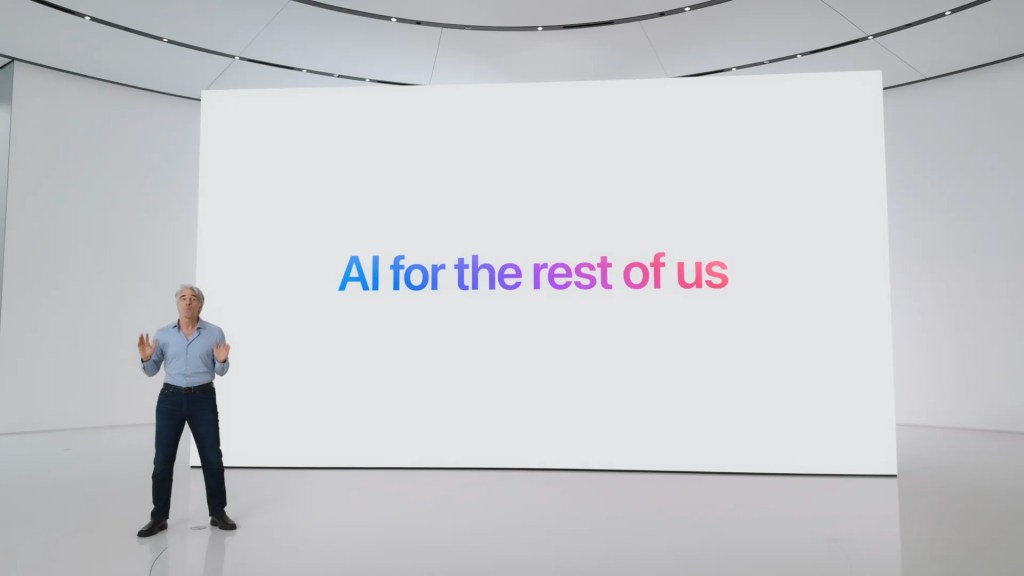
Things aren’t just decaying on political and social fronts, technology is marching right alongside, if not leading the charge. John Gruber lays out a mea culpa of sorts in discussing Apple’s less than intelligent move into Artificial Intelligence in Something Is Rotten In The State of Cupertino.Om Malik also weighs in with Apple Intelligence, Fud, Dud or Both. I’ll have more to say on this later this week. I wrote a bit about it last week also.
In times of uncertain futures it’s always somewhat uncomfortably comforting to reminisce about simpler times. When it comes to technology there was perhaps no simpler or more innocent time than during the age of the Commodore 64, which was my first home computer. We’ve come a long way. Gareth Edwards takes a look at Jack Tramiel’s success in How Commodore Invented The Mass Market Computer.
If you’re interested in just what the heck Sunday Morning Reading is all about you can read more about the origins of Sunday Morning Reading here. You can also find more of my writings on Medium at this link, including in the publications Ellemeno and Rome.
It has been inevitable for some time that Apple was going to delay launching whatever the new personalized Siri with Apple Intelligence was supposed to be. To expect otherwise was as foolish as hoping the new American government wasn’t going to wreak havoc on its own citizenry and the rest of the world after the most recent election.
Now Apple has owned up to the inevitable. In a statement to Daring Fireball’s John Gruber announced the delay and a new set of expectations:
“Siri helps our users find what they need and get things done quickly, and in just the past six months, we’ve made Siri more conversational, introduced new features like type to Siri and product knowledge, and added an integration with ChatGPT. We’ve also been working on a more personalized Siri, giving it more awareness of your personal context, as well as the ability to take action for you within and across your apps. It’s going to take us longer than we thought to deliver on these features and we anticipate rolling them out in the coming year.”
Note that last sentence includes “we anticipate.” I anticipate dying at some point. I also anticipate warmer days this summer, rain occasionally, and eating pizza on some day in the future. So, the message is stay tuned.
I have several thoughts on this and I’ll lay them out below, along with links to some interesting hot takes following the announcement, some of which have already cooled off a bit.
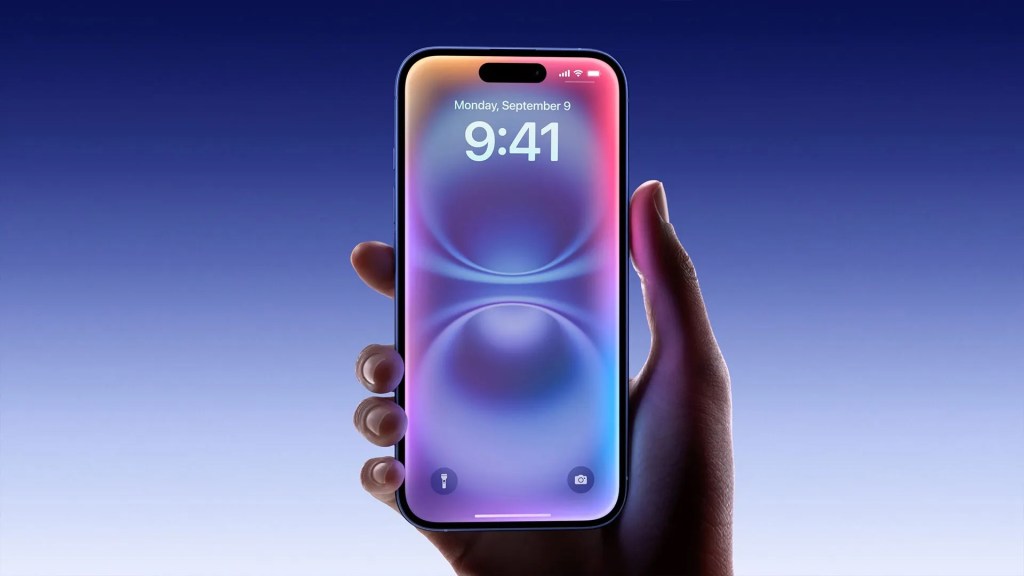
First, I think Apple was smart to make this announcement even if everyone paying attention already knew this was going to be the case. This delay wasn’t and isn’t news. That said, the announcement comes after Apple, generally perceived as rushing to catch up in the push for Artificial Intelligence, has made what can only be called a poor first impression. Sure, you can call Apple Intelligence a beta if you want. Apple does. But advertising a flawed beta as the tent pole to push new iPhones can’t be called anything but a marketing misfire, if not malpractice.
First impressions of shipping products matter more than clever shiny announcements of things yet to come.
Apple should know this because they are no strangers to bad first impressions. MobileMe left a bad stain that iCloud still has difficulty erasing. The VisionPro continues struggling with poor perception and reception. Yes, Apple also does have a history of turning some poorly received rollouts around. The best examples of that are Apple Maps and the Apple Watch. Even so, once a product launched becomes a product laughed at, it’s difficult to erase the echos of that laughter.
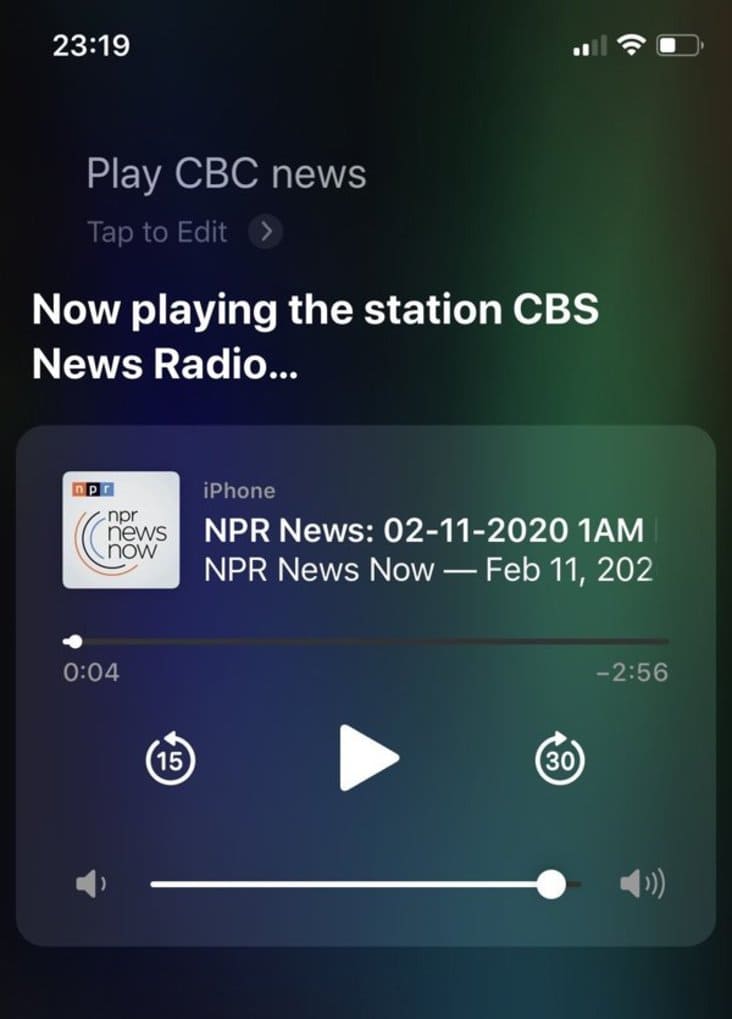
But perhaps the product ridiculed crucially here is the one that Apple married to this all out AI effort: Siri. Purchased, proudly launched, and then allowed to wallow — like too many other of Apple’s efforts (*cough* iPadOS *cough*), Siri has become not just a joke, but one that keeps on giving. Some say it has improved. I’ll agree with that to a point but that depends on the day.
Siri has never fulfilled Apple’s bold promises with any consistent value beyond setting a timer or adding a reminder. Even that fails enough of the time to earn users’ distrust and provide late night comedians with jokes so easy to make that the shrewder jokesters have moved on.
The debate following this recent Apple announcement in pundit circles seems to be on whether or not Apple should jettison Siri and start from scratch. I’m sure that debate has gone round and round in the circular halls of the Apple campus. I doubt that happens, given that the marketing mavens in Cupertino seem to be erratically driving the bus these days. There’s been a huge investment in Siri branding, problematic as it has always been. Unfortunately salvaging a brand is also expensive.
Apple’s Long Game Mindset Might Just Be Short Sighted
The success of the iPhone has given Apple the benefit of playing a long game, plotting product and growth strategy with a large enough cushion to weather the occasional storm. It’s certainly easier to sail through rough seas in a large ship, but the bigger the boat, the more maintenance is required to keep the hull from rusting and the engines running smoothly. The nuts and bolts matter.
Artificial Intelligence, regardless of what company is pushing it, is nuts and bolts, bits and bytes, ones and zeros. Everyone scanning the horizon thinks this is the future we’re sailing towards, full steam ahead. But nothing that’s been released or demonstrated yet has really proven that anyone can chart a correct course. The current moment resembles that scene in Jaws when all the ships set out in an armada to chase a bounty, not knowing really what they’re up against.
Don’t get me wrong. I think Artificial Intelligence may indeed prove useful. Someday. On an enterprise level. I’m just not so sure if it will ever be as big a deal on the consumer front as the marketers want us to believe it is or will be.
I also doubt Apple Intelligence will end up being another Butterfly Keyboard, MobileMe, or Siri, but at the moment there’s as good a shot of it joining the ranks of those jokes in Apple lore as there is for it becoming a success, much less useful.
Ian Betteridge in this piece, lays out what I think the AI true believer vision is in this excerpt:
But AI presents a fundamentally different challenge. This isn’t merely a new product category to be perfected – it’s a paradigm shift in how humans interact with technology. Unlike hardware innovations where Apple could polish existing concepts, AI is redefining the entire computing experience, from point-click or touch-tap to conversations. The interface layer between humans and devices is transforming in ways that might render Apple’s traditional advantages increasingly irrelevant.
He also captures the key context that reveals the tension between the long and short game as Apple has historically played it in this excerpt from earlier in that post:
Apple has long been characterised as a “fast follower” rather than a pioneering innovator. It wasn’t the first to make an MP3 player, smartphone, or even a personal computer. This strategy served Apple brilliantly in the past – observing others’ mistakes, then delivering exquisitely refined products with unmatched attention to design, usability, and integration. The first iPhone wasn’t novel in concept, but revolutionary in execution because it had a unique interface: multitouch. In fact, I would argue this was the last time Apple’s user interfaces went in a bold direction.
What is obvious in this frenzied sea of Artificial Intelligence is that Apple did a quick course correction and tried to “fast follow” before the mistakes of others could be identified well enough to refine and/or correct the way Apple has historically been successful in the past. In the case of Siri, the fact that Apple has let it languish for so long more than hints that it just doesn’t see enough value in the voice assistant proposition.
Were those bad moves? Who can really say at present. It is true that Apple had to react. OpenAI’s release of ChatGPT upset a lot of apple carts and not just those in Cupertino. But Apple’s quick course correction, coupled with a less than enthusiastic response in the same year of its other attempt at a computer interaction paradigm shift–spatial computing with the Vision Pro–has cut down the chances for any short term smooth sailing.
Some are positioning this moment Apple has created for itself as a necessary gamble Apple had to make. Here’s an excerpt from Jason Snell at Six Colors:
And if you asked those same Apple executives if they were aware that the cost of underdelivering those features in the spring of 2025 would be getting beaten up in the press a little bit for delaying features, perhaps even back to iOS 19? I’m pretty sure they’d say that a little bit of negative press today, when the world isn’t really paying that close attention to Apple and AI, would totally be worth it.
That may indeed be true in and of itself. I have no way of knowing. What I do know is that this gamble might have had better odds if Siri, prior to all of this, hadn’t been such a historical and neglected mess for far too long.
Security and Privacy
This delay announcement has also opened wider the door for criticism that might shatter another of Apple’s tent pole marketing strengths: security and privacy. Here’s a post from Simon Willison, who has a hunch that the delay might be related to those issues. It’s also worth taking a look at Willison’s earlier post on prompt injection. John Gruber of Daring Fireball takes Willison’s point further in this post. Here’s the key excerpt:
Prompt injection seems to be a problem that LLM providers can mitigate, but cannot completely solve. They can tighten the lid, but they can’t completely seal it. But with your private information, the lid needs to be provably sealed — an airtight seal, not a “well, don’t turn it upside down or shake it” seal. So a pessimistic way to look at this personalized Siri imbroglio is that Apple cannot afford to get this wrong, but the nature of LLMs’ susceptibility to prompt injection might mean it’s impossible to ever get right. And if it is possible, it will require groundbreaking achievements. It’s not enough for Apple to “catch up”. They have to solve a vexing problem — as yet unsolved by OpenAI, Google, or any other leading AI lab — to deliver what they’ve already promised.
‘Ay there’s the rub,” as Hamlet would say. No one has those solutions, yet it’s full speed ahead as the selling and hype continues. There may be a dream in there somewhere, but as for now, whether sleeping, sleepwalking, or blindly chasing bounties, all the consumer is left with at the moment is “stay tuned.”
For better or worse, we are not going to return to our regularly scheduled programming.
(I note that I was putting the final touches on this piece Bloomberg is reporting that Apple plans the biggest user interface design overhaul in quite some time with this year’s new operating system releases that will be unveiled at WWDC. Apple is under pressure from not only this Apple Intelligence, but other issues that concern developers as well. Shiny distractions generally win when it comes to taking the heat off of failures and problems.)
You can find more of my writings on a variety of topics on Medium at this link, including in the publications Ellemeno and Rome.I can also be found on social media under my name as above.
Time keeps on ticking and we need to keep on reading.
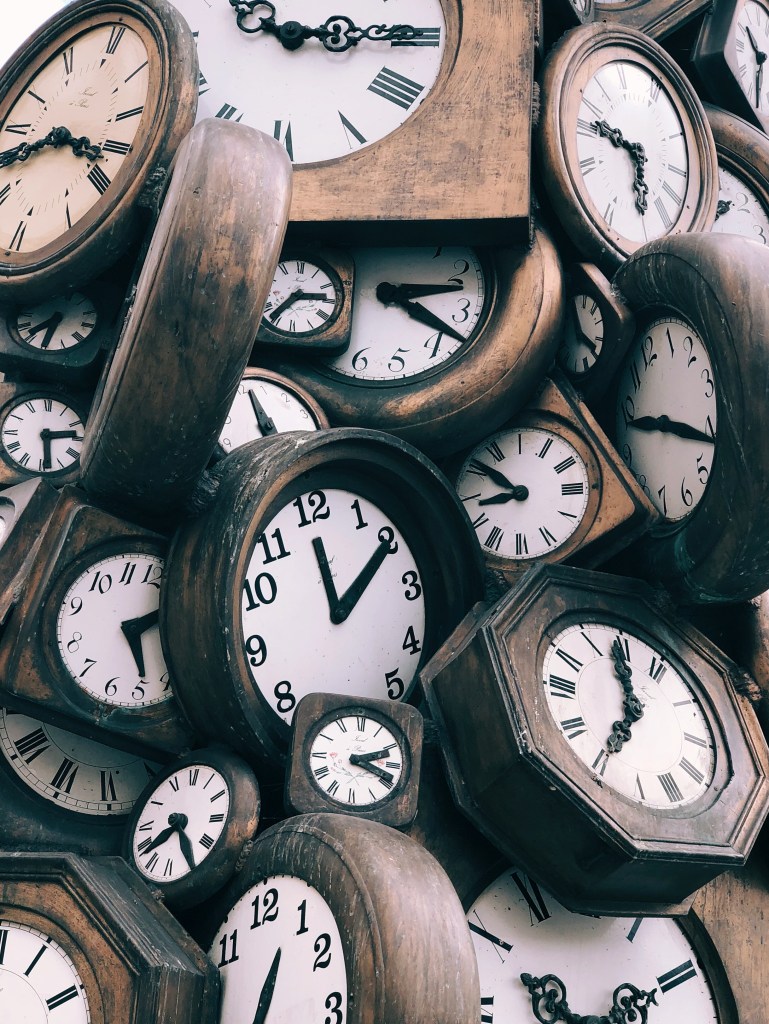
Losing an hour only to gain it back in a few months feels like a capricious two-step, forward and back, never gaining ground. Something we’re all experiencing at the moment and not just because of Daylight Saving Time, but on many levels. Time marches on regardless, even as it retreats for brief periods. Regardless of what time it is, here’s some Sunday Morning Reading to share.
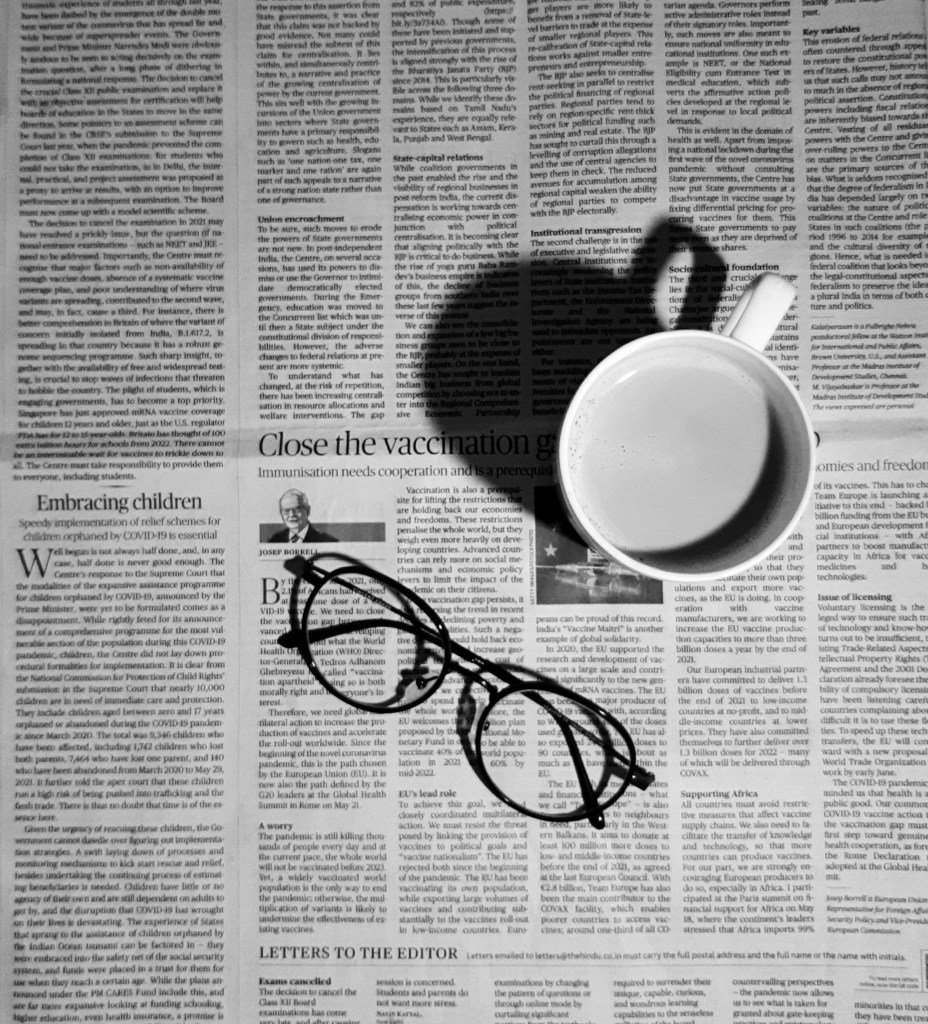
To kick things off this week while you’re enjoying your coffee take a look at NatashaMH’sA Sip of Revolution.
If you’re interested in just what the heck Sunday Morning Reading is all about you can read more about the origins of Sunday Morning Reading here. You can also find more of my writings on Medium at this link, including in the publications Ellemeno and Rome.
Lots to think about in this helter-skelter moment we’re living through.
Back at it after a couple of weeks of traveling and dealing with a case of pneumonia. (All is well.) Certainly there’s a lot going on and most of it is happening in a such a rush that I’m not sure anyone has enough space to accurately write or think about all that’s happening. But there is some good stuff to recommend.
Leading off this week are some articles from folks who are concerned, distressed, pissed off, and searching for tech solutions that don’t rely on America’s big tech oligarchies.
If you’re one of those searching for different tech solutions, remember no matter how long a service may have been around or how big the company behind it is, it’s all impermanent. As an example, Om Malik takes a look at Microsoft ending the run of Skype this week in Skype Is Dead. What Happened? It might take awhile, but everything eventually dies.
There’s lots of rethinking of lots of things these days. David Todd McCarty is Rethinking Pride.
Adam Serwer asks the question most are asking when it comes to the words behind the ugly acronym, MAGA: Just when was America great, exactly, and for whom? Check out The Great Resegregation.
And to close things out, NatashaMH takes a look at simple acts of kindness in Of Munchkins and Manners. Do be kind.
If you’re interested in just what the heck Sunday Morning Reading is all about you can read more about the origins of Sunday Morning Reading here. You can also find more of my writings on Medium at this link, including in the publications Ellemeno and Rome.
There is a reasonably well organized effort for a large economic boycott on February 28. The idea is not to buy anything on that day and hopefully make enough noise to create an impact.
I doubt it will have much effect.
We have to face facts. There are far too many folks who are currently far too delighted with how things are going or far too delusional enough to think a day long protest will create enough impact to do anything but create noise. Noise is good. Signal is better.
To be clear, I’m not against protests. In fact I think there should be more of them. Pushback does help. Collective action helps more. In fact, I’d love to see a broad country wide general strike. Folks are angry, and in my humble opinion that anger unfortunately needs to heat up and boil over before anything has any prospect of prompting change. I don’t like to say that. I don’t like to think it. But it’s no longer a choice between the high road or low road. We’ve all been dragged into the gutter and like it or not we need to start fighting to get out of this stink.
So keep up the protests. I’m glad to see that there are more planned for other dates.
Keep organizing and showing up for in person protests. Especially at the district offices of cowardly congress critters who are taking orders from the top to stop doing town halls. But keep the pressure on both the MAGAts and the Dems. The former for their abject surrender and sucking up, the latter for pretending the old ways might still work. Joke’s on them all because they seem to be the only ones, besides the media, that think Congress actually matters any more than the Duma matters in Russia.
Think Bigger
I like to believe there are ways of thinking and acting bigger. This all might be pie-in-the-sky thinking, but it’s my brain and I like pie. So here are some thoughts.
Hit harder at companies like Amazon, Meta, Apple, Walmart, Target, newspapers, media, etc…
One way to do that is to organize a day wheneveryone cancels their subscriptions, memberships, monthly plans, etc…But don’t plan to do it just for a day.Cancel them all on one day and plan to leave them canceled for a full monthor longer.
Angry about the changes at NBC and MSNBC? Cancel your cable or streaming service. If you haven’t already, cancel your subscriptions to The Washington Post, The New York Times, The Los Angeles Times, or whatever state media publication that’s certainly not going to be giving you real news in the future.
Given the choice don’t cancel online. Take the time to make a phone call and do the deed. All of those calls are recorded. State your unhappiness clearly and why you’re canceling. Whatever AI service that summarizes those calls is sure to pick up on the negativity.
Cancel your home Internet. Use your phone. AT&T, Verizon, and T-Mobile can’t be any deeper in the pockets of the government than they have been for quite some time over a number of administrations, so there’s not much room for coercion or surrender left there.
Cancel your streaming services. Log off and don’t participate in corporate social media. Again, all on the same day of action. Think you’ll be bored? Spend a month reading books. If you still have one, dust off that old Blu-Ray or DVD player and cue up any discs you have remaining. If you don’t have the discs check some out from the local library.
Pissed off at Google, Apple, Microsoft and other big tech companies? Take a trip to your local Best Buy or other gadget store and buy a relatively inexpensive external drive. Download all of what you have stored in the cloud and cancel your monthly cloud storage plans. All on the same day.
There are more alternatives for your computing needs than those offered by the popular makers. I won’t go into that here as there are plenty of resources online to find them. Here’s a link to one. Also, you want these companies to think there’s a reasonable chance for you to return someday. That’s the threat.
Why a month?
Some of these companies that have bent the knee to the Trump administration rely on something called MAU, or monthly active users. The metric tracks the number of unique users who engage with an app or service within a 30-day window. If enough folks dropped out or off for a month, it might move the noise needle closer to signal.
Often an action in and of itself is enough to make an impact. More often than not, it is the threat of that action happening again that matters more and motivates change.
Some other thoughts:
Put off big ticket purchases for a month. Buy only what is essential.
Write letters or postcards instead of texting and emailing.
Don’t file your taxes online. Send them the old fashioned way via the mail. Wait until the last day to file. The bump in postage will be a boon to the postal service. Yes, your return will come later. That would probably be unfair to the folks still remaining at the IRS, but turning noise into signal is what counts.
Surviving a Month
Plan ahead of time with friends and family and schedule visits to local restaurants, museums, libraries, theatres, art galleries, and shopping. It shouldn’t be that hard to fill up a month with activities that could help with withdrawal pains. It would certainly be a boon to local economies and probably be more than healthy for those who do so. Spring is coming, head outdoors when it warms up.
Purchase as many groceries and medications as you can in advance (those COVID scrounging muscles shouldn’t take much to reactivate.)
Yes, some of this would be harsh and actually be hard on some people. I get that. We sadly have become too conveniently connected in too many areas of our lives. There are folks who need a digital connection for medical services as an example.
The reality is that the dangerous fools running things at the moment assume we are so wed to our current connected lifestyles that we would never willingly divorce ourselves from that convenience. Challenge and push back on that assumption and it may create enough signal to have some effect.
Currently we’re allowing the bad guys to be on the offensive and change the rules to their liking. My thinking it’s time to show up and demonstrate that there’s a capability to at least make enough noise for longer than just a day here or there.
The CEOs that are capitulating in ways most find distasteful and disgraceful are scared shitless. Who knew such untold wealth would breed such cowardice. They are afraid of pressure from the top. They need to feel pressure from the bottom on their bottom line as well.
These are only the beginnings of harsher and harder times to come and those who can make important sacrifices should do so before they are forced upon us. Preferably in some sort of collective action.
Maybe the time to allow enough planning for this to be effective is whenever Jeff Bezos and Amazon plan their summer Prime Day special event. Typically that’s in July. I would imagine that if enough Prime customers canceled at some point prior to that event it would have some impact. Especially if there were planned in person protests in the streets at the same time.
As I said, this is all probably just some pie-in-the-sky thinking on my part. Even so, with a little planning we could certainly survive for a month or so. The bad guys are thinking big. We need to think bigger.
Besides, regardless of the impact, companies you disconnect from will come begging for you to return. If and when you do, they’ll welcome you with open arms. In some cases you might actually get a deal.
You can find more of my writings on a variety of topics on Medium at this link, including in the publications Ellemeno and Rome.I can also be found on social media under my name as above.
No, I’m not starting a Tuesday edition of Sunday Morning Reading. But it is a Tuesday morning, and I want to link to two pieces about collaboration that are very much worth your time given there’s a race to see who can collaborate more quickly with the current regime of evil in the U.S.
First up, John Gruber in Daring Fireball takes on the broad gulf in the Gulf of Mexico (America) debate in a well reasoned, often too nuanced post entitled Golfo del Gringo Loco.
Follow that up with Essay: Home Of the Brave? Really? by Anand Giridharadas. Anand sets aside nuance and hits hard on collaboration and collaborating and his points are more than well made. So are Gruber’s.
The opposite of collaboration is resistance. At some point that becomes self defense. When you start hearing those words, we’re not just sailing into trouble, we’re deep in the maelstrom.
I expect we’ll hear them sooner rather than later. Give an inch, they’ll take everything.
Illustration above by Mike_Kiev on Shutterstock.If you’re interested in just what the heck Sunday Morning Reading is all about you can read more about the origins of Sunday Morning Reading here. You can also find more of my writings on Medium at this link, including in the publications Ellemeno and Rome.
This hasn’t been much of a week for reading because I’ve been down with a bout of pneumonia. Not fun. Consequently moments of clarity have been few and far between. When awake a few pieces caught my eye, so here’s links to share for this week’s Sunday Morning Reading.
Jonathan Mahler and Jim Rutenberg have put together one heckuva piece on the goings on in the Rupert Murdoch succession drama. It’s long, it’s full of gory details. It could have been a book. Of course most think it already was a streaming series. Check out ‘You’ve Blown a Hole in the Family’’: Inside The Murdoch’s Succession Drama. McKay Coppins has published Growing Up Murdoch, which is essentially another shot in this rich folks’ war, this time from the point of view of James Murdoch, the supposedly better son. It’s surprising how totally unsurprising this is.
Lots of things are being broken at the moment yielding anger, disappointment, and dismay. No sector of life or business is immune. Dominic Patten takes a look at how Dissent Grows At Disney Over Perceived “Capitulation” To Trump As DEI Initiatives Diminished.
It’s sometimes difficult to find good information in this dangerous moment we’re living through, because you never know what marching orders reporters and analysts are operating under, or what boots they’ve been licking in anticipation of a kick or kick back. Anne Applebaum is one writer you can always count on to nail not only the frame, but the stakes. Please check out Trump and Musk Are Pushing For Regime Change. Matt Gemmell wrote a terrific piece about going Back To Mac after spending eight years using an iPad as his primary computing platform. This isn’t your typical preference piece of this type as Matt shows the attractions and flaws of both platforms and how they align with his way of working as it and he have changed. Here’s hoping someone at Apple reads this.
A pot of coffee is a good start to any morning. But did you know How A Pot of Coffee Started An Imaging Revolution? Check out Alex Cooke’s excellent piece to find out.
And to wrap things up this week check out NatashaMH’sA Walk Through Changing Times. We’re all doing that walk right now one way or another, even if laying in bed.
If you’re interested in just what the heck Sunday Morning Reading is all about you can read more about the origins of Sunday Morning Reading here. You can also find more of my writings on Medium at this link, including in the publications Ellemeno and Rome.
*images used in Sunday Morning Reading are often generated via AI.
Bogus science, finance, politics, and tech dominate this Groundhog Day edition of Sunday Morning Reading.
Here we go again. If it feels like Groundhog Day that’s because it is. Happens every year, but the things going on in this country feel very similar to, yet even more dangerous, than they did eight years ago. It’s a movie we don’t want to revisit, but are living through. Live through it we must. Enjoy today’s Sunday Morning Reading while we try to avoid repeating the same mistakes, or at least dodging them.
With trade wars now needlessly underway most of the big news ahead this week will be in the financial markets. John Lanchester has an excellent piece with excellent context about finance and what he calls “its grotesquely outsize role in the way we live now” in For Every Winner A Loser.
Meanwhile as the world focuses on trade wars, Elon Musk and who knows who else is rampaging through the federal government in ways that sound more than illegal. Josh Marshall asks Who Can Stop Elon’s ‘Team’ Wilding Its Way Through The Federal Government?
I don’t often link to Wall Street Journal pieces in this column unless they are about tech related topics. This one by The Editorial Board is worth a read and definitely worth the headline: The Dumbest Trade War In History. Seems like Murdoch and his scribes got what they wished for. Again.
On the tech front, running parallel to our political misfortunes is a river of thought on Artificial Intelligence, most of it negative these days, but also thoughtful. Alex Kirshner interviews Ed Zitron and came away with One Of Big Tech’s Angriest Critics Explains The Problem. Audrey Watters tackles the issue and says “In this AI future, there is no accountability. There is no privacy. There is no public education. There is no democracy. AI is the antithesis of all of this.” I fear she’s correct. Check out AI Foreclosure for her piece, but also the excellent collection of links on the subject she provides.
Whether it’s the science of tech or the science of finance, there’s science. We ignore it at our peril. But what happens if some of the science is bogus? Frederick Joelving, Cyril Labbé, and Guillaume Cabanac tell us that Bogus Research Is Undermining Good Science, Slowing Lifesaving Research.
In this day and age going viral is the equivalent of getting that infamous 15 minutes of fame. Both are fleeting. Joan Westenberg says Trust Me. You Don’t Want To Go Viral.
NatashaMH writes about a woman finding meaning in memoirs in Drowning In Sobriety.
And, as we enter Black History Month in the U.S., check out Deborah W. Parker’s piece on Belle da Costa Greene in The Black Librarian Who Rewrote The Rules Of Power, Gender and Passing As White.
If you’re interested in just what the heck Sunday Morning Reading is all about you can read more about the origins of Sunday Morning Reading here. You can also find more of my writings on Medium at this link, including in the publications Ellemeno and Rome. You can also find me on social networks under my own name.
There are no good options when it comes to choosing your tech these days.
Let me rephrase that slightly, if you’re hesitant or resistant to AI taking over your tech there are no good options these days. Whether it be mobile devices, laptops, or desktop rigs, the makers of the major operating systems have all jumped on the Artificial Intelligence band wagon and are doing really poor Harold Hill impersonations trying to sell us on it.
Sure there are different flavors, but they’ve become or are becoming intrusively the default. We all know where this appears to be heading. Computing devices without AI will be the flip phones of tomorrow, If they are even available.
Apple has turned on Apple Intelligence by default, (even though it is still in beta).
Microsoft is forcing Copilot into Office 365 and its operating system and charging you more for it, wanted or not. (There are ways to ditch it.)
Google is doing the same thing with Android. Even if you don’t use an Android device, but use Google services, Google’s AI now accompanies anything you do with those services. Of course other smartphone users that rely on Android are following along, but there’s really no choice.
If Artificial Intelligence was a virus, we’ve all been infected and there’s no vaccine to argue over, nor will wearing a mask help, because it extends beyond our own computing lives to the interactions we have with our doctors, banks, any form of customer service, and other affiliations of our daily lives. Yes, there are still refuges where you can attempt to avoid AI, but that’s not the real world of daily commerce and daily personal interaction.
Now, it sounds like I’m 100% in the anti-AI camp. I’m not. I think there are legitimate uses. Some are even quite good. Some offer promise. I actually experiment with some of that. But I also think that there’s too much that isn’t useful, too much that just doesn’t work as advertised (beta or not), and too much that’s more than potentially harmful, especially in greedy hands.
I can get excited about the technology, especially on some of the exciting hardware we now see. I just consider it a shame that all of that computing power is going to be put to the uses it appears we’re in for.
We’ve been here before with new technology. First it’s a curious trickle then it becomes a tidal wave that sweeps us along in its path. It’s tough to live daily life without a smartphone these days. That’s a more recent fact than many want to acknowledge.
There’s another factor. Part of the hesitancy and resistance I know I’m feeling is that I don’t feel like I can trust the likes of Apple, Google, and Microsoft, much less the social networks and other applications that run on their hardware. I’ve always been skeptical, but that trust level took a knock with the recent knee-bending by these companies, trading cash for favors from the evil regime now in place in the U.S. I’m not sure how much more capitulation will be required, but I’m betting the folks trying stay in the game will find themselves laying prostrate before this is all over.
I’ve used Apple products and have been a fan for quite some time. I imagine I will continue to be a user of those products going forward, given the investment I have in that ecosystem. But I also use Microsoft and Google products and support a coterie of folks who do as well. I also use services on my Apple devices by both Google and Microsoft.
In order to support the folks I do, I keep up to speed with this increasing and haphazard pace we’re all forced into. The questions I deal with lately focus on how to remove or prevent these AI features more than they do about how to guide them through new features. When every day users are asking those questions there’s obviously a problem. As for me, tasting the poison in order to understand the which antidote is needed feels unhealthy, a bit dangerous, and just plain dirty.
So, I’m starting to check out other hardware to become even more familiar, but also to look at my own options. Again, there’s no easy choice. I picked up a Pixel Pro 9 recently and am checking that out. Does that mean I’m thinking of changing horses in this stream we’re in? Probably not. As I said, there are no good choices. It really is a pick your poison era we’re in. I’m not happy about it. I’ve always been tech curious, it’s just sad my current curiosity is bred from such distaste, distrust, and disgust.
You can find more of my writings on a variety of topics on Medium at this link, including in the publications Ellemeno and Rome.I can also be found on social media under my name as above.
Timing is everything in this political circus Apple fans find themselves in.
What a planet we’ve landed on. It’s certainly a different one than a few months ago. Or is it?
Today Apple announced its 2025 Black Unity collection including a new Apple Watch Band and watch face in addition to wallpapers to honor Black History Month. This has become an annual Apple tradition since 2021, and is typically met with some, but not large, fanfare given that it can be classified as an appeal to a specific segment of the market. That said, it has historically been one of Apple’s signature signals about where it’s cultural (some say woke) heart lies.
But that landscape has changed a bit with the election of the new oligarchic, nakedly racist regime in the United States, and with Tim Cook’s decision to donate $1 million dollars to the inauguration and attend that knee bending ceremony. Cook’s decisions will cast shadows on any Apple announcements going forward, certainly those that historically Apple has painted as a part of its civic and human consciousness.
Many Apple fans, I count myself among them, are asking tough questions of themselves and Apple. The questions are tough, everyone is touchy, and feelings are raw.
As an example, The MacRumors article announcing Apple’s announcement this morning illustrates just how touchy an issue is. Take a look at the footnote to their article below.
I’m not judging anyone for what had to be a tough editorial decision, but the decision to move the discussion thread to the Political News section of the MacRumors forum speaks to the moment.
Timing is everything in life, with or without punch lines. Black History Month is always in February and for those counting the bruises on Apple, unfortunately February follows an ugly inauguration month. In order for there to be a punch line though, you first need to have a joke, and sadly, we’re not in joking territory as we muddle our way through this.
You can find more of my writings on a variety of topics on Medium at this link, including in the publications Ellemeno and Rome.I can also be found on social media under my name as above.



 I doubt it will have much effect.
We have to face facts. There are far too many folks who are currently far too delighted with how things are going or far too delusional enough to think a day long protest will create enough impact to do anything but create noise. Noise is good. Signal is better.
To be clear, I’m not against protests. In fact I think there should be more of them. Pushback does help. Collective action helps more. In fact, I’d love to see a broad country wide general strike. Folks are angry, and in my humble opinion that anger unfortunately needs to heat up and boil over before anything has any prospect of prompting change. I don’t like to say that. I don’t like to think it. But it’s no longer a choice between the high road or low road. We’ve all been dragged into the gutter and like it or not we need to start fighting to get out of this stink.
So keep up the protests. I’m glad to see that there are more planned for other dates.
I doubt it will have much effect.
We have to face facts. There are far too many folks who are currently far too delighted with how things are going or far too delusional enough to think a day long protest will create enough impact to do anything but create noise. Noise is good. Signal is better.
To be clear, I’m not against protests. In fact I think there should be more of them. Pushback does help. Collective action helps more. In fact, I’d love to see a broad country wide general strike. Folks are angry, and in my humble opinion that anger unfortunately needs to heat up and boil over before anything has any prospect of prompting change. I don’t like to say that. I don’t like to think it. But it’s no longer a choice between the high road or low road. We’ve all been dragged into the gutter and like it or not we need to start fighting to get out of this stink.
So keep up the protests. I’m glad to see that there are more planned for other dates.
 Keep organizing and showing up for in person protests. Especially at the district offices of cowardly congress critters who are taking orders from the top to stop doing town halls. But keep the pressure on both the MAGAts and the Dems. The former for their abject surrender and sucking up, the latter for pretending the old ways might still work. Joke’s on them all because they seem to be the only ones, besides the media, that think Congress actually matters any more than the Duma matters in Russia.
Think Bigger
I like to believe there are ways of thinking and acting bigger. This all might be pie-in-the-sky thinking, but it’s my brain and I like pie. So here are some thoughts.
Hit harder at companies like Amazon, Meta, Apple, Walmart, Target, newspapers, media, etc…
One way to do that is to organize a day when everyone cancels their subscriptions, memberships, monthly plans, etc… But don’t plan to do it just for a day. Cancel them all on one day and plan to leave them canceled for a full month or longer.
Angry about the changes at NBC and MSNBC? Cancel your cable or streaming service. If you haven’t already, cancel your subscriptions to The Washington Post, The New York Times, The Los Angeles Times, or whatever state media publication that’s certainly not going to be giving you real news in the future.
Given the choice don’t cancel online. Take the time to make a phone call and do the deed. All of those calls are recorded. State your unhappiness clearly and why you’re canceling. Whatever AI service that summarizes those calls is sure to pick up on the negativity.
Cancel your home Internet. Use your phone. AT&T, Verizon, and T-Mobile can’t be any deeper in the pockets of the government than they have been for quite some time over a number of administrations, so there’s not much room for coercion or surrender left there.
Cancel your streaming services. Log off and don’t participate in corporate social media. Again, all on the same day of action. Think you’ll be bored? Spend a month reading books. If you still have one, dust off that old Blu-Ray or DVD player and cue up any discs you have remaining. If you don’t have the discs check some out from the local library.
Pissed off at Google, Apple, Microsoft and other big tech companies? Take a trip to your local Best Buy or other gadget store and buy a relatively inexpensive external drive. Download all of what you have stored in the cloud and cancel your monthly cloud storage plans. All on the same day.
There are more alternatives for your computing needs than those offered by the popular makers. I won’t go into that here as there are plenty of resources online to find them. Here’s
Keep organizing and showing up for in person protests. Especially at the district offices of cowardly congress critters who are taking orders from the top to stop doing town halls. But keep the pressure on both the MAGAts and the Dems. The former for their abject surrender and sucking up, the latter for pretending the old ways might still work. Joke’s on them all because they seem to be the only ones, besides the media, that think Congress actually matters any more than the Duma matters in Russia.
Think Bigger
I like to believe there are ways of thinking and acting bigger. This all might be pie-in-the-sky thinking, but it’s my brain and I like pie. So here are some thoughts.
Hit harder at companies like Amazon, Meta, Apple, Walmart, Target, newspapers, media, etc…
One way to do that is to organize a day when everyone cancels their subscriptions, memberships, monthly plans, etc… But don’t plan to do it just for a day. Cancel them all on one day and plan to leave them canceled for a full month or longer.
Angry about the changes at NBC and MSNBC? Cancel your cable or streaming service. If you haven’t already, cancel your subscriptions to The Washington Post, The New York Times, The Los Angeles Times, or whatever state media publication that’s certainly not going to be giving you real news in the future.
Given the choice don’t cancel online. Take the time to make a phone call and do the deed. All of those calls are recorded. State your unhappiness clearly and why you’re canceling. Whatever AI service that summarizes those calls is sure to pick up on the negativity.
Cancel your home Internet. Use your phone. AT&T, Verizon, and T-Mobile can’t be any deeper in the pockets of the government than they have been for quite some time over a number of administrations, so there’s not much room for coercion or surrender left there.
Cancel your streaming services. Log off and don’t participate in corporate social media. Again, all on the same day of action. Think you’ll be bored? Spend a month reading books. If you still have one, dust off that old Blu-Ray or DVD player and cue up any discs you have remaining. If you don’t have the discs check some out from the local library.
Pissed off at Google, Apple, Microsoft and other big tech companies? Take a trip to your local Best Buy or other gadget store and buy a relatively inexpensive external drive. Download all of what you have stored in the cloud and cancel your monthly cloud storage plans. All on the same day.
There are more alternatives for your computing needs than those offered by the popular makers. I won’t go into that here as there are plenty of resources online to find them. Here’s  First up, John Gruber in Daring Fireball takes on the broad gulf in the Gulf of Mexico (America) debate in a well reasoned, often too nuanced post entitled
  Jonathan Mahler and Jim Rutenberg have put together one heckuva piece on the goings on in the Rupert Murdoch succession drama. It’s long, it’s full of gory details. It could have been a book. Of course most think it already was a streaming series. Check out ‘
 With trade wars now needlessly underway most of the big news ahead this week will be in the financial markets. John Lanchester has an excellent piece with excellent context about finance and what he calls “its grotesquely outsize role in the way we live now” in
  Let me rephrase that slightly, if you’re hesitant or resistant to AI taking over your tech there are no good options these days. Whether it be mobile devices, laptops, or desktop rigs, the makers of the major operating systems have all jumped on the Artificial Intelligence band wagon and are doing really poor Harold Hill impersonations trying to sell us on it.
Sure there are different flavors, but they’ve become or are becoming intrusively the default. We all know where this appears to be heading. Computing devices without AI will be the flip phones of tomorrow, If they are even available.
Apple has turned on Apple Intelligence by default, (even though it is still in beta).
Microsoft is forcing Copilot into Office 365 and its operating system and charging you more for it, wanted or not. (There are
Let me rephrase that slightly, if you’re hesitant or resistant to AI taking over your tech there are no good options these days. Whether it be mobile devices, laptops, or desktop rigs, the makers of the major operating systems have all jumped on the Artificial Intelligence band wagon and are doing really poor Harold Hill impersonations trying to sell us on it.
Sure there are different flavors, but they’ve become or are becoming intrusively the default. We all know where this appears to be heading. Computing devices without AI will be the flip phones of tomorrow, If they are even available.
Apple has turned on Apple Intelligence by default, (even though it is still in beta).
Microsoft is forcing Copilot into Office 365 and its operating system and charging you more for it, wanted or not. (There are  Today
Today  I’m not judging anyone for what had to be a tough editorial decision, but the decision to move the discussion thread to the
