Sunday Morning Reading

It’s the Sunday after Thanksgiving here in the U.S. and also the Sunday after Black Friday which seems to have been going on since the 4th of July. To help you recover from the hustle and bustle, both behind and ahead, here’s some Sunday Morning Reading to share. There’s not a deal to be had. Just some interesting reads and good thinking.

Snowmorningreading

Kicking it off David Todd McCarty wonders just What Are We All Really Thankful For? There are times when my response would be “You got me.”

Chauncey Devega strings together a list of comments from a few pundits as they headed into Thanksgiving on the dangers they see ahead culturally and politically in Democracy’s Last Thanksgiving: Experts Imagine America in a Year if Trump Wins The 2024 Election.

Denny Henke (BeardyStarStuff) tackles the deepening political and social crisis we’re facing in this post with the looming threat of losing Democracy as we think we’ve come to know it. Here’s a quote: “It has been eroded to a thin veneer with little substance because the substance of democracy is the people. And the majority of people of the US stopped caring decades ago.” 

State of play? State of Mind? With 2023 heading to a close that means 2024 beckons and so too does another presidential election in the US. But this one seems a bit, well, let’s just call it divisive. There’s certainly tumult ahead. Some are picking up and moving to safer places. Do those exist? Timothy Noah takes a look at The Red State Brain Drain Isn’t Coming. It’s Happening Right Now. 

The bigger they are the harder they fall. But these days it just means they’re landing in a cushion of money. Douglass Rushkoff takes a look at the move fast and break things bunch in ‘We will coup whoever we want!’; The Unbearable Hubris of Musk and the Billiionaire Tech Bros. 

Speaking of broken things, what’s going on in the world of Artificial Intelligence after last week’s craziness with OpenAI and Sam Altman? No AI engine could possibly figure it out, much less a human. But Christopher Mims seems to think that ‘Acclerationists’ Come Out Ahead with Sam Altman’s Return to OpenAI. 

Apple doesn’t like to admit mistakes and makes us live with some of them far too long. *Cough* *iCloud* *Cough*. Jason Snell lays out A History of Apple’s Mistakes and Failures—and How It Hates To Fix Them.

And from the world of entertainment John Carreyrou takes a look at another episode of not admitting costly mistakes in The Strange $55 Million Saga Of A Netflix Saga You’ll Never See.

Just for fun, here’s another entertainment industry piece, Caity Weaver takes a look at the career of Flo. You know Flo. She sells insurance. But do you know the actress who plays her? Check out Everybody Knows Flo From Progressive. Who is Stephanie Courtney?

And since you’ve read all of this on some screen or the other, take a look at this piece from Scott-Ryan Abt as he wonders What Happened to the Man on the Train? Here’s quote: “Maybe there was a time when people didn’t stare at their screens, but those days are forgotten. Maybe there was a time when you’d have a shared human experience on a train, at an airport, at a coffee shop, or on the street. Screens have changed that.”

If you’re interested in just what the heck Sunday Morning Reading is all about you can read more about the origins of Sunday Morning Reading here. 

Apple Pauses Twitter Advertising After Musk Goes Anti-Semitic

Good on Apple. Today they paused advertising on Twitter after Elon Musk’s continued hate filled forary into whatever he’s  forarying into. Whatever it is, it sure isn’t making anyone any money.

1700249198747

Here’s a link to an article on Axios announcing Apple’s pause that I hope becomes permanent. Apple follows IBM, Lionsgate, and others making the move.

I’m sure somewhere this exists but I would love to see some reporting on what kind of results companies, like Apple, get from ad spends on Twitter.

Apple Taking Heat for 8GB Base Configs on New M3 Hardware

If you have to a discussion about whether 8GB of memory is enough in Apple’s latest M3 Mac hardware, then 8GB is not enough. And there’s a discussion going on. Apple’s latest Mac hardware comes with 8GB of memory in the starting configurations of the various machines. Quite a few folks think that’s not enough. Especially at the price Apple charges for larger memory capacities. And also in regards to our seemingly unstoppable AI future. I’m in that camp.

CleanShot 2023 11 08 at 07 56 26 2x

Apple is touting its new GPU Dynamic Caching on the M3 machines as industry leading and why 8GB is enough. But as Jacob Roach says nobody knows exactly how it works. He’s got a pretty plausible theory that’s worth a read.

Jason Cross takes Apple to task in this MacWorld article in a piece that focuses on the marketing and the pricing and less on the tech.

But Apple is defending its choices with an interesting statement sure to keep the discussion fires burning. MacRumors quotes a recent interview with Chinese ML enginner and content creator Lin YilYi in which Apple’s VP of worldwide product marketing Bob Borchers says this:

Comparing our memory to other system’s memory actually isn’t equivalent, because of the fact that we have such an efficient use of memory, and we use memory compression, and we have a unified memory architecture.

Actually, 8GB on an M3 MacBook Pro is probably analogous to 16GB on other systems. We just happen to be able to use it much more efficiently. And so what I would say is I would have people come in and try what they want to do on their systems, and they will I think see incredible performance. If you look at the raw data and capabilities of these systems, it really is phenomenal. And this is the place where I think people need to see beyond the specs, and actually go and look beyond the capabilities, and listen to trusted people like you who have actually used the systems.

People need to look beyond the specifications and actually go and understand how that technology is being used. That’s the true test.

That may well be true on some levels and for some users. I’m not buying it big picture though. We can talk about smaller memory allocations clogging up with browser tabs and heavy duty, poorly coded applications all we want today. That’s still real. Tomorrow’s memory migraines are all about AI as its going to be the culprit gobbling up GPU cycles going forward.

From a PR perspective it’s a dropped ball by Apple. It’s like that old saying in politics, if you’re defending you’re not winning.

Sunday Morning Reading

Time for another edition of Sunday Morning Reading. Today’s collection is a scattered selection of topics some of which might feel a bit dark. But it is a dark time scattering many of us into our corners or maybe to have an extra drink or two.

Readinginabar

For reasons, other than stupidity, we’re steal dealing with forces that want to ban books in America. This sadly isn’t a new thing, and Chris Klimek gives us A Brief History of Banned Books in America in this podcast transcript from the Smithsonian magazine podcast “There’s More To That.”

What’s happening and about to happen in the Middle East has the world on edge. Technology brings these moments to us in moments. Joanna Stern in the Wall St. Journal gives us a look in When Our Smartphones Became Windows to a War.

Continuing with that news of the moment Anne Applebaum in the Atlantic gives us There Are No Rules. As she describes it, our norms and values define how the world ought to work. We continually learn that’s not the reality.

Here’s a pallet cleanser with the first of a couple of tech topics. Jared Newman in Fast Company takes a look at the note-taking app Obsidian in The Cult of Obsidian: Why People Are Obssesed With The Note-Taking App. 

If you’ve paid attention to my tech writings here you’ll know I’m having some challenges with Apple’s iCloud failings and flailings. I’m not the only one and my challenge isn’t the only iCloud issue. In TidBits Glenn Fleishman describes his in Cloudy With A Chance of Insanity: Unsticking iCloud Drive.

And back on the politics and follies of mankind beat, this piece by Michael Tomasky, I Never Thought I’d Live to See Democracy Die. But Now I Wonder is worth a look. He’s not alone in his wondering if Democracy is just a phase.

And after all of that, if you think you might need a drink, here’s a look at The Bad Law That Made Good Bars, from Peter Suderman on The Raines Law. Never heard of it? Pour yourself a beverage of choice and take a read.

If you’re interested in just what the heck Sunday Morning Reading is all about you can read more about the origins of Sunday Morning Reading here

Sunday Morning Reading

Fall’s cooler temperatures are settling in and it’s a Sunday, so time for some Sunday Morning Reading to share with a mix of topics covering a range of interests. Enjoy!

Cfeb998b fff0 47b7 8a9e 890aba580738

Leading off is a bit of politics because, well, US politicians seem to be knocking each other over in their quest for who can do the most damage to their so-called profession. First up is an excellent piece from Will Bunch, America Needs to Talk About the Right’s ‘Red Caesar’ plan for U.S. Dictatorship. This is happening. Don’t say you haven’t been warned.

And continuing in the poltiical vein, David Todd McCarty says We’ve Seen the Best Republicans Have to Offer. Sad. But true.

Off Camera is a terrfic piece by John Paul Scotto about his visits through his memories as seen through old home videos.

And speaking of things through lenses, the debate about over what exactly is a photo is heating up as Google (and others) keep moving the goal posts on doing things in post. Check out The Pixel 8 and the What-Is-A-Photo Apocalypse by Jay Peters.

Live theatre and the arts in general are going through some tough times. Spaced Out in Chicago: When Storefront Theatres Run Out of Storefronts by Amanda Finn in American Theatre Magazine focuses on the once thriving storefront theatre scene in Chicago and the challenges when real estate becomes less real.

James Parker in The Atlantic wonders what comedy is for in Comedians Only Care About Comedy. It’s a piece on the new Comedy Book: How Comedy Conquered Culture-and the Magic That Makes it Work. The joke’s on all of us if you ask me.

And David Todd McCarty gets a second hit this Sunday with his excellent The Myth of Fingerprints. As his subhead describes it “In which I explore the wisdom and efficacy of investing emotionally in the long-term outcome of America.” Read it.

And to close out this week, the week that brought us the anniversary of Steve Jobs’ death, take a read of this piece from Lisa Melton, simply titled Memories of Steve. She republished this April 2014 piece. It’s not just terrific. It’s an amazing memory from someone who was there.

If you’re interested in just what the heck Sunday Morning Reading is all about you can read more about the origins of Sunday Morning Reading here

Time for Apple To Come Clean About iCloud

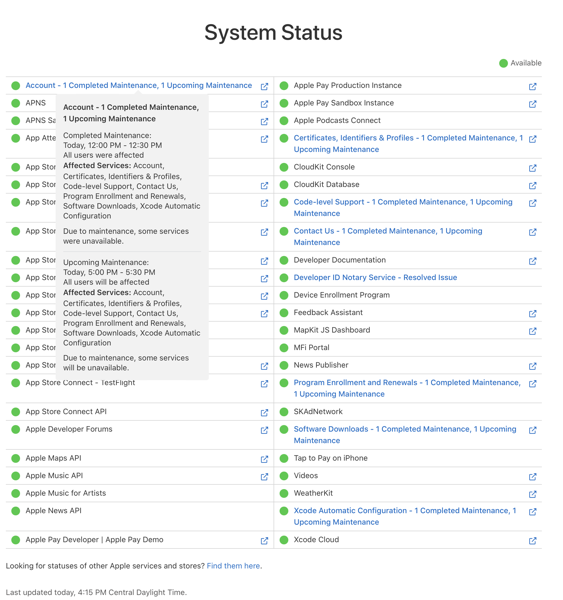
Dan Moren of Six Colors might have found a hint that might help unlock  the Apple Migraine Mystery I have slowly been piecing  together clue by clue in my ongoing Apple iCloud woes. He recently ran into his own iCloud issues (thought different than mine) and blogged about what he suspects might be one of the root causes. Again, his situation is different than mine, but if his conclusions are correct it comes closer to confirming my suspicions that iCloud is the culprit.

Here’s an excerpt from his post Bitten by the black box of iCloud.

. . . after perhaps 20 minutes on the phone, he seemed to hit on something. I heard him laugh and say something along the lines of “that explains it” and then, with my consent, put me on hold. When he came back, he said—and I’m not exactly quoting, but close enough: “I’m sorry, I can’t tell you any more than this, but all your services should be back up pretty much exactly 12 hours after they went down.”

“I’m sorry, I can’t tell you any more than this, but all your services should be back up pretty much exactly 12 hours after they went down.” It’s a tantalizing clue for what I think might be behind this migraine mystery. Spoiler alert, Moren saw things begin to return to almost normal after waiting the requisite 12 hours.

OIG  1

Backstory

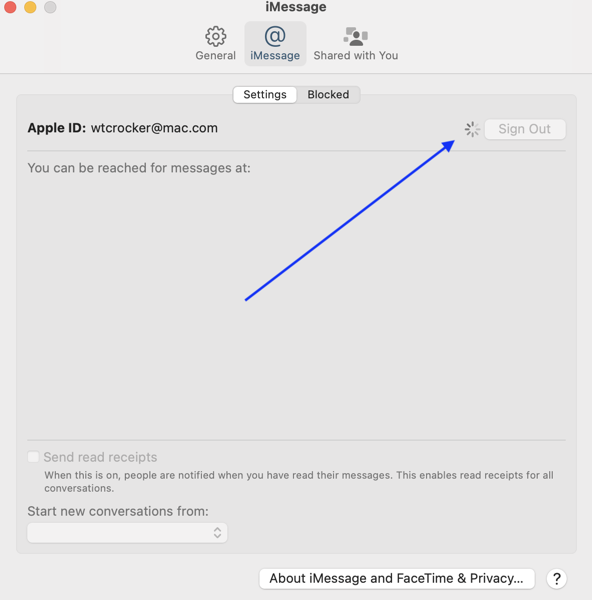
Here’s a brief recap of what I’ve been tracking with my iCloud migraines. All features relating to Continuity/Handoff/Sign in with Watch would just switch off. No warning. No nothing. Just working one minute. Then not the next. Intriguingly I began to notice this would happen on the morning of each new OS update (iOS, watchOS, and Mac). This has been going on for almost a year since the fall of 2022. This includes beta releases since WWDC 2023, even though I ran no betas on any of these devices. The pattern that I began associating with OS releases became apparent to me in late spring of this year. Things flipped off the mornings of iOS (and sibling) releases from 16.4.1 last April and has continued each morning through the release of 17.0.3.

I would try to fix the issues with a series of reboots that for a time seemed to rectify things, but then that eventually failed as a solution. And then I noticed that within a day or so, often the next morning, things would magically come back, with zero intervention from me. Since this fall’s releases of iOS 17 and its siblings this has also occurred with through 17.0.3 which was released on Wednesday of this week.

Add this to the clues.

When this situation first surfaced last Fall I spoke with Apple Support. After jumping through the usual hoops and getting to a higher tier of support we would eventually step through possible fixes until we reached the dreaded “log out of iCloud” solution. I say “dreaded” because if you ever need to do that there’s never any degree of certainity that everything will come back to “normal.”

And then…

I was literally on a support call in July when we had reached the moment I knew was coming. I said to the rep that I was going to have to sign out of iCloud. And the answer was “no, we don’t suggest you do that.” I was floored. This was the first time I had gotten that type of response.  Of course my response was to ask what I should do. I was placed on hold and then the response came “our engineers are aware of this and we suggest waiting until they reach a solution. We’re working on it.” The next morning things were working again.

That sounds somewhat similar to what Dan experienced although there was no mention of a 12-hour timeline. I’ve gotten this “please wait” suggestion on this issue three times now. The third one was a most interesting reiteration of the first two. I’ll recount that below after some more backstory.

Backstory continued

I’ve had two previous show stopping issues with Apple products. Both times I’d reached the point when I was ready to toss in the towel. The first was with the original Apple Watch. The second was with Notes.

Both times I was getting zero satisfaction from Apple Support. So, I decided to write Tim Cook. I explained my dissatisfaction with the lack of solutions. Within a couple of days I got a response from someone obviously higher up in the chain saying they would work to make sure I was satisified. They were always very nice, very thorough and followed up as if their job depended on it.

The first time resulted in me receiving a new Apple Watch after returning the malfunctioning one. The second resulted in me getting connected to an engineer. That experience led to them essentially taking Notes on my account offline after I saved them all locally. They rebuilt my Notes database on their end. Called me back. I logged in and almost everything came back. (The original problem is that Notes would not sync at all and some data was getting lost as I may work situation was I was switching back and forth between devices.)

In both instances in follow up, I was asked not to write about these interactions. Until today I haven’t. So given that after Apple’s latest round of OS updates didn’t solve anything I thought I would reach out to Mr. Cook once again. That third time I referred to earlier was not the charm. Here’s the response I got back:

Hello Warner, 

Thank you for your recent correspondence to Apple. We apologize for the delay in our response.

The parties with whom you have previously communicated are empowered by Apple to address concerns such as yours. In each of your communications you have been provided with the same answer from Apple. According to your case number 102054684817: Apple is still investigating the issue and we won’t be able to provide an exact ETA on when it will be resolved. There is no further escalation point that will deal with this matter differently. 

We regret that you are not satisfied with this response, because Apple strives for customer satisfaction. It is our sincere hope that this situation will not diminish your enjoyment of the products and services that we provide. 

You can also provide feedback to Apple by visiting Product Feedback – Apple.

We apologize for any inconvenience or frustration. 

Kind regards, 

Apple

Back to the plot

For quite some time based on the clues I’d assembled prior to Dan Moren’s post I have thought this issue I was dealing with was tied to iCloud. I’ve gotten no firm confirmation of that from Apple Support. And given that others I’ve talked to about this suffer from different sets of iCloud issues it has literally been a slog to try and piece it all together.

Apple has quite a few services, features, and devices tied into each user’s AppleID. Scratch that. All of them are tied in. You literally can’t go anywhere within the Apple ecosystem without it. Frankly, it’s one of the attractions. But it’s becoming less so. Comments from support personnel and engineers have indicated, but not directly pointed the finger at iCloud as the potential culprit.

And some of Moren’s comments make sense to me along this line of thinking. For example.

Now, in my initial forays on social media, I had gotten a reply from someone on Mastodon mentioning that Apple’s iCloud servers were sometimes put in maintenance mode for 12 hours—but upon going back and looking for that specific reply, it was nowhere to be found.

It did, however, support the theory that something had gone wrong with the particular iCloud server on which my account was located.

In one of my calls I pressed the support person who warned against signing out of iCloud as to why. It was quite telling that I couldn’t get a response other than tacit agreement with my statement that it was problematic that things never came completely back from signing out and signing back in. That didn’t used to be the case. I can’t begin to remember how many times I’ve signed out and back into iCloud at Apple’s suggestion.

Moren did see things “flip” back on 12 hours later. After I read his post I made a note to check things out when I returned home after rehearsal in the evening to see if my devices had seen any such flipping. (My devices flipped off around 8am CDT). I checked about 11:15pm CDT and sure enough everything was working.  I normally don’t wake up my Macs until morning and that’s typically when I would discover things had flipped back on.

So I’m feeling my suspicions firm up.  This is all tied into how Apple’s iCloud services work behind the scenes. Apple doesn’t want to talk about that.  I’m in violent agreement with this statement from Dan Moren:

Moreover, if this was some kind of scheduled procedure, why not warn affected users ahead of time? The idea that my email—which I rely upon for work—and a slew of other services might be interrupted for essentially an entire workday with no notice whatsoever is technological malpractice. My cable company tells me when it’s doing work in my area and there might be service hiccups, and you can bet that the hosting provider I use for my website communicates whenever there might be something that affects my service.

And this:

The thing is Apple fundamentally doesn’t want you to think they’re like “other” service companies. They’re not going to send you emails about upcoming outages, or a digest of all the spam that silently got blocked from your account so you can find the ones that should have gotten through, because it flies in the face of the image that Apple wants to put forth, that their magical system “just works.” But the problem with a black box is that once you’re inside, you have no idea what’s going on—and it’s even harder to get out.

Look. I get it. There’s no easy or ideal time if there’s work of some kind going on in the backend that might lead to a service disruption. But Apple should at least empower its support personnel to communicate to users who call with an issue if that is the case. Even if that won’t solve the problem until some engineer somewhere flips things back on, it would at least remove some frustration and wasted time in the support conversations.

I’m beginning to think that Apple keeps this as another one of its secrets from not only users but user facing personnel as well. If so, it’s a self-destructive policy that gives lie to Apple’s image-making. Even if “a small minority of users” are facing this issue at any one time. If true, it certainly speaks to how Apple values what it perceives as its reputation over the cash value of paying Apple support personnel to sit on lengthy support calls that can’t offer answers.

I encourage you to read Moren’s post in full. In the meantime maybe I’ll find and configure a 12-hour timer as one of the fancy new interactive widgets that I can activate the next time Apple flips the switch.

The Action Button: Taking Back Your iPhone

Lights! Camera!! Action!!! Well, you won’t be directing a film crew with it, but you can use the Action Button on Apple’s new iPhone 15 Pro and Pro Max models to turn on your lights or launch your camera. As I said in my first impressions post about the iPhone 15 Pro it can be so much more.

Iphone 15 action buttonIn fact, for those who already use Apple’s Shortcuts or those willing to check them out, this is a way to take a bigger step towards personalizing your iPhone than we’ve been able to in the past. In my opinion it’s the most signficant, and potentially most powerful user addressable hardware change Apple has made to an iPhone in quite some time.

Unlike The Dynamic Island, last year’s big shiny new feature, users don’t have to wait for developers to decide to implement the feature. To be honest I’m disappointed in the lack of apps I use that couldn’t find ways to take advantage of the Dynamic Island. But the Action Button, combined with Shortcuts, puts personalization at your fingertips.

When it was first introduced and once I first set up the iPhone 15 Pro my initial reaction was that this would be the latest fidget-spinning, widget-like new feature from Apple. Designed to tantalize, destined not to take hold, it would capture a lot of attention and not really mean much over time. I was wrong.

Again, if you know Shortcuts or are willing to learn a bit about them, you can set up the Action Button to run a Shortcut or quickly access a series of them. The beauty of using the Action Button with Shortcuts is that you can perform actions without unlocking your phone, or while you’re in any app. It sort of feels like taking your iPhone back and using it in a whole new way.

The Action Button is located just above the two Volume Buttons. It replaces the Mute switch that has been there since the first iPhone. Don’t worry, you can still Mute your iPhone with the Action Button or from the Control Panel. As a matter of fact the Action Button comes with the Mute/Unmute function enabled by default. Press it once after setup and you’ll Mute your iPhone. To use the Button you need to hold the Action Button for a second or two. Otherwise you’ll get a reminder on screen telling you to hold it a bit longer.

Sunday 01 Oct 2023 16 46 43

The location of the Action Button is a bit of a problem for me though. I have yet to develop a natural reach for it with one hand and wish Apple had positioned it below the Volume Buttons.

I take my cues on using Shortcuts with the Action Button from some folks who know more about Shortcuts than I do. I’m no wizard at creating Shortucts, but I know where to go when I need to discover and explore them. Stephen Robles, Federicco Viticci are indeed wizards at this. John Gruber also got me excited about these possibilites. Robles has produced a couple of videos here and here that show you how you can take advantage of using the Action Button to access Shortcuts. He shows you how to create menus and single use Shortcuts. You can find links to all of the Shortcuts he’s created in the description that accompanies his videos.

Gruber created what he calls the Action Jackson Button and posted screenshots of his Shortcuts on Threads. Jake Shaw managed to put those into a blog post here, so you can download them if you want to as opposed to creating them from screen shots.

Viticci has created what he calls a MultiButton method (using Shortcuts) to use the Action Button beyond its current single button press functionality. Apple designed the Action Button to call one action. You can configure it in Settings to bring up Silence your iPhone, Turn on a Focus Mode, Use the Magnifier, Activate the Camera, Turn on the Flashlight, Record a Voice Memo, Launch Accessibility Settings or Run a Shortcut. Viticci lets you tap twice to use the Action Button for two distinct actions. Users have already been calling for Apple to give us mulitple touch possibilities on the Action Button, but this might do in a pinch. (Make sure you also check out the MacStories archive of Shortcuts if you haven’t already.)

Do note that you’ll need to install the free Actions app on your device. Actions doesn’t have an interface but it adds and enables some essential Actions to make better use of Shortcuts than Apple provides out of the box.

You set up your Action Button to use Shortcuts by scrolling through the actions Apple provides and selecting Shortcut. At this point if you want to use one Shortcut you select it and you’re set to go.

Sunday 01 Oct 2023 16 22 16

Currently I’m doubling up on Menu options. Pressing the Action Button as I’ve configured it brings me into a graphical menu of icons (image on the right below) that allows me to Mute/Unmute the phone, Turn on the Flashlight, Launch the Camera, or launch my podcast app of choice, Overcast. I’m a Type II diabetic so the Contour and Dexcom G7 are apps I use to help manage that condition. Then there’s the red icon labled Magic Menu. Note that for this graphical menu option you can only add seven Shortcuts and you’ll always get an Open App button as the eighth entry. That will take you to the Shortcuts app. But why not create a Shortcut that launches another menu?

Sunday 01 Oct 2023 18 21 16

But let’s first get to the graphical menu. Create a folder in the Shortcuts app. Name it with the name of your choice. I chose ActionButton. Then create or move the seven Shortcuts you want to access in that folder. Go to Settings and select Action Button, choose the option presented, and look for the Show Folder option. If I remember correctly it will be on the left if you haven’t set anything up like this previoulsy. Pick the name of the Shortcut Folder you chose and the Action Button should bring it up.

What I call the Magic Menu (you can call it anything you want) is a Shortcut I created that opens up another menu that allows me to quickly access some apps and functions I use frequently. I followed the how to from Mr. Robles as linked above to create the menu you see below. You’ll need to configure each menu item separately.

Sunday 01 Oct 2023 18 22 54

This menu includes shortcuts to access Drafts and Notes which I use for work. Text on Screen captures any text on the screen after first taking a screenshot. Current Show launches into my Notes folder for the current play I’m directing. Cheatsheet is where I store some codes and other things I need to remember. Screen Recording does just what it says. Remind Me Faster lets me enter Reminders into that App more quickly than using the app.

Again, and most importantly this functionality lets you set up things they way that works for you. I’ve seen similar menus that call up Music, Maps, Reminders, certain contacts and many more.

For different projects going forward I’m sure I may change things around, but that’s easy enough to do either by adding to the existing choices or adding more. I’m sure others will find new ways to take advantage of the Action Button as well. Exciting times.

As I said above I am not a Shortcuts wizard. I’ve created some single use Shortcuts but nothing on the level of folks like Viticci or Stephen Robles. Another great resource is Matthew Cassinelli. I highly recommend that if you want to dive deeper into this for the first time or just for great ways to take advantage of Shortcuts that you follow their adventures.

Sunday Morning Reading

It’s Sunday and that means Sunday Morning Reading to share. This week was new iPhone week so I’m sharing some great coverage of the new iPhones and the operating system that runs them, as well as macOS Sonoma. In addition,  excellent writing on lying and other topics will lead the list.

Readingthenewsonsmartphone

First up is the always excellent Natasha MH with Our Panche for Lies, Art and Storytelling. Using comedian and storyteller Hasan Minhaj as her point of entry she wonders why we get so upset when comedians do the same thing those less funny do: Lie.

Speaking of lying, Jeff Kosseff has a neat piece on Why The First Amendment Protects Liars. 

I’m not a fan of giving up meat. This dog is too old to learn any new tricks. But Matthew Clapham does have a good piece of writing about just that in Rewording the Golden Rule to Cause No Suffering. 

Kenneth L. Warner uses the occasion of Diane Feinstin’s passing to talk about age requirements for holdiing office in “When I Leave Elected Office, I’m Going Feet First.

Much of the US political focus is on the gamesmanship over keeping the government open and some washed up TV reality star that got lucky and appointed too many Supreme Court Justices. Well, that Supreme Court is going to take up a few cases that might, or might not, have profound implications for the Internet. Take a look at Caroline Mimbs Nyce’s piece The Supreme Court Cases That Could Redfine The Internet to see why.

And as for those writers about Apple things I’ll lead that off with the always excellent Federico Vitcci and his review of iOS 17 and iPadOS 17 on MacStories. I highly advise keeping this one in your bookmarks or read later app of choice to refer back to now and again.

His partner in crime, John Vorhees, does a great job of tackling macOS Sonoma. Again, hang on to this one as a reference.

And for a companion to Vorhees’ post check out Andrew Cunningham’s macOS review on Ars Technica.

Samuel Axon in Ars Technica says we may have reached the “final form” with the iPhone 15 and 15 Pro. I think he’s correct.

Matthew Panzarino always gives us a good look into the cameras on new iPhones and this year’s trip to Disneyland is no different.

Last up is John Gruber’s iPhone 15 Pro review. John’s writing on all things Apple is always worth your time.

Ok, I lied. If you’d like to check out my thoughts on the iPhone 15 Pro and the Apple Watch Series 9, you can do so here.

If you’re interested in just what the heck Sunday Morning Reading is all about you can read more about the origins of Sunday Morning Reading here

Thoughts on the iPhone 15 Pro and the Apple Watch Series 9

I use Apple products. Have for awhile. Computer and mobile tech is a hobby of mine It’s a hobby I care profoundly about for a myriad of reasons. I feed that hobby with Apple’s stuff because quite simply I prefer those products to others currently on the market.  When friends tell me it’s an expensive hobby I often reply with questions about their golfing habit and course fees. (I have a lot of friends who play golf.) So, in my mind it all equals out. But yes, it’s expensive. I don’t chase tiny balls around a golf course. I do chase technology for all the fun, foibles and foolishness it can sometimes provide. I also use it for work.

IMG 0365

Now, do I think Apple is the be all and end all? Absolutely not. Apple pisses me off almost as much as it delights me with some of its products. (Here’s looking at you iCloud.) Apple also pisses me off at how it hides behind its “majority of users are satisfied” and “small minority of users” PR lines. That does nobody any good if there’s an issue affecting them but not the majority of users. I also have come to believe that Apple’s luxury of taking the long view is starting to hurt a bit when it comes to issues with current products on the market. Lately, I also think their design acumen is not up to the standards they’ve previously set and that they’re caught in a trap of their own making. If we pay for the train ticket we’re entitled to complain about the ride.

I’ve written a bit about all of that here and in other places. I’ll continue to do so. But everything in life is a trade off, and in my view there are less of them with Apple’s products than with others.

All of that out of the way, yes, I buy a new iPhone each year. I sometimes do the same thing with the Apple Watch. I typically hang on to iPads and Macs through as many cycles as I can. This year I’ve purchased an iPhone 15 Pro and an Apple Watch Series 9. The iPhone is a year over year upgrade. So is the Apple Watch. Below are my initial thoughts on each. I’ll also link to other helpful sources of information and some reviews along the way that provide more than just the impressions I’m jotting down here.

As I’ve said before we’re in a wait and see game with most Apple products. We’re waiting to see what happens with the Vision Pro and spatial computing. In that context, everything is pointing towards that future with this year’s crop of Apple hardware and operating system releases yielding what feels like moderate, not wow inducing updates. Nothing wrong with that. The iPhone is a stable and staple product. Each year’s model deserves and demands something new. There will be plenty of folks in the market for new or upgraded devices between now and “early next year.” These products certainly look to fill the bill. As for the Apple Watch, there is also a major redesign with the user experience that I’m not sure actually works for current users looking to upgrade. Again, I think it’s pointing towards the future.

iPhone 15 Pro

I’ve had the iPhone 15 Pro for a week now so that’s what these impressions are based on. First impression: Nice. I could leave these impressions with that one word. Nice. Maybe I’ll add a second word. Nice Action.

Upgrading an iPhone year over year you don’t see great leaps, especially in the 3-4 year cycle Apple relies on for each design. Obviously there are many reasons for that from costs to the fact that most iPhone users don’t upgrade every year. But as someone who’s owned every iPhone since the 3GS, I’ve been pleased with each device’s design change. The big exception for me was the leap from the iPhone 4/4S to the iPhone 5.

Design

The first thing right out of the box I immediately noticed and liked about the iPhone 15 Pro is it feels lighter in the hand and the slightly rounded edges do make a difference. Tangibly so. The weight and small shape differences are very noticeable in my hand, my pocket, and when attached to the ESR Magnetic Wireless charger in my car driving over the very bumpy backroad to my in-law’s lake house. With the iPhone 14 Pro I’d have to take it off of the charger to keep it from tipping down or falling off. With the 15 Pro it held its orientation.

Next up is the Action Button. Great addition. I like it a lot.

Iphone 15 action button

The Action Button replaces the switch to mute the phone. You can still mute the phone with the Action Button or in Control Center. You can also use it for other purposes you can configure in Settings. I’ve already configured it to use Shortcuts so that it’s more than a single use thing. And that’s why I think the Action Button is a more than significant change.

Unlike last year’s big shiny new feature the Dynamic Island, the Action Button is something users can take advantage of to make their iPhones much more personal. The Dynamic Island required developers to add features in their apps. To be honest I’m disappointed in the lack of apps I use that take advantage of it. But the Action Button, combined with Shortcuts gives users so much more to work and play with. For those not afraid to dip into Shortcuts it’s a real way to personalize an iPhone. I’ll be putting up a separate post about some of my experiments with the Action Button shortly after this one.

ActionButtonFun

I do have one complaint about it though. Its placement on the device just above the volume ringers is odd. I have not yet developed enough muscle memory to consistently find it instead of the Volume Up button. To my mind, and my reach, it would have been better placed below the volume buttons. But as far as I’m concerned the Action Button is this year’s biggest, best, and winning new feature.

As for the big push to Titanium, well ok. It does improve the weight so that’s a plus. I wasn’t enamored enough of the look and feel of the devices in the Apple Store on release day to say it is that big a deal cosmetically. If going caseless is your thing, perhaps it makes a difference for you. But with this year’s color choices I don’t see it or feel it, beyond the weight difference. And perhaps that’s enough. Regarding colors the same goes for the iPhone15 non-Pro. If you ask me Apple’s color design team more than lost a step this year. Color me not impressed.

Camera

Every year Apple promises and delivers camera upgrades. This year the big upgrade came to the bigger iPhone 15 Pro Max only. Apple didn’t leave out the smaller 15 Pro however. The iPhone 15 Pro uses the sensor, machine learning algorithms and the number of pixels in different ways. That gets into more numbers, math and wizardry than I want to explain so I’m linking to this PetaPixel article by Chris Niccolls on the camera improvements in the iPhone 15 lineup if you’re looking for more details.

One big change that I think will be widely used is the new Smart Portrait mode. You no longer have to set the camera to take a shot in portrait mode. You can do that after the fact while editing in the same way Apple introduced this for video last year. This is a real win.

In my experience with the new camera I do see improvements. I’m still very impressed with what we can do with smartphone cameras. I like taking photos with them. It’s a hobby within my hobby. Below are a few images I’ve taken in various places.

One thing of note about the video capability. Pointing to the Vision Pro and spatial computing future the iPhone 15 Pro lineup has moved the lens arrangement on the back of the iPhone to better align them for spatial video. This is so that when the Vision Pro devices are released “early next year” there is an iPhone on the market that can shoot spatial video needed for that tent pole feature promised for new headset. I’m not surprised by this. Apple needed iPhones capable of shooting spatial video when the headset rolls out. They weren’t going to wait until next fall. But the spatial video feature for this year’s crop of iPhone Pros is promised for a future iOS 17 update. Pointing towards the future is a recurring them with this year’s Apple devices.

USB-C

Another big change is Apple replacing the charging port to USB-C from Lightning. A lot of folks tried to make this into a “users will be upset and this is just a cash grab from Apple” thing. The good news is I don’t think it took. From my impressions no one is that aroused with new plugs for new holes. I’m happy to see the USB-C port and everything it brings. Some have had quite a bit of fun connecting all sorts of things up to an iPhone. Check out this video from Stephen Robles. I imagine we’ll see much more of that. I also imagine we’re going to see Lightning cables still in use for other Apple accessories and earlier model iPhones for awhile to come. Evolution is a slow process even when intelligently designed or prodded along by the European Union.

Processor

The iPhone Pro lineup features a new chip in a new size. Apple reduced the chip size from 5 nanometers to 3. And this year’s version is called the A17 Pro. The size difference in the chipset is supposed to yield reduced power consumption and increased performance. The GPU (graphics) got most of the bump and Apple is making a play for the gaming market. Here’s a subtle hint from Apple on that.

CleanShot 2023 09 28 at 20 51 38 2x

The only notable difference I have seen since the release of iOS 17, a few days ahead of the iPhone 15 Pro release, is faster responsiveness with Look Ahead typing and autocorrect than on the iPhone 14 Pro. Time will tell. But really we’re reaching a point that these improvements in Apple Silicon year over year don’t yield big notable jumps that the average eye is going to notice.

There’s been some concern about these models getting warmer than some feel comfortable with. Early thoughts focused on the new chip. Noted Apple analyst Ming-Chi Kuo has cast some doubt on that. That story continues to heat up and I imagine we’re going to hear more about this in the days and weeks to come.

On that front I’ve had two experiences when I noticed warmer temperatures than I expected. I shot a little slow motion video (about 2 minutes each for several clips) and noticed the iPhone got really warm.

This morning as I was proofing this article with my iPhone sitting on my desk, not charging, and not being used for easily 40 minutes or so, I noticed when I did pick it up that it was quite warm, more so than usual. That’s almost a full week after setting up the device so I would think that all of the new phone indexing and stuff behind the scenes would have already settled down.

That’s it for initial impressions of the iPhone 15 Pro after a week of using the device. I’m pleased with it. There are some issues and some big wins. The Action Button is terrific. Smart Portrait mode is a win. The lighter weight and better feel are a win. And there’s lots of wait and see’s. Even so I’m glad I indulged my hobby again this year and I’m sure I’ll have more impressions down the line. Not being one to use these devices without a case there’s a story about that as well.

FineWoven Cases

If there’s a controversy or a -gate with this year’s products it’s with Apple’s FineWoven iPhone cases. Meant to replace Apple’s leather cases as a big nod to saving the environment, Apple’s FineWoven cases (and Apple Watch bands) were touted as a very green replacement for the leather products. I think everyone, including the powers that be, assumed Apple would get this right. That’s not the case.

I ordered one. I’ve returned it. It certainly did not feel as nice in the hand as the leather case or worth the same price. From many accounts it doesn’t hold up or age as well in normal usage. There were stories of deep scratches and unremovable stains. There were also photos of scarred cases on Apple displays in stores forcing employees to continually swap them out. That all surfaced before I received mine, so I was extra careful trying it out. But the point of using a case is to not have to be extra careful. While I didn’t object to the new feel of the case, I could easily tell it would not stand up over time.

Someone(s) at Apple goofed big time here. The leather cases certainly showed wear and tear, but that developled over time as is always happens with leather. Not just with one day’s usage. And the properties of leather vs fabric, fine woven or not, make that an entirely different and actually desired experience.

In addtion to the look, feel and durability of the cases, Apple apparently goofed on the cutout surrounding the USB C enclosure. There are reports that the cutout is misaligned so that you can’t plug in a USB cable. I don’t think that’s universal, but that actually makes the problem a bigger one. That might not be surprising in a cheap 3rd-party case. But for Apple that’s just sloppy and out of character.

Bigger pictiure, Apple not only goofed with the design and manufacture of the cases but they’ve busted a branding attempt that I’m sure cost a lot of time and money to create. Whatever happens going forward I doubt we’ll see FineWoven Apple products except as the butt of jokes and memes that rival some of Apple’s other failures.

Apple Watch Series 9

As pleased as I am with the iPhone 15 Pro year over year I’m almost the opposite with the Apple Watch Series 9. Almost. My disappointment isn’t with the hardware. How could it be? By and large it’s the same hardware as the previous two versions with a brighter screen, more memory and a faster processor. All good things. And hey, it’s Apple’s first fully carbon neutral product. So, no issues with the hardware.

I have do have irritations with the UI changes Apple has introduced. Some of these may be less irritating as I get used to them. I’d like to charge this off to something new and different that needs a period of adjustment, but I don’t think that’s going to prove out. Apple makes the whole widget, hardware and software. Usually that benefits users and the company. Apple also calls the Apple Watch it’s “most personal product.” This feels like a case when the new design and “whole widget” philosophies went too far for a device that I indeed feel very personally attached to.

AppleWatch Widgets

Apple changed which buttons do what on the Apple Watch. Apple also introduced Widgets in what feels like a move to make them the primary interface. Swiping left to right to change watch faces is also gone. There’s logic to these changes. But I am admittedly flustered by them.

Previously, primary interactions with apps were through Complications that you could set for watch faces. Some watch faces could have more. Some could have very few, if any. I actually had different watch faces with different sets of complications for different facets of my work and play. Now, regardless of which watch face you choose you can swipe up from the bottom of the screen or scroll the Digital Crown to access the widgets you choose to place in what Apple calls the Smart Stack. Think of it as a vertically scrolling half-carousel. It doesn’t go all the way around. The logic is sound here.

While this new metaphor makes more sense for user interaction on more watch faces, you also can’t swipe back and forth to change watch faces without first long pressing on the screen. So it feels like a win that is also a loss.

The other biggest loss is that I can no longer call up a list of my favorite apps. Previously you called them up by pressing the Side Button. That interaction is now gone and replaced by using the Side Button to access the Control Center. You can also no longer set Favorite Apps. I don’t use many apps on my Apple Watch, but the few I do use I do so regularly.

I’ve added the widgets for those apps into the Smart Stack. The “smart”  in that stack of widgets is supposed to show you the widget you need when you need it, or when Apple thinks you might need it. So far in my case that hasn’t proven to be anywhere close to being true. Perhaps it’s too early to make that judgment. But things just feel wrong with the constant lineup of the Smart Stack changing as Apple feels it should I have to constantly scroll back and forth to find the app I’m looking for.

Here’s another example. The photo below is of a completed timer. That big circle in the middle is begging to be tapped to close the timer. But to actually close it, you need to hit the smaller X in the lower left. This interface shows up in several instances in several of Apple’s native apps. It just seems confusing.

IMG 0130

So it feels like Apple goofed here. There may be a longer term vision here, but the luxury Apple has of looking far ahead  seems to have confused the moment for this year’s Apple Watches.

Speaking of looking ahead, there’s also the Double Tap gesture. The feature allows you control the watch by double tapping your thumb and finger together. It’s a way to interact with the watch that is right out of the Vision Pro vision. The feature has sorta, kinda existed as an accessibility option previously but is now a part of the operating system. Or soon will be. It’s due to come later this year, even though it was ballyhooed quite a bit when it was unveiled. It’s somewhat surprising it wasn’t ready at launch. Indications are it will show up in watchOS 10.1, but it wasn’t included in the first release of that beta for developers. So we’ll see.

Siri does feel a bit faster and more accurate. That’s because some of what Siri does happens on device. Some requests still do roundtrip to the Internet, but by and large you can feel a positive change. I use Siri on my Apple Watch more than on other devices and always to mixed success. Siri is one of those features that seems to suffer through good and bad periods for no discernible reason so let’s hope there’s more consistency with some of its functionality happening on device.

One other thing that surprises me is transitions from Notifications back to the Watch Face. The animations feel janky. I noticed this after installing watchOS 10 on the previous Series 8. I thought perhaps that was just an issue that would be rectified with the new performance on the Series 9. I was wrong. Those transitions are still not smooth and still quite janky. Not optimal. Here’s a short video of what I mean.

So that’s it. Initial impressions on the iPhone 15 Pro, the Apple Watch Series 9, the FineWoven cases and some other things tossed in the mix. I’d rate this Fall’s Apple product releases as a B-. The iPhone I’d give an A-. The Apple Watch Series 9 a C. The FineWoven case is just a failure.

I’m going to list some resources here for you to find out more details and also some fun. These folks have provided good coverage since the release of the new iPhones and operating systems, but also in some cases during this past summer’s beta process. I hope you enjoy and get benefit from their stuff as I do.

YouTubers

Christopher Lawley

Stephen Robles

Bloggers and Reviewers

John Gruber

MacStories

Matthew Panzarino

I’ll be writing more on iOS 17 and macOS in the days to come as I continue to explore them. Here’s hoping you’ll check in for those thoughts as well.

A Time Saving Hint If You’re Getting a New iPhone

Tomorrow, September 22, is new iPhone day for a lot of folks. Some will get them delivered. Some will pick them up from Apple Stores. Some will get them from carriers. And once the hype of release day passes folks will still be doing that going forward.

Apple Store 1474263939278

Regardless of how and when you get your new iPhone you have an option to set it up as a new iPhone or transfer all of your data and info from the older one. I typically choose the latter option. Let’s face it, either way you’re going to spend some time setting things up.

One of the things I’ve learned through the years is a way to save some time if you decide to transfer your data from iPhone to iPhone instead of starting with an absolute new setup. Apple gives you options if you’re transferring data. You can choose to transfer your data from iCloud or you can choose to transfer directly between your old iPhone and the new one. Both are time consuming.

The first let’s you get back to business sooner while things continue to load in via iCloud. The latter means you have to wait for the transfer to complete before you can use your new iPhone or trade-in or pass down your older one. Either way, data and Apps will transfer to the new device.

Here’s the tip. Some of your Apps are quite large. If you delete them before you do the transfer you’ll save a considerable amount of time during the transfer process. This is especially true if you’re a gamer and have large games on your device. Garage Band is another candidate. It has over a 1.5 GB footprint for the App itself. If you’ve got an App that has a large footprint on your device that entire footprint has to be transferred to be brought over to the new device.

If it’s a crucial App, obviously leave it alone and let the process do its thing. If it’s not, chances are you aren’t going to be using the App right away after you start using your new iPhone. You can reinstall the App once you’re ready for it after things settle down on your new device. (Another hint: This is a great way to do some house cleaning and delete Apps you’ve probably forgotten are on your phone.)

But what about my data?!? Well that depends on how your App stores and retrieves data. Some Apps use iCloud for storage. That data will in most cases still be in iCloud even if you delete the App. If the App uses its own storage in some other cloud, the same thing typically applies. If your App stores everything locally then this hint won’t work for that App.

If you’re unsure or confused, don’t delete the App. Better safe than blaming me.

CleanShot 2023 09 21 at 09 41 48 2xApple also offers you an option to delete the App and save it’s data. You can find out the size of Apps and their footprints in General/ iPhone Storage.

I typically get rid of about 10-15 gigabytes of Apps and data before transferring things to a new device. That’s a real time savings in the transfer process. And I bring back Apps as I need them after things settle in.

If you delete some apps to cut down the time on transferring from old to new, and you are going to use the iCloud option, make sure you do a backup (Settings/iCloud/iCloud Backup) after doing so. What’s in your latest backup is what will transfer over to your new iPhone.

This tip can really pay off if you’re one, like me, who likes to pick up your new iPhone at an Apple Store. Apple Stores are fun places to hang out and check out new gear. Not so much if you’re stuck standing at a table looking at your old and new devices while your data transfers.

Even if you’re transferring data between phones from the comfort of your home the time savings can be real.