Apple’s Changes To The Phone App Are Helpful and Confusing

Apple tries to improve the Phone experience

When the iPhone was first announced Steve Jobs uttered the now famous words about three products that would be combined into one:

Well, today we’re introducing three revolutionary products of this class. The first one is a widescreen iPod with touch controls. The second is a revolutionary mobile phone. And the third is a breakthrough Internet communications device.

The app for that “revolutionary mobile phone” has undergone few changes through the years since 2007, but nothing really to call home about. It can be argued that of those original three products, the phone has become perhaps the least important as users relied more and more on other methods of communication. This year with iOS 26, the Phone app got some significant changes. Some of which, at the moment, are proving quite helpful even if a bit confusing.

Let’s talk about the confusion first.

Apple introduced a new Unified View in the Phone app that consolidates Favorites, Recents, and Voicemails all under a single Calls tab. It sounds good to try and combine these features into one hub as a concept, but I find it confusing and some of the folks I support do as well. Apple also knew it could be confusing, providing users with a way to switch back to the prior Classic View with the familiar separate tabs for Favorites, Recents and Voicemail. Those folks I support are choosing to stick with the Classic View rather than learning something new. I’m swinging back and forth. 

New Shareshot.

Like anything else new this Unified View breaks muscle memory. That sort of change isn’t necessarily a bad thing, but coming after years of users trained on the same interface, it’s about as confusing as flipping the mouthpiece and the earpiece on an old landline phone would be.

If you choose the Unified View and designate enough contacts as Favorites, it’s also a damn ugly interface to look at.  Your Favorites are arrayed at the top with recent calls below.. If you tap on Show All, (the catch all bucket if you have more than seven Favorites) you’re taken back to the same list view from the older UI of the Classic View. (The Unified View is on the left and the Classic View is on the right in the image below.)

CleanShot 2025-10-24 at 15.28.27@2x.

I’m also confused at times about the differences between what’s a Missed Call and What’s an Unknown Caller as notifications sometimes, not all the time, appear in both places. Sometimes a call record will show up in three places if it’s also identified as a Spam call.

New and Newish Features

Hold Assist Detection sounds like a winner of a feature. In some cases it is. In some not. It makes me think that the designers of this feature have never used the Phone app to call a pharmacy or a doctor’s office where the person answering the phone is so busy that when they answer they speak so fast that you can’t understand what they’re saying. In my experiences attempting to use this feature in cases like those, the person on the other end just hangs up and I have to make the call again. I’ve yet to have a successful attempt at using this feature as designed other than testing it with friends.

New Shareshot.

As an intriguing side note, the same thing happened with a call to Apple Support.

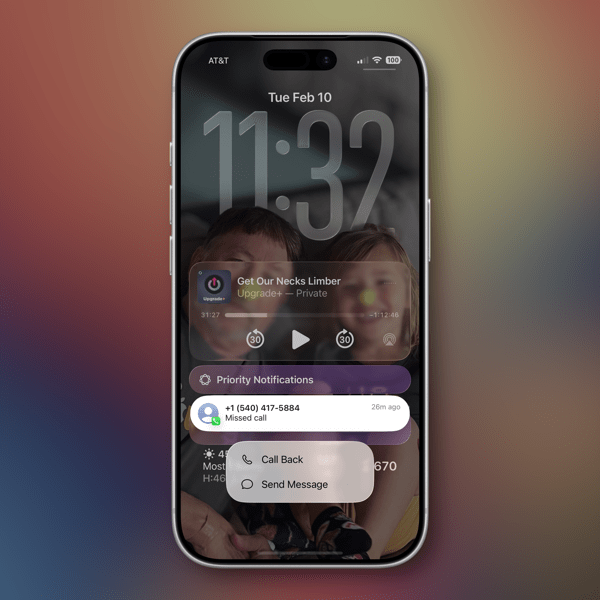
Screen Unknown Callers is another new feature that works well in some cases yet not in others. It has certainly reduced the number of unwanted calls I’ve received since turning it on. The call screening happens before your phone rings, which apparently is enough to bring an end to a number of those calls. Sometimes those calls appear in the Missed Calls list, sometimes not. What I don’t understand is that some of these calls also show up as Priority Notifications while others do not.

There are three options for screening unknown callers. The first is Never, which means you aren’t screening and all calls come through. The second is Ask Reason for Calling, which queries the caller. The third is Silence which silences any unsaved numbers and sends them to voicemail, placing the log of the call in the Recents List.

I’ve been using the Ask Reason for Calling option and, as I said, it has cut down on the number of unknown calls I receive in a day. My wife and I received our current phone numbers when we lived in another state and area code, so we essentially reject any calls with that area code as unwanted. I do wonder if this will become a whack-a-mole game with spam callers in the future as they look for ways to get around this feature.

Call Filtering silences missed calls and voicemail from unknown numbers. Those calls end up in the Unknown Callers List. Sometimes in other lists.

Spam Calls, as identified by your carrier, are silenced, sent to voicemail and moved to the Spam List. Yet, sometimes are flagged as Priority notifications.

Live Voice Mail has been around since iOS 17 and is supposed to show you a live transcription of a voice mail so you can pick up if the call is important. I tried this a couple of times during the iOS 17 era but never used it regularly to gauge how well it worked. I’ve tried it a few times in iOS 26 and have not been able to see the live transcription until after the caller ended things on their end. So I’m guessing Apple has some work to do there.

The good news about all of this is that Apple in the last couple of years is working to make your iPhone less of a nuisance when it comes to dealing with unwanted calls.

The not-so-good news comes in two buckets. The new user interface will require quite an adjustment. Kudos to Apple for providing an option to switch back easily. The other bucket is that phone makers have to rely on carriers for reducing Spam. Spam lists are the province of the carriers. That push and pull is reflected somewhat in the design of the Phone app interface when it comes to blocking unwanted calls.

In order to Block or Block and Report a phone number as Spam there are two options. If you swipe left on the record of an unknown phone call a small orange icon with a white hand appears that reveals the blocking actions.

New Shareshot.

You can also open up a Contact card by hitting the Info button on the right of a Contact card, scroll all the way down to the bottom of the card and choose to Block the number from there.

Either method described above is more cumbersome than it needs to be in my opinion and it would be much simpler if Apple could design an incoming call screen that had a prominent Block button on it.

These new features Apple has added to the Phone app in my opinion demand better curation of contacts by a user to work effectively. At least in my case they do. Numbers you may use once in a while need to be in your contacts in order for these new phone features to identify them appropriately. By the same token, numbers you never want to hear from again need to be blocked or blocked and reported as spam.

All methods of communication eventually devolve into this kind of tedium and you’d think by now there would be money enough to find better technological methods to relieve us of it.

My other concern is one that I have about how Apple handles its apps in general. With a few exceptions, (Notes and Reminders) Apple tends to release new features for an app and then let them go years without continuing to improve them. I hope that’s not the case with these new features in the Phone app. Apple made a good, certainly overdue, next step with these changes. They can’t just leave us all on hold until they take the next one. We could all use a little more sanity and perhaps a bit more revolution from the “revolutionary mobile phone.”

Who knows? Maybe one day Apple will even turn its attention to the long neglected Contacts app.

You can also find more of my writings on a variety of topics on Medium at this link, including in the publications Ellemeno and Rome. I can also be found on social media under my name as above.

More Thoughts and Issues With macOS 26 Tahoe

Unfinished Tahoe is not a friend to developers or users

I wrote a bit earlier about some of my early thoughts on the new OS 26 releases and here’s a few more to share about macOS 26 Tahoe. I continually beat a drum about the fact that we’re all on Apple’s beta bus, whether we opt in to receiving betas or not. I don’t opt in. Several of these thoughts keep that percussive refrain rumbling along through the issues below.

MacOS 26 Tahoe purple.

Memory Leaks

Since the release of macOS Tahoe 26.0.1 I’ve seen strange memory leaks increasing for what I think are odd reasons. For example, a process known as IconServicesAgent increases the longer I go between rebooting sessions. According to documentation I’ve found online, one of the causes of this can be an overly large or corrupted icon cache, or specific icon causing the problem. A solution is to clear the icon cache, which I’ve done, but the problem reoccurs.

I don’t have the expertise or the patience to tray and track down which icon(s) may be the issue, so hopefully this gets fixed in an upcoming release.

CleanShot 2025-10-17 at 09.35.13@2x.

My hunch is this has to do with icons being a lower priority for developers who still have a lot of other work to do on their apps. I base that on the number of non Apple app icons I see that haven’t been updated for Liquid Glass.

Notifications Memory Leak

There’s another memory leak that I see less frequently and seems a bit more random. You can see in the image above the amount of memory NotifcationsCenter is consuming. Apparently this “occurs when a program holds onto references to objects, like activities or other resources, even after they are no longer needed, and uses the notification system as a way to do so.”  It’s tough to pin down whether these memory leaks are the fault of developers hindered by Apple’s choices, or just a system bug. Either way it’s far from optimal.

Again, I don’t have the expertise to sort this out, so I’m hoping for a fix in an update down the road.

Notification Summaries

Prior to macOS 26 Tahoe I had long ago turned off Apple Intelligence’s Notification Summaries on macOS Sequoia. I turned them back on with this new release to see if things improved. They did not. In my experience they are just as bad and just as useless as they were previously. So I’ve turned them off again.

Liquid Glass, Corners, and Such

I find the general acceptance that Apple made Liquid Glass less of a priority than it did on other device platforms amusing because it’s not only true, it’s true in the way a red wine stain shows up on a white shirt or blouse. That said, the somewhat half-way approach we do have, while not a deal breaker, is becoming increasingly more visually annoying.

CleanShot 2025-10-17 at 16.19.10@2x.

The lack of contrast for Sidebars always jerks my attention away when I have a sidebar open because for someone who once had real vision issues due to cataracts, it triggers a flashback to when I first started noticing those since corrected eye issues. The screen shot above makes it look like there is greater contrast than what I see in actual practice.

I’m also just not buying the entire concept of bringing “more focus to content.” Again, it’s more distracting than focusing. The more I see it the more distracting it becomes, which I’m guessing is antithetical to what Apple’s designers were hoping. This is true on iPhones and iPads as well.

CleanShot 2025-10-17 at 16.20.14@2x.

Widgets

This is one instance when the drum beat of bad beta behavior sounds loudest. Again, I do not run betas on any of my devices. Yet, each time that Apple releases a beta for the next version of macOS 26 all of the widgets I use on a secondary screen will disappear the morning before the release. I can set my clock by it. I’ll go to the trouble of restoring them. Within the next day or so duplicates of those widgets will appear, but strangely now revealed under Notifications.

CleanShot 2025-10-17 at 13.11.28@2x.

At first I deleted the duplicates but after this week’s beta release I noticed that they eventually disappeared on their own. It’s odd behavior to say the least.

Control Center

Speaking of Control Center, Apple is obviously hoping to move a lot of what functionality available in Menu Bar icons into the Mac Control Center. Apple has provided an API for developers to make that possible so that user can access those functions from the Control Center instead of the Menu Bar. I have very few apps that have taken advantage of this so far, again speaking to the slow pace of adoption by developers with other priorities.

CleanShot 2025-10-17 at 16.33.03@2x.

Even so, the two I have placed in the Control Center are sometimes present and sometimes not. To my surprise they appeared this morning. Not surprisingly they do not appear this afternoon, merely showing a place holder.

Control Center Notifications

Apple moved Notifications for things like Bluetooth and WiFi connections, volume sliders, and other functions so they animate out of the Control Center. That means they pop out in the upper right hand corner of the screen. That said, I find when they do animate they either distract me from what I’m doing, since I’m typically looking at the center of the screen, or my muscle memory of looking for them in different locations causes me to miss them entirely.

CleanShot 2025-10-17 at 16.39.54@2x.

The beta drumbeat pounds on

It’s been obvious since the release of macOS 26 Tahoe that Apple has a lot of work still to do. Some of that obviously was by design due to time and resources. Fine, but not fine. You can’t expect high performance out of a F1 race car unless your pit crew can nail the basics. As it currently stands Apple has its shiny new car well polished for pictures and demos, but is obviously still behind with its own engineering, throwing more delays at developers in the pit, in turn leaving users wondering about the turns ahead.

I frankly don’t see these gaps closing until sometime next spring at this point. Just in time for Apple to begin shifting resources to whatever comes next. I find that sloppy, unsettling, and like a lot of things Apple-like, not very Apple-like these days.

You can also find more of my writings on a variety of topics on Medium at this link, including in the publications Ellemeno and Rome. I can also be found on social media under my name as above.
How To Turn Liquid Glass Into A Solid Interface from TidBITS

A good reference for those who don’t like Liquid Glass

How To Turn Liquid Glass Into A Solid Interface is a post from Adam Angst at TidBITS might be worth bookmarking or hanging onto in some form or fashion, at least for a while.

Screenshot 2025 06 10 at 03 18 57 2x 1749523562493.

It’s comprehensive in that the post covers what you would need to do to make changes for macOS 26, iOS 26, watchOS 26, and tvOS 26. I say for “a while” because I anticipate Liquid Glass won’t be an issue for some as time rolls on, but there are those who would just rather not use it. Either way, it’s a good reference document to have.

I’ve already posted some of my early thoughts on Liquid Glass and I’ll be posting more as time goes on. My initial views haven’t changed much. Liquid Glass isn’t really to my taste, but I’ll let in it hang around to see how it evolves throughout the year. Frankly, at this point I think Apple has bigger fish to fry in fixing these OS 26 versions.

You can also find more of my writings on a variety of topics on Medium at this link, including in the publications Ellemeno and Rome. I can also be found on social media under my name as above.
Stop Snoozing and Wake Up: Apple Changes Alarm Shutoff Screen

If you snooze, you lose

It was a real wake up call for me when news broke recently that in the next major update to iOS 26 Apple will be changing the wake up screen for alarms. The change means that instead of having two buttons, one above the other to either Snooze the alarm or Stop the alarm, users will now have to Slide a button to turn off the alarm.

PXL 20251013 144935012.

This shouldn’t have been that much of a surprise for me as prior to iOS 26, the snooze button was a big orange one and the “button” to turn off the alarm was below it and much smaller. I can’t tell you the number of times I, and my wife, accidentally hit the snooze button instead of turning off the alarm.

To my tastes, Apple fixed that in the initial release of iOS 26 by making the buttons of similar size, even if the Snooze button still grabbed all the glory and color.

Here’s the thing. Of course how you wake it up is a very personal preference. Personally, I’m not a snoozer. When it’s time to wake I want to wake up and get moving. But apparently the majority of the world prefers snoozing, as do the folks making decisions in Cupertino. When you think about it explains quite a bit about so much when it comes to meeting the challenges of each day, whether in the real world or in tech.

What’s that old saying, if you snooze, you lose? I think that’s it.

I can only imagine how many iPhones are going to be knocked off of bedside tables as semi-awake users attempt to slide the button to silence an alarm. If I was responsible for the design, I’d have made it more challenging to hit a snooze button than to hit the wake up button.

But that’s just me.

You can also find more of my writings on a variety of topics on Medium at this link, including in the publications Ellemeno and Rome. I can also be found on social media under my name as above.
Sunday Morning Reading

Everything you can imagine is different, yet it’s the same.

It’s a Sunday. It’s a Sunday in Chicago. The Cubs lost. (Not surprising.) The Trump regime continues its horrendous snatch and grab policies all over the city (Increasingly not surprising but still terrifying.) Leaves are falling, but somehow they feel dirtier and without the bursts of color we’re used to seeing beforehand. And the world marches on. Time for a little Sunday Morning Reading. 

Neil Steinberg wrote a terrific piece about Chicago amidst all that’s going on called What A Lovely Day in Chicago. It’s a love letter. It’s an homage. It’s a snapshot. As he puts it “We need to remember that this is oppression for oppression’s sake, a practice built on lies. The city is fine.” That’s the odd thing. The city is fine. It’s the oppression that’s not.

Timothy Burke’s The News: Reign of Error expands on a piece by Henry Farrell that says that institutions and communities need to coordinate their resistance to Trump. As Burke puts it one of the obstacles is that “the closer that institutions get to one another in character and mission, and the less necessary it is to be competitive, the more that they are overwhelmed by the narcissism of small differences.” It’s an excellent dissection that reveals why some in higher places of different sectors might be holding their tongues while their mouths are agape at what’s going on around us.

Empywheel thinks The Nativists Are Getting Restless: How The Comey Prosecution May Backfire. I’m not sure it matters in the end if the point is do damage as loudly as possible.

David Todd McCarty asks the question Is Your Imagination Robbing You of Real Experiences? Cogito, ergo sum?

I wrote a play years ago about John Brown and Harpers Ferry, one of those moments in American history that we seem to want to forget, yet never goes away. Robert S. Levine tells us Why Donald Trump Wants To Erase John Brown’s Fiery Abolitionist Legacy (and Why He Will Fail.)

There was so much craziness about the Nobel Peace Prize this year given, well you know why. So much so that many of the other awards were overlooked. The Nobel Prize for Literature went to Hungarian author Lázló Krasznahorkai. I have several acquaintances who adore his work and were tremendously excited. I did some reading on Krasznahorkai and stumbled up on this 2011 piece by James Wood called Madness and Civilization about the author. Worth your while.

On the Artificial Intelligence beat, Sora is the latest thing everyone has an immediate love/hate relationship with. But this isn’t about that. Sarah Perez says It’s Not Too Late For Apple To Get AI Right. Frankly, I think it’s too late for any of these companies to get it right, unless “right” is about winning the con game.

Resting my case on that last statement, Alexandra Jones looks into the connections folks can’t make in real life and are turning to AI for in ‘I Realized I’d Been ChatGPT-ed Into Bed’: How ‘Chatfishing Made Finding Love On Dating Apps Even Weirder.”

And as Autumn continues its march, New Englanders Are Fed Up With Leaf-Peeping Tourists Ruining Their Fall, so says Jared Mitovitch.

(Image is a photo I took last Fall)

If you’re interested in just what the heck Sunday Morning Reading is all about you can read more about the origins of Sunday Morning Reading here. If you’d like more click on the Sunday Morning Reading link in the category column to check out what’s been shared on Sunday’s past. You can also find more of my writings on Medium at this link, including in the publications Ellemeno and Rome.

AirPods Pro 3 Review: Hits and Misses

Not quite the right fit, but still a hit in my ears

In showbiz you know you can never please everybody no matter how hard you try. The same is actually true when it comes to any product, including tech. Especially hardware.  Especially hardware you stick in your ears. Add that layer and the odds of pleasing everyone decrease substantially, even if you do create a hit.

Apple’s AirPods have generally been perceived as a hit product since their debut even though the first version was made fun of for its initial appearance. Each iteration gained more fans along the way with the AirPods Pro 2 being more than generally regarded as quite a hit.

The AirPods Pro 3 got early overwhelming raves but as more folks have tried them in more ears some of those first blush raves have been joined with more tempered opinions. Apple made a big deal about improvements in both the sound AirPods Pro 3 deliver and also how much testing they did to find the best fit for the most people. In my experience Apple scored a hit when it comes to sound and noise cancelation, but a more of a miss when it comes to fit.

First the hits

I’m a long time AirPods user and have long considered the AirPods one of Apple’s best products. They are not perfect, but they are good products I rely on. That said, I’ve never quite bought in to what I consider the myth about how good Apple’s active noise cancellation is with previous models. It has improved along the way. But to my ears it was never quite as good for me as it was promised and as it was ballyhooed by so many. It was fine and certainly better than not having it when mowing the yard, flying on a plane, or washing the dishes, but not quite as promising as Apple and others described.

That said, in my ears the active noise cancellation for the AirPods Pro 3 takes a substantive leap. The first time I noticed the improvement was in my kitchen. I had been listening to a podcast while washing the dishes. My wife came in to ask me a question. I paused the podcast, answered the question but I didn’t turn the podcast back on as I was finishing up.

I left the AirPods in as I was doing the usual clean up of kitchen counters and my wife came in again to help. We chatted a bit and then I went in the other room. This entire time we had been running our window air conditioner as temperatures had been running warmer than usual for this time of year. As I passed back and forth through the kitchen my wife and I chatted. On one of those trips I noticed that I didn’t hear the sound of the window air conditioner and I asked her if she had turned it off. With her verbal reply that she hadn’t, the sound of the AC returned. Again I was not playing any audio at the moment.

When she finished talking the noise of the air conditioner just stopped. I told her what I was hearing and it returned with my voice. It was literally as if we were using an on/off switch.

This morning as I was mowing the lawn for what I hope is the last time this season, I did some A/B testing between the AirPods Pro 2 and Pro 3 models. There was a decided difference with the lawn mower with the AirPods Pro 3 being much better at muffling the sound of the mower. It didn’t kill it completely, but it did muffle it more.

So in terms of improving noise cancellation I would say Apple certainly set a new mark.

I’m not an audiophile by any stretch of the imagination and I use my AirPods to primarily listen to podcast and audio books much more than I do music and other entertainment. In that A/B testing during my lawn mowing chores and afterwards I’ll say I didn’t notice that much of, if any difference in the audio quality of the podcasts I was listening to, but adding in the better noise cancellation I’d say I heard better over the more muffled mower.

Continuing to listen after my yard work in quieter indoor environs, I was quite pleased with the quality of the sound, but no more so than with the AirPods Pro 2. So, in my listening I’d call it a wash as far as audio quality is concerned.

The Misses

In the two experiences above I was using the AirPods with noise cancellation turned on. Apple’s AirPods feature three different listening modes, Noise Cancellation, Adaptive, and Transparency. Noise Cancellation seeks to cancel outside noise, Transparency lets outside noise in but still focuses the audio you’re listening to, Adaptive is somewhere in between, supposedly adapting to external noise to raise the signal you’re listening in balancing against outside noise as it may come and go.

When I’m walking and listening I’ll use the Adaptive mode to have awareness of what’s around me. I walk on city streets and in city parks and I’ve never felt satisfied with the myth of the Adaptive listening mode. I still don’t with the AirPods 3. When introduced Apple trumpeted “a new listening mode that dynamically blends Transparency mode and Active Noise Cancellation together based on the conditions of a user’s environment to deliver the best experience in the moment.”

In theory, the Adaptive mode should help decrease louder external sounds (leaf blowers, lawn blowers, city buses, etc…) but that’s never really worked well for me in practice. My experience with AirPods Pro 2 was there might or might not be an adjustment. It was always inconsistent, and if there was an adjustment it was quite slow in reacting to external sound, often doing so after a loud vehicle and its noise had passed.

I haven’t really given this much time with the AirPods Pro 3 but in the brief time I have, I’ll say that when there is an adjustment the response seems a bit quicker. But again, it’s inconsistent when that happens. Overall I’d rate this as about the same as the AirPods Pro 2  in that it is not really a feature that works for me.

The biggest miss for me with the AirPods Pro 3 is the fit. But there’s somewhat of a caveat that goes along with that statement. I can’t say I’ve ever been satisfied with the fit of any of the AirPods that I’ve owned. The AirPods Pro 2 came the closest. But even then I’d occasionally have difficulty keeping them in my ears or wearing them too long.

This year Apple worked hard on creating a physical design for this new generation to try and find the best fit for the most ears. The ear tips are foam-infused to create a better seal in the ear, which along with the computational audio contributes to the better noise cancellation I spoke of earlier. That said, these ear-tips constantly remind me of their presence more than the others did and after a while feel uncomfortable.

Apple also included more sizes of ear tips, again aiming for a better fit for more ears. If you run the Acoustic Seal test it can theoretically guide you to the best fit. Here’s an interesting personal tidbit. I have achieved a good seal with both the Medium sized ear tips and the Extra Small sizes, but not the Small. I’m not sure what that means.

I credit Apple with continuing to try and find ways to accommodate customers, but I think Apple’s challenge speaks more to the size and variable anatomy of its potential market than it does to any failure. Certainly ears come in all shapes and sizes. Apple claims it scanned 10,000 ears. I’m betting if it scanned another 10,000 there would still be fit issues for some customers. After all, we’re told since childhood not to stick anything smaller than our elbow in our ears.

Other Features

Apple continues to add and improve Health related features to the AirPods Pro lineup this year adding  a custom-built heart rate sensor. Apple has also added Live Translation as a feature that’s currently in beta. For the former I haven’t used the AirPods Pro 3 long enough to test the feature, and I haven’t even attempted the latter.

Summary

All in all, even with some misses, the new AirPods Pro 3 leave me in the same place previous editions have. It’s a very good Apple product that’s not perfect by any means, but it is good enough for me to want to keep using it even if it’s not a perfect fit. As I’ve previously gotten just under two years of good life out of earlier models before I notice battery life degrading, I imagine I’ll be using these for the next two.

You can also find more of my writings on a variety of topics on Medium at this link, including in the publications Ellemeno and Rome. I can also be found on social media under my name as above.
Apple Ices Ice Tracking App

The big chill continues freezing Apple

Apple gave itself another public relations black eye last night by agreeing with U.S. Attorney General Pam Bondi and pulling the ICEBlock app from the App Store. 404 Media has more on the story here. 

Piece of ice cube melting.

ICEBlock has proven to be a popular, and much needed app in these days when ICE agents are working to fulfill Donald’s Trump mass deportation fantasies with too large of the population cheering him on. It allows users to pinpoint ICE activity on the app for others to see and possibly avoid the area and take precautions.

The developers of ICEBlock are saying they will fight the expulsion, sharing the following email from Apple with 404 Media:

Hello,

We are writing to let you know about new information regarding the latest approved version of your app, which could impact its availability on the App Store.

Upon re-evaluation, we found that your app is not in compliance with the App Review Guidelines. Specifically, we found your app is in violation of the following:

1.1 Objectionable Content
Apps should not include content that is offensive, insensitive, upsetting, intended to disgust, in exceptionally poor taste, or just plain creepy. Examples of such content include:

1.1.1 Defamatory, discriminatory, or mean-spirited content, including references or commentary about religion, race, sexual orientation, gender, national/ethnic origin, or other targeted groups, particularly if the app is likely to humiliate, intimidate, or harm a targeted individual or group. Professional political satirists and humorists are generally exempt from this requirement.

Information provided to Apple by law enforcement shows that your app violates Guideline 1.1.1 because its purpose is to provide location information about law enforcement officers that can be used to harm such officers individually or as a group.

For this reason, your app will be removed from the App Store. Customers who have previously downloaded this app will continue to have access to it on their devices, but they will be unable to re-download this app from the App Store or restore this app from a backup if they delete it from their device. Additionally, customers will be unable to purchase in-app purchase products and any auto-renewable subscriptions will be canceled. The TestFlight version of this app will also be unavailable for external and internal testing and all public TestFlight links will no longer be functional.

Best regards,
App Review

In a statement to CNBC Apple said:

We created the App Store to be a safe and trusted place to discover apps. Based on information we’ve received from law enforcement about the safety risks associated with ICEBlock, we have removed it and similar apps from the App Store.

Apple has in the past pulled other apps from App Stores after government pressure from other countries, always stating that they have to follow the laws of the countries that they operate within. To my knowledge this is the first time this has happened in the U.S.

Apple and its CEO Tim Cook remain under intense scrutiny for blatantly undisguised subservience to the Trump administration on a number of fronts to avoid tariffs and other threats wielded against the company. But they are not bending their knees alone.  AG Bondi pointed out other apps available on Google’s App Store that provide similar services saying “Your move, Google.”

Let’s face it. Both Apple and Google, as well as other big tech and media companies, have proven to be easy (too easy) marks for this criminal regime’s bully boys and girls. Their capitulation has taken the wind out of any progressive sails that these companies previously used to cultivate and build brand loyalty, creating new legacies that will last longer than any zig-zagging line on a profit-loss chart. This latest capitulation certainly continues to put a chill on any good will sympathies users have for these companies and their products.

That said, Apple and Google know well their dominance of the mobile operating system market leaves the vast majority of consumers with little choice in this topsy-turvy new world bound by the inertia of every day life as much as gravity. Certainly there are other options out there, but the number of users willing to jump through the hoops to get away from this capitulating corporate behavior is small, and at the moment I dare say insignificant. That will remain the case because there certainly doesn’t appear to be an opportunity for alternative mobile operating systems to surface, capture attention, and take hold, given the current environment.

Chilling times indeed.

You can also find more of my writings on a variety of topics on Medium at this link, including in the publications Ellemeno and Rome. I can also be found on social media under my name as above.
Sunday Morning Reading

Traveling through the crazy paying attention along the way

It’s been a fortnight since I’ve published one of these columns due to travel. So much has happened. The travel adventures to London and Memphis were great. The way the world continues to pull itself apart continues to not be, as witnessed by protests and a madman’s threats of troops in the streets followed me from Chicago to London to Memphis. You can shut off and shut down to enjoy new places and visit dear friends, but the insanity keeps getting more insane. So, Sunday Morning Reading is back at it this week, with a mix of politics, culture and a bit of tech. (Oh, yeah, Apple released new iPhones during all of that.) If you can’t feel the currents flowing together, you’re not paying attention.

On my travels my wife and I caught some theatre. Two plays by Shakespeare and the contemporary play Stereophonic. The two Shakespeares were one of his worst, Merry Wives of Windsor, and one of the best, Hamlet. We’re theatre rats and know the importance of the medium and certainly recognize the role writers in all mediums play in our lives, history, and culture. So too does a favorite writer of mine, David Todd McCarty. Check out his important piece The Reason You Need To Be Making Art Right Now. And if I may be so bold, the other Sunday Morning Reading links below demonstrate that to a tee.

NatashaMH reflects on free speech, punk rebellion and British satire in When Satire Was Safe. Great piece. I dare say, satire has never been safe even when tolerated. Plenty of fools can attest to that. Ask Yorick.

I mentioned there’d be politics and here’s a few links to some excellent context on just how damn familiar all of what we’re living through is. For those who bother to pay attention. First up is Mark Hertling’s Beware Today’s ‘Fire-Eaters’. If you don’t know that term, read the piece. You’ll recognize today’s fire-eaters in a second.

On a broader scale, take a look at Nikki McCann Ramirez’s interview with Mike Duncan in Are We Witnessing The Fall Of The American Empire? My short answer is yes. Here’s the money quote that should terrify us all:

So if we go this route, we’re going to have congresses, we’re going to have Supreme Courts, we’re going to have a President of the United States, there will be governors, there will be elections, it’s just what’s happening underneath that facade. The facade is never going to go away, it’s how tissue-thin the facade is.

Follow that up with George Packer’s America’s Zombie Democracy.

For a bit of recent history and context, check out The Story of DOGE, As Told By Federal Workers from a team of Wired writers led by Zoe Schiffer.

As I mentioned Apple released new iPhones last week. Om Malik seems quite taken with the new iPhone Air, although he has some concerns in Go Out & Get Some Air.

In this column and other posts I’ve been following Denny Henke’s journey to de-Apple himself in his tech life with a keen interest. I greatly admire his drive and his sharing of his efforts. Check out My Ongoing Effort To de-Apple the iPad.

And to bring this all back around, take a look at Neely’s Tucker’s sharing of a guest post by Patrick Hastings,  Nobody Would Edit Shakespeare, Right? Right? They have and they do. David Garrick wasn’t the first or the last. Throughout history we always look for the ways to make it easier to swallow tragic moments and unhappy endings. In the theatre and on the stages of our lives.

(The image above is of David Garrick’s monument in Westminster Abbey, taken by me on my recent travels.

If you’re interested in just what the heck Sunday Morning Reading is all about you can read more about the origins of Sunday Morning Reading here. If you’d like more click on the Sunday Morning Reading link in the category column to check out what’s been shared on Sunday’s past. You can also find more of my writings on Medium at this link, including in the publications Ellemeno and Rome.

iPhone and OS 26 Reviews Off The Beaten Track

Looking for some new voices.

New iPhones have been released, are being delivered, and I assume being used. Some of the usual sources have already reviewed the devices and the new operating systems and I’m guessing you’ve seen many of those.

Insider explains who the iPhone 17 Air is for.

I’m enjoying reading reviews that are sort of off of the beaten track, assuming the Internet has one of those, and thought I’d link to a few of them.

First up Jason McFadden of Jason Journals talks about his experiences and impressions after installing OS 26 on several older devices. Good read.

Next up is Sebastian de With’s look at the iPhone 17 Pro cameras. Sebastian is one of the developers of the team Lux that developed the Halide camera app for the iPhone.

Olivia Lipski writing for Good HouseKeeping says I’m a Tech Reporter and a Mom. Here’s My Honest Review of the iPhone Air.

And finally Rakhim Davlekali has written a review of macOS in reverse starting with the now current Tahoe and going backwards through time. Benjamin Button Reviews macOS is worth a read for a few laughs.

I still think it’s early for any real judgements to be made about the new devices and new operating systems. But the links above are worth a look.

You can also find more of my writings on a variety of topics on Medium at this link, including in the publications Ellemeno and Rome. I can also be found on social media under my name as above.

OS 26 First Impressions

Early thoughts on OS 26 versions

Bubbles. My grandkids love bubbles. It’s a kid’s delight. Apparently bubbles also delight some Apple designers. My first impression of the look of iOS 26 on the iPhone was bubbles.

PXL 20250916 124836790.

I watched the OS 26 round of operating system betas over the summer as things evolved and have now installed the first release on all my devices. I’ve seen and heard the reactions so I was reasonably prepared for what would happen once the updates occurred. These are some first impressions after taking a look.

Liquid Glass

I’m not putting down bubbles. Bubbles are fun, whimsical, and joyful. But my overwhelming impression on the iPhone 16 Pro with iOS 26 installed was that the Liquid Glass design language, (that supposedly isn’t a design language,) felt very bubbly and child-like. To my eye I associate it more with bubbles than I do glass, liquid or not.

I also thinks Liquid Glass looks and feels better on the iPad Pro than it does on the iPhone. There’s more space for the chunkier, bubblier UI elements to float around. By and large things look cleaner on the iPad.

On the Mac, Apple didn’t go quite as far with Liquid Glass as they did with the iPhone and iPad regarding transparency and bubbly things, but there is still a more cartoonish feel to macOS 26 than the previous version. I think most of that is due to the rounded corners, rounded buttons and tab bars. I will say in this early going, I miss what I felt was a cleaner design in Sequoia on the Mac than what I see in this early going with Tahoe.

Bubbles are also messy things. Messier than glass in solid form certainly. Perhaps applying liquid properties to this glass like interface provides a license to keep things messier. That’s certainly true in some cases on the iPhone. For example, in the Phone app the reflective (or is it refractive) qualities around the buttons make it feel like light is leaking through a misapplied sticker than I think was the intent.

New Shareshot.

On both the iPad and the iPhone you’ll have to be careful what you choose for a wallpaper, because that same light leaking through means photos that have many colors or light contrasts within them appear more distracting than pleasing. (I like to use my own photography for wallpapers).

New Shareshot.

The issues of legibility have been discussed quite a bit over the summer, and I don’t think Apple has a complete solution for that yet when it comes to complex backgrounds, other than seemingly to force users to make simpler choices with wallpaper backgrounds. In early use, I think what we see on iPhone and iPad completely renders useless the statement of letting your content shine through. It might bleed through, but if it shines it does so in a distracting manner.

Here’s an example of one of my Home Screens that I think makes things look more bubbly than Liquid Glassy, especially in the upper two rows of folder icons.

New Shareshot.

Alan Dye, the VP of Human Interface Design, the Apple guy who spearheaded this UI change, is quoted as saying that Liquid Glass is “the foundation for new experiences in the future.” All well and good when you have a fuller view of the future as one assumes he would. But for those looking at their devices today, that means as much or as little as any tech promise or vision that have been dropped on us these last few years.

Liquid Design, in my very early looks is not to my taste. It may be to yours. the good news is that everything still appears to be functional. But to me, it’s a child-like appliqué on sophisticated devices that seem to beg for something more mature. I’m sure Liquid Glass will evolve, but until it does, I don’t think these bubbles will be popping soon.

Other Changes

I haven’t explored many of the new features of any of these new operating systems, only attempting to get things up and running. Most things appear to be running well.

A few changes I like include:

I prefer this iteration of the Photos app in iOS

I like the big multi-tasking changes for iPad and look forward to working with them more, although count me as one who will miss Slide Over. It was handy in my work in rehearsals.

I like the new Trash Can icon on the Mac. That’s the kind of whimsy I can support.

CleanShot 2025-09-16 at 07.18.24@2x.

I love the wrist flick gesture on the Apple Watch.

Things I’m not a fan of:

On the Mac I miss the Shortcuts item in the menu bar. Yes, you can add one, but instead of getting a straight drop down of clickable Shortcuts, it now opens a new window that requires not only the selection of the Shortcut you want to execute, but another separate action to run the Shortcut. Adding clicks isn’t much of a shortcut to me.  I see where Apple is going with this, trying to move things out of the Menu Bar into the Control Center. That’s going to require developers to make that move successful.

CleanShot 2025-09-16 at 10.04.19@2x.

I’m not a fan of some of Apple’s redesigned icons.

I tried out the Tinting feature for icons. I could see myself using this, if the feature didn’t tint widgets. What’s the point of a tinted Photos widget?

New Shareshot.

Some things I’m on the fence about:

I’ve previously used independent apps Bartender and Ice to control the large number of Menu Bar icons I like to have available. Both are currently in beta so I’m testing out Apple’s  feature to hide the Menu Bar until things change on those fronts. Simply put, that means the Menu Bar disappears until I hover over or click on it, revealing the icons. In using this feature when windows are at the top of the screen, Menu Commands sometimes disappear requiring some window rearrangement. This doesn’t happen consistently, so I’m guessing it’s a bug. I’m not sold on this in the early going but I’m giving it a try.

I’ve been using Raycast as an application and Shortcut launcher, along with some of its other features. I’m giving Apple’s new Spotlight features a try including the long overdue Clipboard Manager. This will require some muscle memory retraining, and it might mean leaving Raycast behind. It would be easier to do so if that Clipboard Manager copied across devices.

It’s early going. For me, as well as these new operating systems. I’ll discover more as I go along. I’m hoping the evolutionary pace for this software from Apple and most certainly developers will come close to matching mine in the days to come. I’m guessing it’s going to be sometime in 2026 before we can really evaluate what’s what in these OS 25 releases.

You can also find more of my writings on a variety of topics on Medium at this link, including in the publications Ellemeno and Rome. I can also be found on social media under my name as above.