
Since I don’t run betas on any of my devices, I’ve been somewhat anxiously waiting for the release of iPadOS 26.1 which returns the Slide Over multi-tasking feature to the iPad. It got here just in the nick of time.
iPad OS 26.1 arrived yesterday afternoon, about 2 hours before rehearsal began and I quickly set things up for the evening’s rehearsal, using Notes in Slide Over to quickly jot down notes as rehearsal went along.
I use an 11 inch iPad Pro in my theatre work as my primary device. It contains the script I’m working on and ever since Slide Over was available I would use that multi-tasking feature to keep one or more apps tucked away for quick access conducting rehearsals.
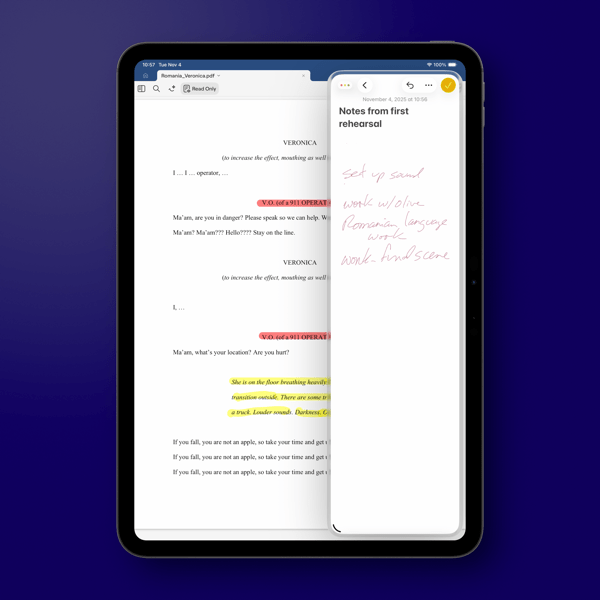
I do question why Apple only allows one app in this returning version as opposed to multiple apps as it did before. It was always handy to keep multiple apps available throughout rehearsal, given that I prefer to have my script open full screen on the 11 inch iPad Pro.
As a side note, I’m not a fan of the Liquid Glass border around the window in Slide Over. It waists screen real estate, almost begging you to look at the feature. Even switching Liquid Glass to the new Tinted version, now also available in iOS 26, doesn’t erase or lessen that border or its distracting impact.
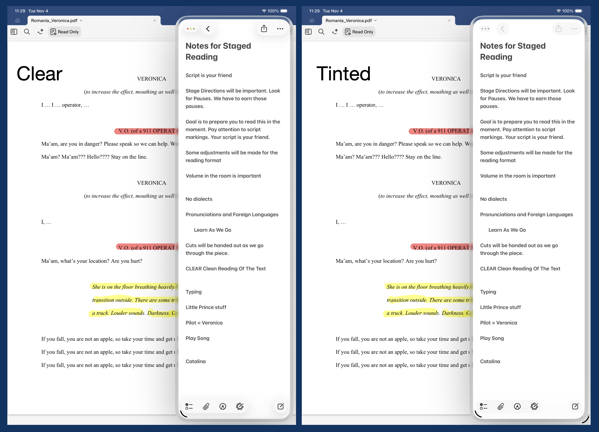
In fact, setting the border aside, switching back and forth I don’t really see any significant difference in the apps I’m currently using between the Clear and Tinted versions of Liquid Glass. I won’t call that a complaint, but I will say it might all be much ado about nothing. At least on the iPad.
You can also find more of my writings on a variety of topics on Medium at this link, including in the publications Ellemeno and Rome. I can also be found on social media under my name as above.
 Life on the Wicked Stage: Act 3