When the iPhone was first announced Steve Jobs uttered the now famous words about three products that would be combined into one:
Well, today we’re introducing three revolutionary products of this class. The first one is a widescreen iPod with touch controls. The second is a revolutionary mobile phone. And the third is a breakthrough Internet communications device.
The app for that “revolutionary mobile phone” has undergone few changes through the years since 2007, but nothing really to call home about. It can be argued that of those original three products, the phone has become perhaps the least important as users relied more and more on other methods of communication. This year with iOS 26, the Phone app got some significant changes. Some of which, at the moment, are proving quite helpful even if a bit confusing.
Let’s talk about the confusion first.
Apple introduced a new Unified View in the Phone app that consolidates Favorites, Recents, and Voicemails all under a single Calls tab. It sounds good to try and combine these features into one hub as a concept, but I find it confusing and some of the folks I support do as well. Apple also knew it could be confusing, providing users with a way to switch back to the prior Classic View with the familiar separate tabs for Favorites, Recents and Voicemail. Those folks I support are choosing to stick with the Classic View rather than learning something new. I’m swinging back and forth.

Like anything else new this Unified View breaks muscle memory. That sort of change isn’t necessarily a bad thing, but coming after years of users trained on the same interface, it’s about as confusing as flipping the mouthpiece and the earpiece on an old landline phone would be.
If you choose the Unified View and designate enough contacts as Favorites, it’s also a damn ugly interface to look at. Your Favorites are arrayed at the top with recent calls below.. If you tap on Show All, (the catch all bucket if you have more than seven Favorites) you’re taken back to the same list view from the older UI of the Classic View. (The Unified View is on the left and the Classic View is on the right in the image below.)

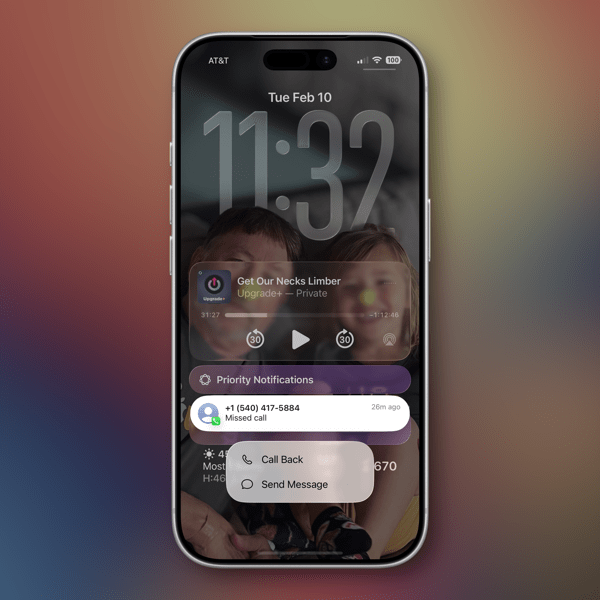
I’m also confused at times about the differences between what’s a Missed Call and What’s an Unknown Caller as notifications sometimes, not all the time, appear in both places. Sometimes a call record will show up in three places if it’s also identified as a Spam call.
New and Newish Features
Hold Assist Detection sounds like a winner of a feature. In some cases it is. In some not. It makes me think that the designers of this feature have never used the Phone app to call a pharmacy or a doctor’s office where the person answering the phone is so busy that when they answer they speak so fast that you can’t understand what they’re saying. In my experiences attempting to use this feature in cases like those, the person on the other end just hangs up and I have to make the call again. I’ve yet to have a successful attempt at using this feature as designed other than testing it with friends.

As an intriguing side note, the same thing happened with a call to Apple Support.
Screen Unknown Callers is another new feature that works well in some cases yet not in others. It has certainly reduced the number of unwanted calls I’ve received since turning it on. The call screening happens before your phone rings, which apparently is enough to bring an end to a number of those calls. Sometimes those calls appear in the Missed Calls list, sometimes not. What I don’t understand is that some of these calls also show up as Priority Notifications while others do not.
There are three options for screening unknown callers. The first is Never, which means you aren’t screening and all calls come through. The second is Ask Reason for Calling, which queries the caller. The third is Silence which silences any unsaved numbers and sends them to voicemail, placing the log of the call in the Recents List.
I’ve been using the Ask Reason for Calling option and, as I said, it has cut down on the number of unknown calls I receive in a day. My wife and I received our current phone numbers when we lived in another state and area code, so we essentially reject any calls with that area code as unwanted. I do wonder if this will become a whack-a-mole game with spam callers in the future as they look for ways to get around this feature.
Call Filtering silences missed calls and voicemail from unknown numbers. Those calls end up in the Unknown Callers List. Sometimes in other lists.
Spam Calls, as identified by your carrier, are silenced, sent to voicemail and moved to the Spam List. Yet, sometimes are flagged as Priority notifications.
Live Voice Mail has been around since iOS 17 and is supposed to show you a live transcription of a voice mail so you can pick up if the call is important. I tried this a couple of times during the iOS 17 era but never used it regularly to gauge how well it worked. I’ve tried it a few times in iOS 26 and have not been able to see the live transcription until after the caller ended things on their end. So I’m guessing Apple has some work to do there.
The good news about all of this is that Apple in the last couple of years is working to make your iPhone less of a nuisance when it comes to dealing with unwanted calls.
The not-so-good news comes in two buckets. The new user interface will require quite an adjustment. Kudos to Apple for providing an option to switch back easily. The other bucket is that phone makers have to rely on carriers for reducing Spam. Spam lists are the province of the carriers. That push and pull is reflected somewhat in the design of the Phone app interface when it comes to blocking unwanted calls.
In order to Block or Block and Report a phone number as Spam there are two options. If you swipe left on the record of an unknown phone call a small orange icon with a white hand appears that reveals the blocking actions.

You can also open up a Contact card by hitting the Info button on the right of a Contact card, scroll all the way down to the bottom of the card and choose to Block the number from there.
Either method described above is more cumbersome than it needs to be in my opinion and it would be much simpler if Apple could design an incoming call screen that had a prominent Block button on it.
These new features Apple has added to the Phone app in my opinion demand better curation of contacts by a user to work effectively. At least in my case they do. Numbers you may use once in a while need to be in your contacts in order for these new phone features to identify them appropriately. By the same token, numbers you never want to hear from again need to be blocked or blocked and reported as spam.
All methods of communication eventually devolve into this kind of tedium and you’d think by now there would be money enough to find better technological methods to relieve us of it.
My other concern is one that I have about how Apple handles its apps in general. With a few exceptions, (Notes and Reminders) Apple tends to release new features for an app and then let them go years without continuing to improve them. I hope that’s not the case with these new features in the Phone app. Apple made a good, certainly overdue, next step with these changes. They can’t just leave us all on hold until they take the next one. We could all use a little more sanity and perhaps a bit more revolution from the “revolutionary mobile phone.”
Who knows? Maybe one day Apple will even turn its attention to the long neglected Contacts app.
You can also find more of my writings on a variety of topics on Medium at this link, including in the publications Ellemeno and Rome. I can also be found on social media under my name as above.

 Life on the Wicked Stage: Act 3