
Back last fall I wrote about the changes Apple made to the iPhone’s Phone app in iOS 26. I thought they were both helpful and confusing. I followed that up a month or so later suggesting that smartphone makers needed to make delete and report spam buttons more of a priority.
I still maintain the points I made in both of those posts, but here are some more thoughts after having used the Phone app since.
Regarding the Hold Assist Detection feature what I said earlier very much still applies.
It makes me think that the designers of this feature have never used the Phone app to call a pharmacy or a doctor’s office where the person answering the phone is so busy that when they answer they speak so fast that you can’t understand what they’re saying. In my experiences attempting to use this feature in cases like those, the person on the other end just hangs up and I have to make the call again.
Recently I spoke with a receptionist at one of my medical providers about this feature and her response I sums that up well from the other end of the line. Simply put she said, “I have no time for such nonsense.”
She said essentially the same thing about the Screen Unknown Callers feature that allows the call recipient to see who is calling or leaving a voicemail. As I previously mentioned I have the Ask Reason for Calling option selected. Early on there were a few callers that actually left a voicemail, but that seems to have diminished over time. My speculation is that those doing the calling have caught on and just continue down their call lists. With this same medical provider I missed several calls because she was using a different number assigned by their phone system than I had placed in my contacts and the call logged as Unknown.
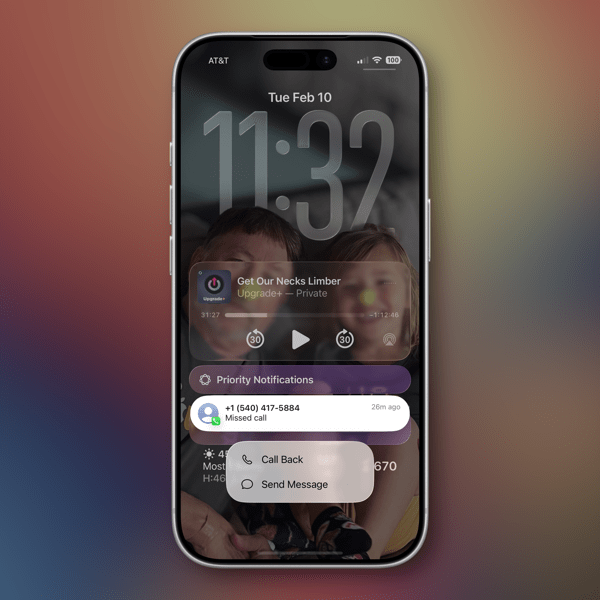
As to making spam reporting a more prominent UI feature not buried under a series of menus and taps, if Apple (and others) were really serious about making life easier for their users they’d add a Delete and/or a Delete and Report Spam option to the notification of a call. I mentioned in that earlier post that this Call Filtering feature would probably lead to a whack-a-mole game with spam callers. Based on the increasing frequency of spam calls I’m receiving I think the spammers are currently on a trajectory to win that game.
I still don’t know why all phone calls I receive, welcome or unwelcome, are listed as a Priority Notification. Since last autumn I’ve changed my lazy habits with contacts and been diligent about providing good contact metadata for doctors and others I do business or social interactions with. At that point that appeared to be the best way to try and take advantage of the newer features. But honestly I don’t think it matters much at this point based on what I’m seeing.
I support several elderly relatives who use their iPhones for basic needs, communication being the primary one. Having had a chance over the holidays to physically examine their devices, I noticed little usage of the delete function in the Unknown Call Callers section of the Missed Calls list. There were long lists of unknown callers. I imagine at some point we’ll see articles on how to clean up those lists.
In summary, I’d say the new Phone app features are still helpful and still confusing. Like everything else with Apple these days they should be categorized as a work in progress. Here’s hoping we won’t be on hold too long before we see progress happen.
You can also find more of my writings on a variety of topics on Medium at this link, including in the publications Ellemeno and Rome. I can also be found on social media under my name as above.

 Life on the Wicked Stage: Act 3